

10 Best Construction Payroll Services for 2026: Guide

Processing payroll for a construction company is fundamentally different than for a typical office business. You’re not just paying salaried employees or standard hourly rates. You’re juggling a complex web of job costs, union agreements, state tax laws, and federal regulations that can change from one project to the next. Generic payroll software often falls short, leading to compliance nightmares, costly errors, and administrative headaches. This is why specialized construction payroll services are not a luxury, they are a necessity for staying profitable and compliant. In this guide, we’ll break down the top 10 construction payroll services for 2026, highlighting the features that matter most for contractors.
What Are Construction Payroll Services vs. Generic Payroll Software?
Standard payroll software is designed for consistency: fixed salaries, predictable hourly work, and straightforward tax withholding for a stable location. Construction payroll services are built for complexity and constant change. They handle the unique financial and regulatory landscape of the construction industry.
The core difference between generic software and construction payroll services lies in their ability to manage variability. A construction crew might have workers with multiple pay rates in a single week depending on the job they perform or the equipment they use. They may work on a private project Monday and a federally funded project Tuesday, triggering completely different wage and reporting rules. Generic software can’t manage this level of detail, but construction payroll services are designed for it.
Core Compliance and Reporting Demands in Construction Payroll
The compliance burden in construction is significant. Getting it wrong can lead to steep fines, back wage payments, and even debarment from bidding on future government contracts. To stay ahead of rule changes, subscribe to Bolto’s newsletter for payroll and compliance updates.
Certified Payroll Reporting
For any federally funded construction project over $2,000, contractors must submit weekly certified payroll reports. These reports, often completed on federal Form WH 347, verify that workers are being paid the local prevailing wage. Each report must include a signed “Statement of Compliance,” confirming the information is accurate and complete. The process is mandatory and requires meticulous record keeping for every employee on the job site.
Prevailing Wages and the Davis Bacon Act
The Davis Bacon Act of 1931 mandates that workers on federal projects receive the local “prevailing wage,” which includes a specific hourly rate plus fringe benefits. These rates are determined by the Department of Labor and vary significantly by location and job classification, such as carpenter, electrician, or laborer. Specialized construction payroll services automate these calculations to ensure every worker receives the correct total compensation package.
Union Reporting
For contractors working with unions, payroll involves another layer of complexity. It requires managing multiple collective bargaining agreements (CBAs), each with unique wage rates, fringe benefits, overtime rules, and dues deductions. A good payroll service can automate these calculations, generate union remittance reports, and ensure payments are made correctly and on time.
Multi State and Local Taxes
Construction companies frequently operate across multiple states, cities, and local tax jurisdictions. This creates a compliance nightmare, as each state has its own rules for income tax withholding, unemployment insurance, and reciprocity agreements. A mistake can mean paying taxes for an employee in both their home state and the state where work was performed.
Worker Classification
Misclassifying a worker as an independent contractor (1099) instead of an employee (W 2) is a major risk in the construction industry. Misclassification can lead to significant penalties, including back taxes, fines, and lawsuits. A recent analysis found that a misclassified construction worker could lose out on over $19,000 per year in income and benefits compared to a properly classified employee.
Must Have Features for Construction Payroll Services
When evaluating different construction payroll services, look for these essential, industry specific features:
- Job Costing: The ability to track labor hours and costs and assign them to specific projects and job codes in real time. This provides crucial data for understanding project profitability and creating accurate future bids.
- Certified Payroll and Prevailing Wage Management: Automated generation of federal Form WH 347 and state specific equivalents with statements of compliance. The system should maintain a database of prevailing wage rates to apply the correct pay based on project location and worker classification.
- Multi Rate and Overtime Rule Management: Construction workers often earn different rates for different tasks in the same pay period. The software must handle these multi rate calculations seamlessly and automatically apply the correct overtime rules, which can vary by state, union agreement, or day of the week.
- Union and CBA Automation: The ability to configure and automate calculations for multiple union agreements, including complex wage scales, fringe benefit contributions, and dues deductions.
- Robust Tax Engine (Multi State, Multi Entity): Automatically calculates and withholds the correct state and local taxes for employees working across different jurisdictions. For larger companies, the service should also support payroll across multiple legal entities under one parent company.
- Mobile Time Capture and Employee Self Service: Allows workers to clock in and out from the job site via a mobile app, ensuring accurate hour collection with features like geofencing and GPS stamping. Employee self service portals let workers view pay stubs, access tax documents, and manage personal information, reducing administrative workload.
- Deduction and Benefit Management: Efficiently handles standard benefits like health insurance and 401(k) plans alongside construction specific deductions for tools, uniforms, or union fringe benefits.
- Flexible Pay Group Configuration: The ability to set up different pay schedules (weekly for field crews, biweekly for office staff) and run payroll for each group as needed.
- Reporting and Dashboards: Provides detailed, customizable reports on labor costs, job profitability, compliance, and more. A clear dashboard gives you an at a glance view of key payroll metrics.
Integrations That Matter for Contractors
A payroll system shouldn’t be an island. To maximize efficiency, it needs to connect seamlessly with the other software you use to run your business. Key integrations include:
- Accounting Software: Direct integration with platforms like QuickBooks, Sage, or other construction ERPs ensures your general ledger is always up to date with real time job costing data.
- Project Management Tools: Syncing with your project management software provides a clearer picture of labor costs against budgets.
- HRIS Platforms: While field payroll is complex, you still need to manage your office and administrative staff. Integrating with a modern HR platform like Bolto’s HRIS can unify onboarding, benefits, and compliance for your entire company, from engineers in the office to crews on site.
How to Evaluate and Choose the Best Construction Payroll Service
Choosing the best construction payroll service depends on your company’s specific needs. Review Bolto’s plans and pricing to benchmark transparent costs while you ask yourself these questions during the evaluation process:
- Do we work on government funded projects? If yes, automated certified payroll and prevailing wage features are non negotiable.
- Are our crews union or non union? If you work with unions, you need a system built to handle complex CBA requirements.
- In how many states do we operate? If you work across state lines, a robust multi state tax engine is critical.
- What software do we already use? Ensure the payroll service integrates smoothly with your existing accounting and project management stack.
- What level of support do we need? Look for a provider with strong customer support that understands the nuances of construction. For growing businesses, having access to dedicated, human support, a model that companies like Bolto champion, can be a significant advantage over ticket queues.
Top 10 Construction Payroll Services
Now that we’ve covered the essential features to look for, let’s dive into the leading solutions that can meet the construction industry’s complex demands. The following ten services have been selected for their robust, construction specific features, including certified payroll reporting, job costing, and union rate calculations. Each of these providers offers a unique combination of tools designed to streamline your payroll process and ensure compliance.
1. Viewpoint Spectrum Payroll (Trimble)
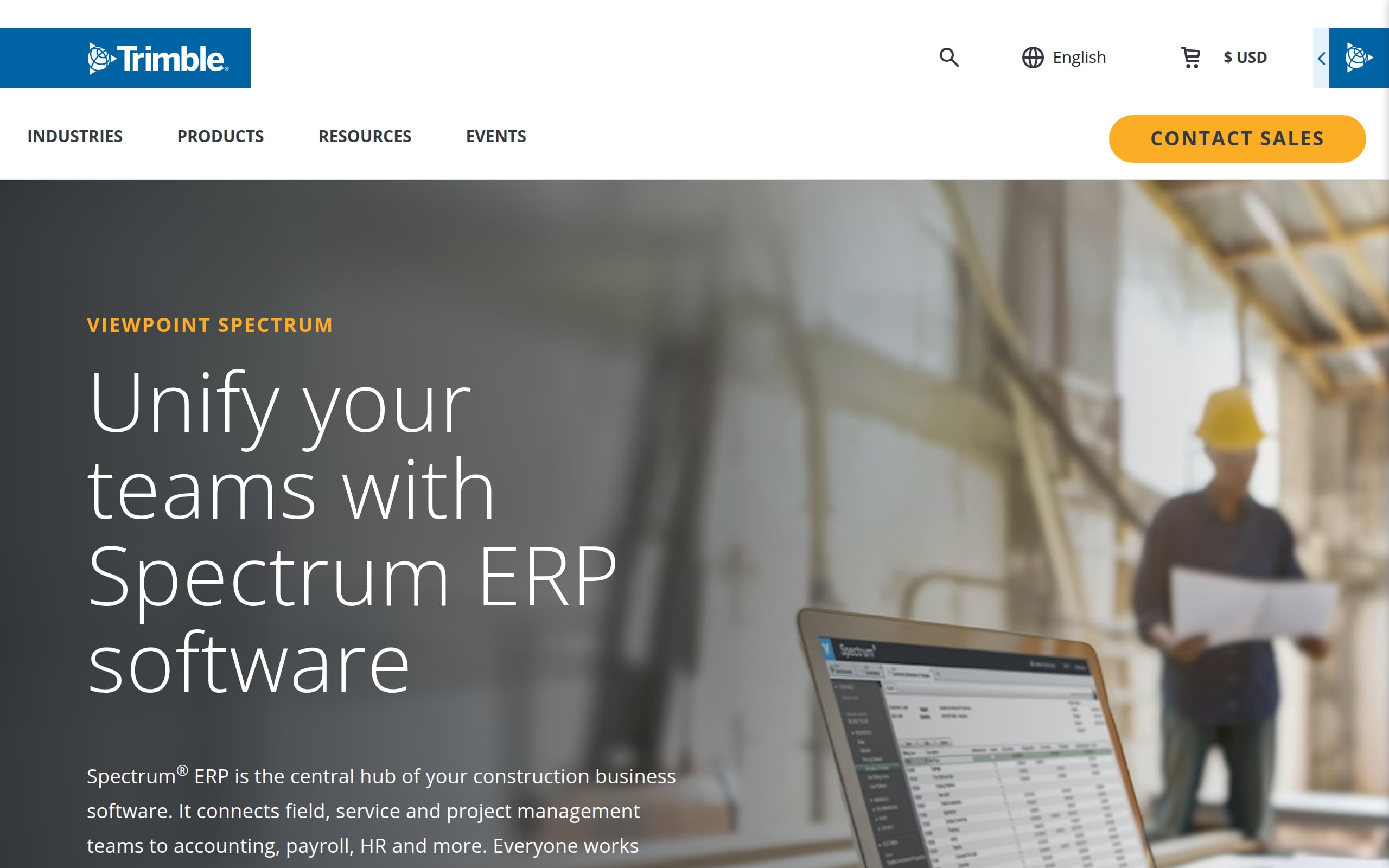
Viewpoint Spectrum Payroll is an ERP embedded payroll engine engineered for contractors who can’t afford mistakes, including for union, prevailing wage, and multi state teams with DOT oversight and heavy job cost demands. By tying payroll directly to Spectrum’s financials and field time capture, it turns compliance chores into automated outputs and gives project managers instant, trustworthy labor costs at the job, phase, and cost code level.
Best for: specialty and heavy civil contractors on Spectrum who need certified payroll certainty and real time job costing.
Key Features
- Federal WH 347 and state specific certified payroll reports
- Union rules, fringe benefits, deductions, apprentice rates
- Multi state/local tax calculations and e filing via Aatrix
- Job cost allocation to jobs, phases, and cost codes with burdens
- Mobile field time capture with GPS stamping and supervisor approvals
- Integrations via Trimble App Xchange, including Procore and QuickBooks
- W 2 and 1099 paid in a single payroll run
Strengths
- Deep Davis Bacon/union compliance with audit ready reporting
- Real time, ERP native job cost visibility tied to payroll
- Proven construction integrations, including a Procore financial connector
Limitations
- Steeper learning curve; formal implementation is typical
- Quote based pricing; key connectors/modules often add ons
Pricing and Buying Notes
Quote only with add on fees for modules like Aatrix and Procore connectors. Timelines vary, so request a detailed SOW, references from similar union projects, and full TCO including e filing fees.
2. Miter
Miter is construction native payroll and HCM that unites certified payroll, union rules, field time, and job costing under one roof. It fits self performing GCs and specialty trades juggling multi state crews, reciprocity, and complex fringes, especially when Procore, Sage, or QuickBooks sit at the core of the back office.
Best for: contractors who want certified payroll and ERP grade job costing without stitching together multiple tools.
Key Features
- WH 347 and state certified/prevailing wage reporting
- Union locals, fringes, deductions, reciprocity rules
- Automated multi state and local payroll tax filings
- Job/phase/cost code allocations with full labor burden
- Mobile time tracking with geofencing and supervisor approvals
- Direct integrations with Procore, Sage, QuickBooks, Viewpoint, and more
- Single run payroll for W 2 and 1099
Strengths
- Deep compliance automation across certified and union payroll
- Real time job costing that actually syncs to your ERP
- Field first mobile experience crews will use
Limitations
- Quote only pricing; some capabilities are modular add ons
- Initial rules setup for multi union shops can be intensive
Pricing and Buying Notes
Quote based with costs driven by modules (e.g., Time, Certified Payroll). Ask for an implementation plan, SLAs for tax filings, and references from similar trades and union locals.
3. ADP Workforce Now (Construction Edition)
ADP Workforce Now (Construction Edition) brings ADP’s scale to contractors that need certified payroll, union rules, and multi state taxes handled without drama. It slots into accounting stacks like Sage Intacct and QuickBooks and connects field time to job costing so PMs and payroll see the same numbers.
Best for: mid market contractors that want ADP reliability with construction savvy workflows and integrations.
Key Features
- Certified/prevailing wage reporting (WH 347 via partners)
- Union rules, fringes, deductions, apprentice rates
- Automated multi state/local filings and reciprocity
- Job/phase/cost code allocations and reporting
- Mobile time with geofencing and crew punches
- Connectors for Procore, Sage, QuickBooks, and Viewpoint
- W 2 and 1099 in one system and run
Strengths
- Strong certified payroll and multi state tax capabilities
- Robust job cost reporting and broad integration marketplace
- Implementation playbooks purpose built for construction
Limitations
- Some construction features require paid add ons or partners
- Third party connectors may be needed for certain ERPs
Pricing and Buying Notes
Quote based; pricing rises with certified payroll, job costing, and connectors. Ask for a live data demo, construction references, and a timeline with roles and milestones.
4. Criterion HCM
Criterion HCM (now part of Sage) targets mid market contractors that need heavy duty compliance (such as certified payroll, multi union rules, and multi state taxes) without losing field usability. It captures GPS validated time, syncs to Procore/Viewpoint/Sage, and pushes clean, fully burdened labor costs back to finance.
Best for: union and prevailing wage contractors seeking ERP grade payroll inside a modern HCM.
Key Features
- WH 347 and prevailing wage rate management
- Union rules, fringes, deductions, apprentice ladders
- Multi state/local reciprocity, filings, and payments
- Job/phase/cost code allocation with burdens
- Mobile time with geofencing, GPS, facial recognition
- Integrations with Procore, Trimble Viewpoint, Sage, QuickBooks
- Single payroll run for W 2 and 1099
Strengths
- Deep certified/union compliance plus multi state tax handling
- Proven integrations with construction ERPs and field apps
Limitations
- 3 to 6 month implementations for complex setups
- Time and certified payroll may be separate modules
Pricing and Buying Notes
Quote based, modular (often starting around a PEPM payroll fee) plus implementation. Request union shop references and clarity on post acquisition Sage support.
5. Arcoro
Arcoro blends a construction focused HR suite with Arcoro Payroll and ExakTime’s field proven time tracking to keep certified payroll and job costing in lockstep. For contractors running prevailing wage and union crews across states, it streamlines WH 347 outputs and union remittances while pushing GPS verified hours to accounting.
Best for: field heavy firms that want integrated time, payroll, and certified reporting with construction ready connectors.
Key Features
- WH 347 and LCPtracker friendly certified payroll exports
- Union rules, fringes, deductions, apprentice rates
- Multi state/local filings with reciprocity
- Job/phase/cost code allocations
- ExakTime mobile with GPS, geofencing, photo ID
- Integrations with Procore, Sage, Viewpoint, QuickBooks, Foundation, CMiC
- W 2 and 1099 processing
Strengths
- Strong certified/union compliance capabilities
- Battle tested field time capture that feeds accurate job costs
Limitations
- Payroll is newer and typically bundled with ExakTime
- Quote only pricing; many features sold as add ons
Pricing and Buying Notes
Quote based; expect bundling with ExakTime and add ons for advanced reporting. Plan 4 to 6 weeks for rollout; request SLAs for filings and sample WH 347/LCP outputs.
6. QuickBooks Payroll
QuickBooks Payroll gives small and midsize contractors a familiar path to compliant payroll and clean books. If your accounting already lives in QuickBooks, it can tie mobile time, job costing, and multi state filings together while also supporting certified payroll via Desktop or third party tools for Online.
Best for: QuickBooks centric GCs and trades that need solid fundamentals and simple certified payroll workflows.
Key Features
- Certified/prevailing wage reporting (WH 347 in Desktop; apps for Online)
- Job cost allocation to project, phase, and cost code
- QuickBooks Time mobile tracking with GPS/geofencing
- Multi state and local tax filings across plan tiers
- Integrations with Procore, Buildertrend, and more
- W 2 payroll and 1099 contractor payments in one system
Strengths
- Deep, native accounting integration and job costing
- Robust, easy field time tracking via QuickBooks Time
- Desktop offers built in certified payroll tools
Limitations
- Online requires add ons for certified payroll
- Complex union/fringe calculations may be manual
- Extra fees for multi state filings on lower tiers
Pricing and Buying Notes
Public tiered pricing with base plus per employee fees; add ons for certified payroll and multi state may apply. Fast onboarding; validate union/certified workflows if on QuickBooks Online.
7. UKG
UKG delivers enterprise grade HCM and payroll for construction organizations that need airtight time capture and complex pay rules at scale. It can support certified payroll and union reporting through partners, while feeding job costed labor to ERPs contractors already use.
Best for: large, multi entity contractors comfortable orchestrating partner add ons for deep construction compliance.
Key Features
- Certified payroll (WH 347) and LCPtracker via marketplace partners
- Union pay scales, fringes, and remittances through add ons
- Multi state/local tax calculations, filings, reciprocity
- Job cost sync with Viewpoint, Sage, Procore connections
- Mobile time with GPS and geofencing for field accuracy
- W 2 and 1099 paid in a single payroll run
Strengths
- Scales across large, distributed, multi state crews
- Powerful workforce management and mobile time tools
- Extensive partner ecosystem for construction needs
Limitations
- Certified payroll/union features rely on third parties
- Longer implementations; quote based with add on fees
Pricing and Buying Notes
Quote based; budget for partner subscriptions. Expect 3 to 6 month deployments. Ask for construction references and SLAs across UKG and partner apps.
8. Paychex
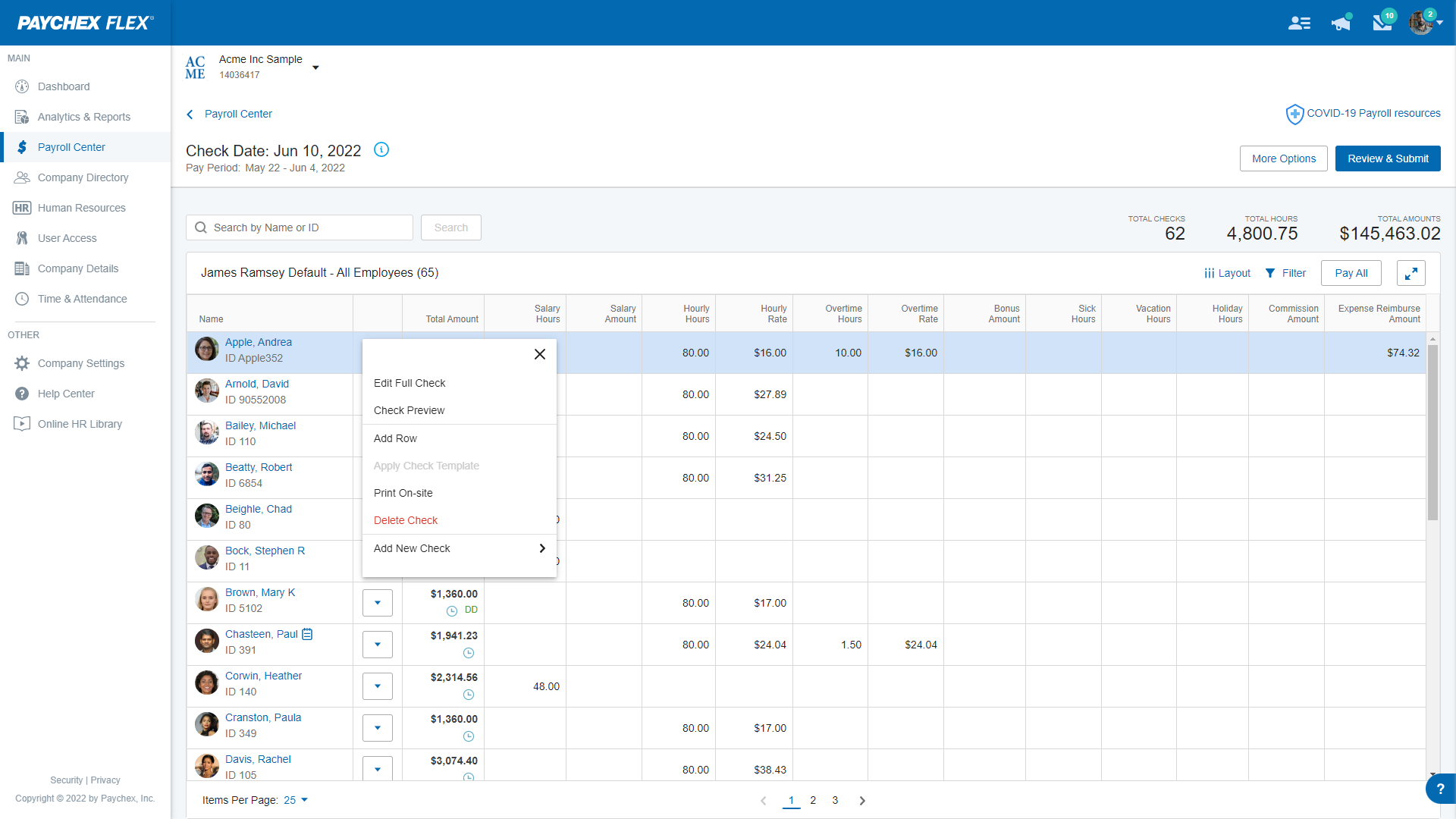
Paychex Flex is a broad payroll platform that contractors use for dependable multi state tax filing, mobile time capture, and job costing, and they extend it with partners for certified payroll and union remittances. It’s a pragmatic choice if your accounting sits in QuickBooks or Sage Intacct and you prefer a core payroll backbone plus integrations.
Best for: contractors who want a scalable payroll core and don’t mind partner tools for construction specific reporting.
Key Features
- Certified/prevailing wage reporting via integrated partners
- Union deductions and remittances through add ons
- Automated multi state/local payroll tax filings
- Project/phase/cost code job costing
- Mobile time with geofencing and kiosk capture
- Integrations with QuickBooks, Sage Intacct, Procore (via partners)
- W 2 and 1099 in one payroll run
Strengths
- Strong multi state compliance engine
- Solid field time options and clean accounting syncs
Limitations
- Certified payroll/union features require third party tools
- Quote based pricing; separate fees for partner modules
Pricing and Buying Notes
Quote based. Expect separate subscriptions for time, certified payroll (e.g., Points North), and ERP connectors. Allow several weeks to configure partner integrations.
9. Rippling

Rippling modernizes HR and payroll for contractors that want slick, unified workflows and reliable multi state compliance, then layers on certified payroll via integration. Its job costing and time tools map cleanly to QuickBooks, Sage Intacct, and NetSuite for a tidy back office handoff.
Best for: growing, tech forward contractors that need strong core payroll and will integrate certified/union reporting as an add on.
Key Features
- Certified/prevailing wage reports (WH 347) via Points North
- Union rules, fringes, apprentice rate management
- Automated multi state/local tax filings
- Project/phase/cost code job costing
- Mobile time with geofencing and field approvals
- Native journal sync to QuickBooks, Sage Intacct, NetSuite
- Single run payroll for W 2 and 1099
Strengths
- Excellent multi state compliance and scalability
- Field friendly mobile UX and clean accounting syncs
Limitations
- Certified payroll and union reporting require a third party app
- Fewer native connections to construction ERPs (e.g., Viewpoint)
Pricing and Buying Notes
Modular, quote based (core often from a low PEPM) plus add ons for Time, Job Costing, and certified payroll. Typical implementation: 2 to 4 weeks.
10. Gusto
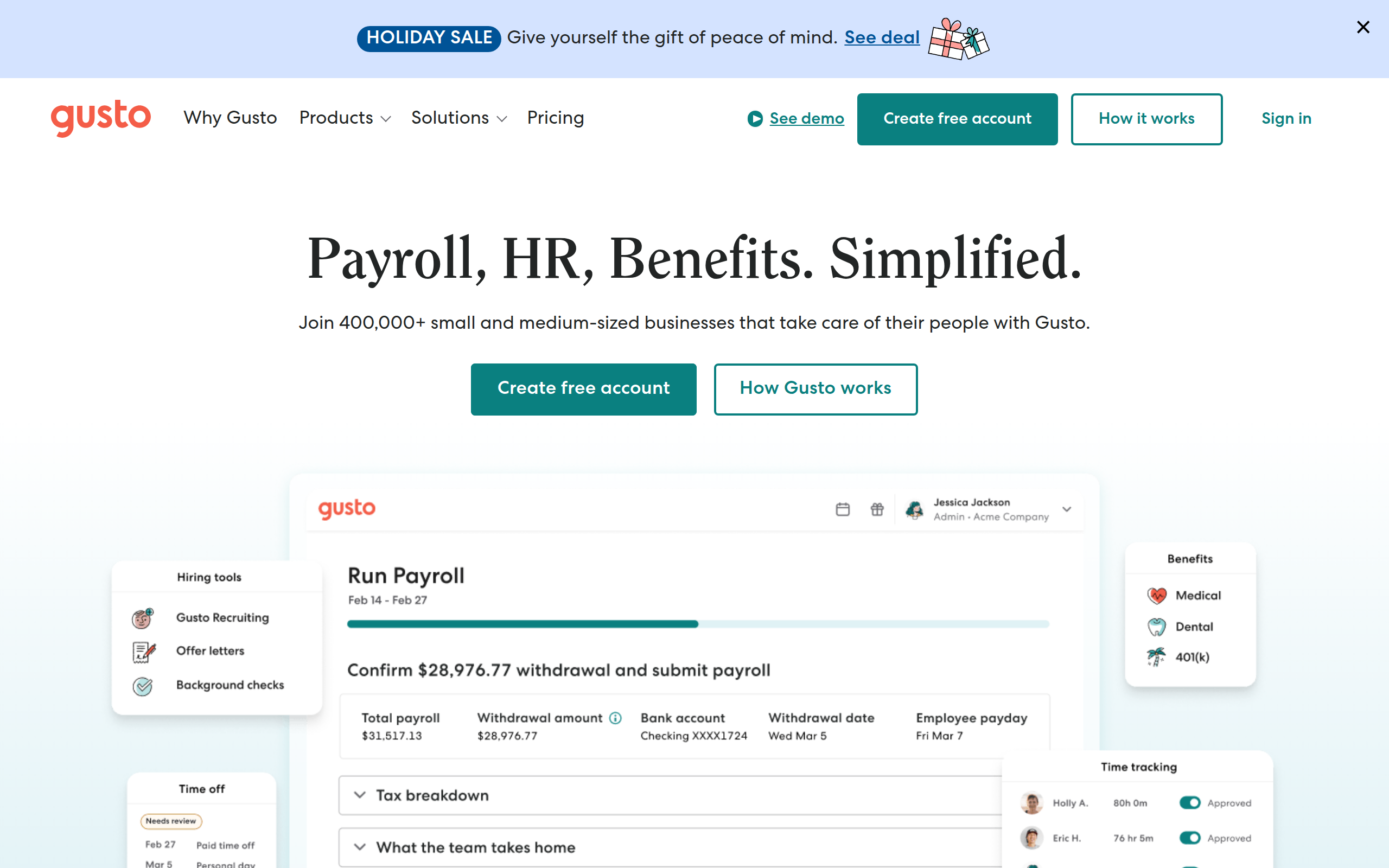
Gusto is an approachable payroll platform that nails the basics for smaller contractors (including automated filings, mobile time, and straightforward job costing) without the weight of a construction ERP. It’s best for non union or residential crews that rarely touch public works and can lean on apps if certified payroll is occasionally required.
Best for: open shop and residential contractors using QuickBooks Online or Xero who value simplicity over heavy compliance tooling.
Key Features
- Full service multi state payroll and tax filings
- W 2 and 1099 paid in the same run
- Native time tracking with geofencing and kiosk mode
- Project level job costing syncing to QuickBooks Online and Xero
- Integrations with construction time apps (ClockShark, Workyard)
- No native WH 347 or union remittance reporting
Strengths
- Modern, easy interface with reliable multi state automation
- Strong ecosystem for field time and simple job costing
Limitations
- No built in certified payroll; limited union support
- Not designed to sync with construction ERPs
Pricing and Buying Notes
Public, tiered pricing; time tracking may be an add on on lower tiers. Fast onboarding, but validate third party certified payroll workflows if you bid public work.
Implementation Roadmap and Common Pitfalls
Switching to a new payroll system requires a clear plan. A typical implementation roadmap includes:
- Data Collection: Gather all necessary employee information, job codes, pay rates, and union agreements.
- System Setup: Work with the provider to configure the software to match your specific compliance and reporting needs.
- Testing: Run at least one parallel payroll with your old and new systems to verify accuracy.
- Training: Ensure your administrative staff is fully trained on how to use the new platform.
- Go Live: Officially switch over to the new service for all payroll processing.
Common pitfalls to avoid include migrating inaccurate data, providing inadequate team training, and underestimating the time required for a successful transition. Before you start, browse implementation checklists and HR guides to prepare your team.
Benefits and ROI of Construction Aware Payroll
Investing in specialized construction payroll services delivers a strong return. Small business owners can spend over five hours per week on payroll tasks, which adds up to 260 hours annually. Automation gives you that time back. See how Bolto Payroll automates filings and pays W 2s and 1099s in one run.
Key benefits include:
- Reduced Compliance Risk: Automation minimizes the human errors that lead to costly fines and penalties.
- Accurate Job Costing: Real time labor data helps you create more accurate bids and protect project profitability.
- Increased Efficiency: Automated systems can cut payroll processing time by as much as 50%. This frees up your back office staff to focus on more strategic work.
- Improved Employee Trust: Accurate, on time paychecks and clear pay stubs build morale and reduce disputes. Dissatisfaction due to payroll errors is a common complaint among employees.
Conclusion: Match the Service to Your Size, Stack, and Compliance Profile
Choosing the right construction payroll service is a critical business decision. The complexities of prevailing wages, certified reporting, and multi state labor laws demand a specialized solution. Generic software simply can’t keep up, exposing your business to financial risk and administrative inefficiency. By carefully evaluating your needs against the features of leading construction payroll services, you can find a partner that saves time, reduces risk, and provides the accurate data needed to grow your business profitably.
For modern construction companies also focused on hiring top administrative and technical talent, a unified platform can be a game changer. Ready to streamline your entire HR stack, from recruiting top talent to running payroll? See how Bolto provides an all in one platform built for growth.
FAQ
What is the main difference between construction payroll and regular payroll?
Construction payroll is designed to handle industry specific complexities like certified payroll reporting for government jobs, prevailing wage calculations, union agreements, and multi state tax withholding for mobile workforces. Regular payroll typically handles simpler scenarios like fixed salaries and consistent hourly rates in a single location.
What is certified payroll?
Certified payroll is a weekly report that contractors on federally funded projects over $2,000 must submit to the government. It uses Form WH 347 to document wages, hours, and benefits paid to every worker on site, proving compliance with prevailing wage laws.
How do construction payroll services handle prevailing wages?
They use built in databases of federal and state prevailing wage rates. The software automatically applies the correct wage and fringe benefit amounts for each worker based on their job classification and the project’s physical location, ensuring compliance with laws like the Davis Bacon Act.
Can I use standard accounting software for construction payroll?
While many accounting platforms have payroll modules, they often lack the specialized features needed for construction compliance. They may not automate certified payroll reports, handle complex union calculations, or manage multi state prevailing wages effectively, increasing your risk of errors and fines.
Why is job costing important in construction payroll?
Job costing allows you to track labor costs for specific projects, phases, and cost codes. This data is essential for understanding project profitability, creating accurate estimates for future bids, and making informed financial decisions.
How do I handle payroll for workers in multiple states?
The best approach is to use a construction payroll service with a robust, multi state tax engine. It will automatically calculate and withhold the correct taxes based on each state’s laws and any reciprocal agreements, which is extremely difficult to manage manually.