

10 Best Payroll Software for Large Companies in 2026

Growing headcount across states and countries multiplies payroll risk and complexity. Payroll software for large companies must do far more than cut checks. It needs to calculate taxes correctly, keep auditors happy, integrate with finance and HR, and scale with new entities and hiring models.
This guide explains what to require, how to evaluate options, and how to plan an implementation that delivers measurable ROI. If you want a unified approach that brings recruiting, global hiring, EOR, contractor management, and payroll into one platform, take a look at Bolto’s global HR platform.
Core capabilities large companies should require
Payroll software for large companies must cover the essentials and the edge cases.
- Multi state and multi country payroll with automated tax calculation, garnishments, and statutory reporting
- On cycle and off cycle runs, prorations, retro pay, gross ups, and bonus plans
- Native support for employees, contractors, and EOR hires in one system of record
- Automated year end forms including W 2 for employees and 1099 NEC for contractors, both due to workers by January 31 each year, per IRS guidance
- Built in compliance for FUTA and SUTA, with FUTA generally applied at 6 percent on the first 7000 dollars of wages and federal deposit schedules handled through EFTPS
- Time tracking integrations, accruals, and overtime handling that aligns to FLSA rules for nonexempt employees
- Strong reporting and file exports to the general ledger, with dimensions for cost centers, locations, projects, and grants
- Role based access, approval workflows, and full audit trails
Curious how a single platform ties recruiting and pay together so new hires are productive in days, not months? Explore Bolto.
Systems landscape, cloud vs hosted vs on premises for enterprise payroll
Choosing the right deployment model affects cost, control, and agility when you standardize payroll software for large companies.
- Cloud, fastest to deploy and easiest to keep current, usually includes automatic tax table updates, frequent feature releases, and modern APIs
- Hosted single tenant, more isolation and configuration flexibility, but upgrades and customizations may slow down delivery
- On premises, maximum control for niche security or data residency needs, but longer implementation, higher maintenance burden, and slower innovation
Security certifications like SOC 2 Type II and ISO 27001 are common baselines for cloud vendors. Always verify the current report period and included trust categories.
Integration blueprint with your HR and Finance stack
Payroll must be the connective tissue across people and money flows. For payroll software for large companies, plan an integration blueprint before you buy.
- HRIS and ATS, synchronize worker records, job data, and start dates so offers flow to payroll with zero rekeying
- Time and attendance, import hours, differentials, and location data before payroll cutoffs
- Finance and ERP, post journals per pay run to the GL with mapping for earnings, taxes, and benefits
- Banking, secure connections for ACH, wires, and international transfers, including same day ACH options where eligible
- Identity and access, SSO via SAML and user lifecycle via SCIM to keep access aligned with your directory
- Data platform, exports and webhooks for analytics, budgeting, and headcount planning
Want a single place to run US payroll and pay contractors globally with one invoice? See how Bolto handles both.
Global coverage and compliance at scale
If you hire in new countries, entity setup can be slow and expensive. Many enterprises combine payroll software for large companies with EOR and contractor programs.
- EOR lets you hire employees in a country without creating a local entity, with the provider as the legal employer
- Contractor of record and contractor management standardize agreements, invoicing, and on time payments
- GDPR applies when processing EU resident data, with maximum penalties up to 20 million euros or 4 percent of global annual turnover, whichever is higher
- Local payroll rules change frequently, for example thirteenth month pay in many markets, mandatory benefits, and termination notice periods
- Payment rails differ by country, plan for local currency payroll and FX controls
Bolto offers EOR in many countries plus contractor management, so global teams can ramp fast. Learn more at Bolto.
Security, privacy, and risk management requirements
Payroll data is among the most sensitive in any enterprise. Treat security as a core feature when selecting payroll software for large companies.
- SOC 2 Trust Services Criteria cover security, availability, processing integrity, confidentiality, and privacy, request a recent Type II report
- ISO 27001 defines an information security management system, confirm certification scope and statement of applicability
- Data encryption in transit and at rest, with key management and database access controls
- Role based access control, maker checker approvals, and administrator activity logs
- Business continuity with tested disaster recovery, with clear RTO and RPO commitments
- PCI DSS applies if your provider processes or stores card data for benefit payments or reloadable cards
- Privacy controls for GDPR and regional data residency, including data subject rights workflow
Evaluation criteria and stakeholder buying guide
A successful selection process for payroll software for large companies brings Finance, HR, Legal, IT, and Security to the table with a shared scoring model.
- Coverage fit, states, countries, entities, worker types, benefits, unions, shift rules
- Compliance depth, tax updates, alerts, filings, and year end processing
- Integration strength, APIs, webhooks, SFTP options, and prebuilt connectors
- Security posture, third party reports, vulnerability management, pen test cadence
- Usability and admin experience, time to complete common tasks and error prevention
- Implementation plan, project ownership, parallel run approach, and change management
- Total cost, subscription, services, payment fees, and expected headcount to operate
- Vendor viability, references, SLAs, and support model
Pricing and ROI for large organizations
Most payroll platforms mix base platform fees with per worker per month pricing, plus payment and filing fees. For a deeper breakdown of common models and hidden costs, see our payroll services pricing guide.
- Include US payroll costs, global EOR or contractor management fees, and any per payment or FX markup
- Model support effort, hours saved by automation and error prevention
- Estimate penalty avoidance, for example IRS deposit timing penalties are assessed when federal tax deposits miss deadlines, which are managed on monthly or semiweekly schedules through EFTPS
- Account for working capital impact from payment cutoffs and settlement speeds, ACH typically settles in one to three business days and same day ACH exists for eligible transactions
Tie ROI to hard outcomes, fewer manual hours, fewer corrections, fewer penalties, and faster hiring to productivity.
Implementation at enterprise scale
Rolling out payroll software for large companies is a structured program. Expect these phases and insist on clear owners.
- Discovery and design, map earnings codes, benefits, deductions, locations, and integrations
- Data migration, validate pay histories and tax balances, reconcile to prior system
- Configuration and integrations, GL mapping, bank files, identity setup, and test flows
- Parallel runs, compare net pay and taxes across at least two full cycles and fix variances
- Go live and hypercare, staff tiered support and track defect burn down
- Optimization, automate recurring tasks, improve reports, and expand to new entities
Key pitfalls to avoid
Even the best payroll software for large companies fails without disciplined execution.
- Rushing discovery and underestimating historical data cleanup
- Treating integrations as an afterthought instead of a primary workstream
- Skipping parallel runs or cutting them short
- Granting broad admin access without least privilege and approvals
- Ignoring change management for managers and employees
Smart questions to ask on demos and in RFPs
Use these questions to separate strong vendors from the rest of the payroll software for large companies market.
- How do you manage automated tax updates across all states and supported countries, show change logs
- What percentage of customers complete two or more parallel runs before go live, show outcomes
- What is your SOC 2 Type II report period and which trust categories are in scope
- Can you demo GL posting for a complex pay run with multiple cost centers and funding sources
- How do SAML and SCIM provisioning work for delegated payroll admins and auditors
- What is the process to support year end forms, W 2 and 1099 NEC, and how do you handle corrections
- How do you support EOR and contractors alongside employees, in one dashboard and one invoice
Top 9 Payroll Software for Large Companies
Building on the fundamentals discussed above, this section focuses on enterprise-grade payroll platforms engineered for scale, which means handling complex org structures, multi-country workforces, and rigorous compliance needs. For broader context on architectures and vendor types, review our global payroll solutions guide. These ten vendors are grouped together because they combine robust automation, deep HCM/ERP integrations, strong security and audit controls, and reliable global support. Use this snapshot to quickly gauge the market leaders before drilling into features, pricing, and fit for your footprint.
1. Workday

Workday brings enterprise‑grade HCM and payroll together for organizations scaling from 100 to 5,000+ employees and operating across multi‑state U.S. and multi‑country footprints. With native payroll in select markets and Global Payroll Connect for 180+ countries, it’s built for leaders who want one data model, continuous payroll, and AI‑powered anomaly detection, plus unified time, absence, and contractor management through VNDLY.
Enterprise capabilities
- Native payroll with continuous calculation and AI audits in the U.S., Canada, U.K., France, Ireland, and Australia.
- Global Payroll Connect orchestrates partners (e.g., ADP, Strada, CloudPay, SD Worx) for 180+ countries.
- U.S. multi‑state automation, regulatory updates, tax calculations, and garnishment handling.
- Time tracking with mobile punch, geofencing, validations, mass approvals; unified with absence.
- Benefits, open enrollment, and employee self‑service for pay/tax, plus financial wellness tools.
- Integrations/APIs to HRIS/ATS/ERP; SSO/SCIM; cost center and GL mapping.
- Real‑time payroll reporting and cross‑suite analytics that tie HR and Finance together.
- Enterprise security with role‑based access, SOC/ISO audits, SLAs, and global data residency.
Pricing and deployment
Annual subscriptions are custom and module‑based; payroll is a country add‑on and global execution may involve partners. Implementations range from approximately 4 to 6 months (Launch) to 6 to 12+ months for multi‑country with parallel runs. Expect multi‑year terms and options for 24/7 support.
Pros
- Unified HCM/payroll with global reach and continuous payroll.
- AI‑driven audits and strong analytics.
- Mature security posture and integrations.
Cons
- Higher TCO, plus partner fees for some countries.
- Multi‑country rollouts can be lengthy.
- Native payroll covers limited countries.
2. SAP SuccessFactors

SAP SuccessFactors with Employee Central Payroll is purpose‑built for complex, distributed enterprises running multi‑state U.S. and multi‑country payroll at scale. It connects HR, payroll, time, benefits, and finance with deep localizations and strong governance. For SAP S/4HANA customers, the native finance tie‑in and Payroll Control Center create a compelling path to global oversight with consistent controls and updates.
Enterprise capabilities
- Payroll automation and legal updates; U.S. multi‑state taxes via BSI TaxFactory.
- Broad global payroll localizations with partner coverage; EOR/contractor workflows through Fieldglass.
- Time tracking for punches, schedules, overtime, accruals, and alerts with embedded analytics.
- Benefits with guided enrollment, savings plans, and payroll deductions.
- Payroll Control Center for validations, automated alerts, off‑cycle, and audit trails.
- Deep integrations: S/4HANA GL postings, APIs/OData, SSO/SCIM, People Analytics; cost center reporting.
Pricing and deployment
Custom PEPM pricing with minimums; add‑ons like Time Tracking or Fieldglass priced separately. Single‑country deployments often take 8–12 months; multi‑country is longer. Contracts include data migration, parallel runs, and 24×7 support options.
Pros
- Extensive localizations with timely legal updates.
- Payroll Control Center streamlines governance.
- Tight S/4HANA, analytics, and security integration.
Cons
- Higher cost and user minimums.
- Longer, complex implementations.
- EOR via partners only.
3. ADP

ADP’s enterprise suite supports employers with 100–5,000+ employees across multi‑state U.S. and 40 to 140+ countries. GlobalView and Celergo centralize multi‑country payroll, while Lyric HCM adds HR, benefits, and analytics. With the ADP WorkForce Suite unifying time, scheduling, and absence, ADP fits teams that want one provider to anchor compliance, tax filing, and payroll operations worldwide.
Enterprise capabilities
- U.S. payroll automation and tax filing, including registrations, notices, amendments, and new‑hire reporting.
- Global payroll via GlobalView and Celergo, backed by 3,000+ compliance specialists.
- Managed payroll services across 140+ markets with strong governance.
- Time, attendance, scheduling, and absence in ADP WorkForce Suite.
- Benefits administration in Lyric HCM with carrier connectivity and enrollment.
- Compliance: SOC 1/2, ISO 27001/27701, ACA, garnishments, unemployment, tax credits.
- Integrations with SAP SuccessFactors, Workday, Oracle; APIs, SSO/SCIM, prebuilt connectors.
Pricing and deployment
Quote‑based PEPM with add‑ons (WorkForce Suite, SmartCompliance, analytics). EOR offered through partners. Implementations range 3–12 months depending on scope and countries; annual contracts are common, with dedicated implementation teams and 24/7 payroll support.
Pros
- Scalable global coverage and managed services.
- Strong compliance, certifications, and analytics.
- Deep integrations with major HCM suites.
Cons
- Opaque pricing; add‑ons elevate cost.
- EOR is partner‑delivered.
4. Oracle

Oracle Cloud HCM with Oracle Payroll serves enterprises from 100 to 5,000+ employees running multi‑state U.S. and multi‑country programs. With native payroll in 14 countries and partners in 160+, it pairs compliant execution with deep ERP ties for costing and GL. Hardened security and rich analytics appeal to matrixed organizations managing employees, contractors, and complex cost structures.
Enterprise capabilities
- Payroll automation with U.S. multi‑state tax updates, filings, reconciliations, and year‑end.
- Native payroll localizations in 14 countries; partner reach across 160+ markets.
- EOR and contractor support via integrations with global providers.
- Time/attendance, leave, scheduling, and rules‑based capture.
- Benefits administration; carrier interfaces and absence feeding payroll.
- Compliance, audits, garnishments; SOC/ISO controls and data retention.
- Integrations to HRIS/ATS/ERP via REST, HCM Extracts, OIC, and SSO.
- Reporting with OTBI/BI Publisher; cost centers, balances, and GL.
Pricing and deployment
Custom PEPM with module add‑ons; list rates aren’t public. Expect ~4–6 months per country with testing and parallel runs. Multi‑year contracts, quarterly updates, dedicated PMs, 24×7 support, and success resources are typical.
Pros
- Global scale via native plus partner coverage.
- Best‑in‑class ERP integration for costing/GL.
- Mature analytics, security, and APIs.
Cons
- EOR handled through partners.
- Complex, time‑intensive rollouts.
- Opaque pricing; add‑ons raise TCO.
5. Dayforce
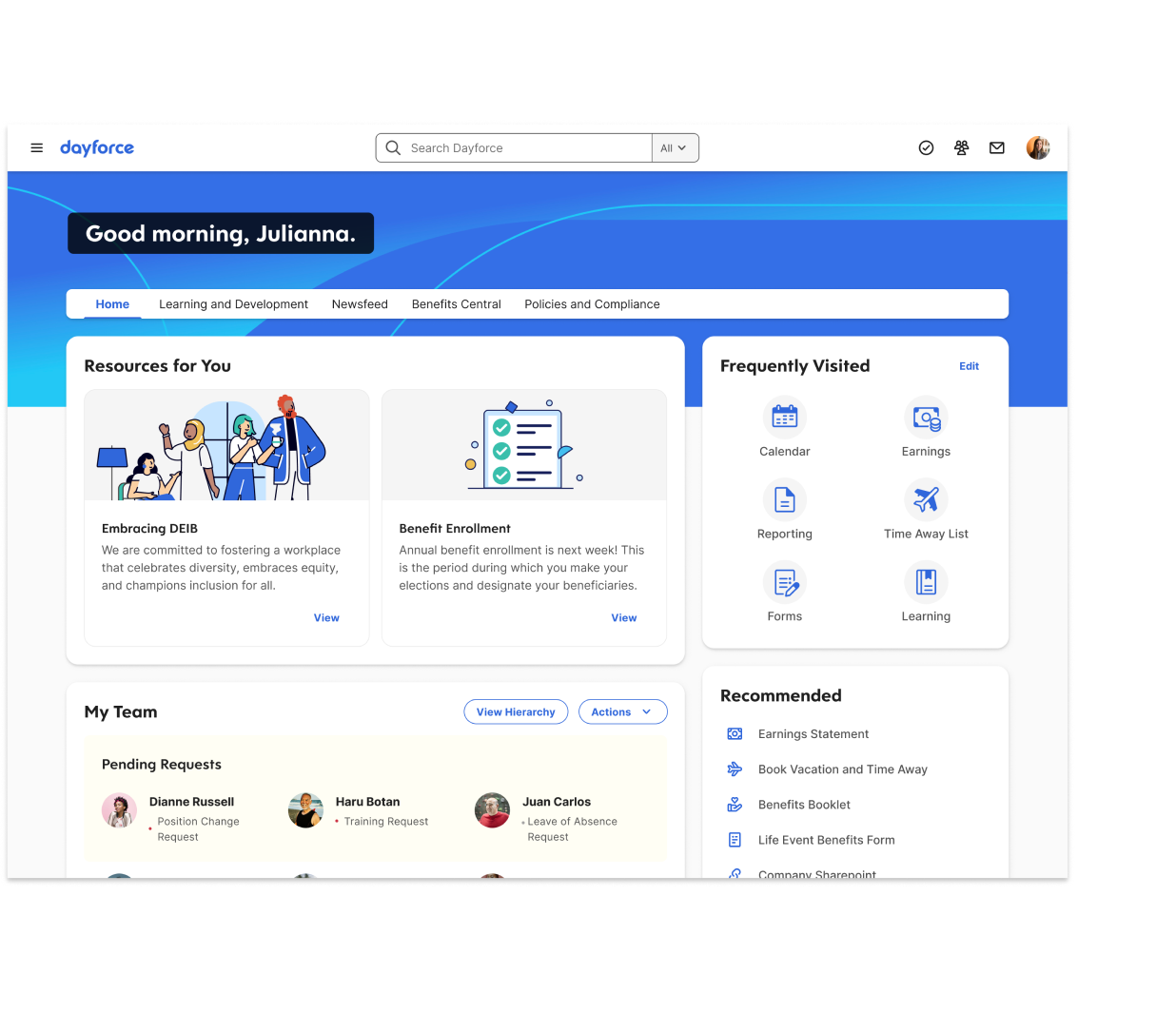
Dayforce unifies HCM and payroll for distributed enterprises with 100–5,000+ employees across multi‑state U.S. and multi‑country operations. Its hallmark is continuous payroll calculation, which reduces rework and surprises. Broad compliance coverage, flexible WFM, and native on‑demand pay (Dayforce Wallet) make it a fit for mixed hourly/salaried and global workforces, with partner EOR available.
Enterprise capabilities
- Payroll automation and U.S. multi‑state filing; continuous calc, year‑end, and garnishments.
- Global payroll across 160–200+ countries; partner EOR and contractor management.
- Time, attendance, scheduling, forecasting, and labor planning tightly linked to payroll.
- Benefits with guided enrollment, eligibility rules, modeling, and carrier connections.
- Frequent regulatory updates; rules‑based calc; SOC 1/2 and ISO certifications.
- Integrations with HRIS/ATS/ERP/GL via Integration Studio, APIs, OData; SSO/SCIM.
- Reporting and analytics with KPIs, drill‑downs, cost centers, and GL mapping.
Pricing and deployment
Modular PEPM with add‑ons for managed payroll/tax, WFM, and global payroll; Wallet included with Payroll. Expect setup fees, multi‑year contracts, and 6 to 12-month rollouts. Dedicated success teams, 24/7 support, training, and change‑management are standard.
Pros
- Continuous payroll smooths cycles.
- Broad global reach with partner EOR.
- Strong integrations, analytics, and controls.
Cons
- Add‑ons can raise total cost.
- Implementations are complex and lengthy.
- Partner EOR coordination required.
6. CloudPay
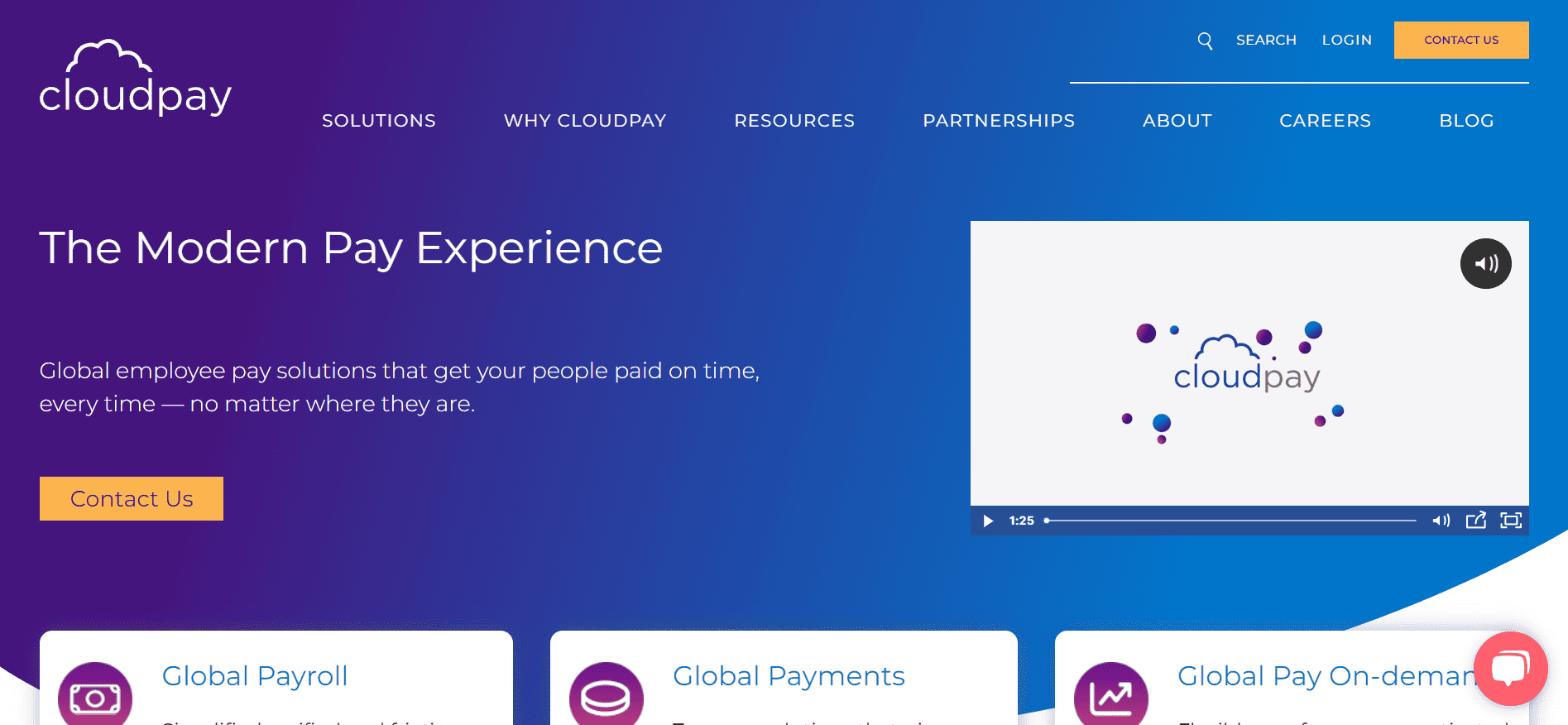
CloudPay focuses on multinational payroll and payments for employers with 100–5,000+ headcount. It centralizes payroll across 130+ countries and handles U.S. multi‑state complexity, contractors, and multi‑entity structures. With deep Workday/SAP/Oracle integrations, global disbursements, and compliance KPIs, CloudPay suits enterprises seeking a unified, managed payroll layer rather than a full HRIS or native EOR.
Enterprise capabilities
- Standardized payroll workflows; U.S. multi‑state tax filing and year‑end forms.
- Multi‑country payroll in 130+ countries with proactive KPIs and issue tracking.
- Global payments (net, statutory, third‑party) in 110+ currencies; Visa Direct pay‑to‑card.
- Time and absence connectivity; Workday sync; APIs for T&A and benefits.
- Employee app for payslips, documents, and earned wage access; 24/7 support.
- Compliance and audits; ISO 27001/27017/27018; data governance and controls.
- Integrations with Workday, SAP SuccessFactors, Oracle; SSO/SCIM; PEI analytics/reporting.
Pricing and deployment
Standardized packages reportedly start near $20 PEPM; enterprise pricing is custom with add‑ons for Global Payments and Pay‑On‑Demand. Typical go‑live in ~8 weeks. Contracts vary; dedicated CSMs, in‑country experts, HCM integrations, and training included.
Pros
- Unified global payroll, payments, and EWA.
- Strong Workday/SAP/Oracle integrations.
- Robust ISO controls and KPI visibility.
Cons
- Not an EOR or full HRIS.
- Time tracking relies on integrations.
7. Oracle PeopleSoft

PeopleSoft remains a stalwart for large, compliance‑heavy organizations that value deep configurability and mature controls. It scales from 100 to 5,000+ employees across multi‑state U.S. and multi‑country operations, unifying payroll with time, benefits, and finance. Deployed on‑prem or on Oracle Cloud Infrastructure via Cloud Manager, it’s backed by Oracle’s Applications Unlimited and Premier Support.
Enterprise capabilities
- Payroll automation and U.S. multi‑state tax filing; W‑2/W‑2c/W‑3 and EFW2.
- Global payroll engine with delivered country packs; contractor interfaces.
- Time, absence, and scheduling; device integrations for biometric clocks/kiosks.
- Benefits administration and ACA compliance; 1094‑C/1095‑C generation and corrections.
- Compliance, audits, data masking; change tracking, archival, garnishments.
- Integrations to HRIS/ATS/ERP, GL/Payables; REST/SOAP APIs; SSO/SCIM; iPaaS connectors.
- Reporting via Pivot Grids, BI Publisher, OpenSearch; GL mapping and alerts.
- Role‑based security, SLAs, data residency, and delivered year‑end controls.
Pricing and deployment
Module‑based licensing is negotiated; Premier Support is separate. Implementations are partner‑led and typically include data conversion and parallel runs. Deploy on‑prem or OCI; Cloud Manager simplifies patching and updates. 24×7 severity‑one support and SLAs apply.
Pros
- Robust multi‑state payroll compliance.
- Mature Time, Absence, and Benefits modules.
- Long‑term Oracle support with OCI path.
Cons
- No native EOR/PEO; partner reliance.
- Heavier implementations require IT governance.
- Customizations can complicate upgrades.
8. UKG Pro
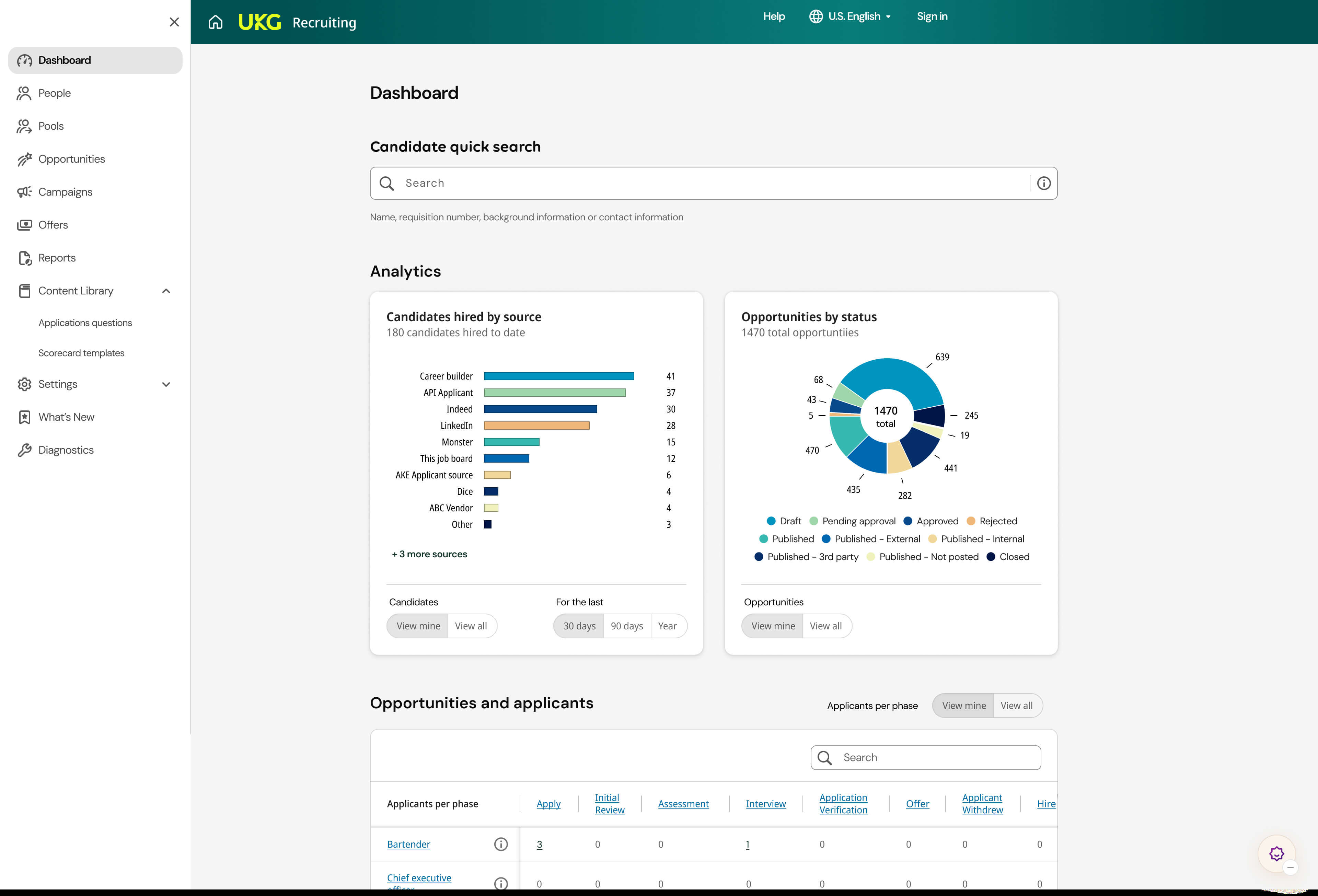
UKG Pro serves mid‑large employers that need dependable U.S. multi‑state payroll, rigorous compliance, and best‑in‑class workforce management. One View centralizes multi‑country payroll insights without displacing in‑country providers, while Bryte adds AI‑guided audits and conversational analytics. It’s a strong fit for 100–5,000+ headcounts, unionized/frontline teams, and distributed operations.
Enterprise capabilities
- Payroll automation and U.S. multi‑state tax filing with Smart Tax Search.
- Global oversight via One View spanning 160+ countries and currencies.
- Workforce Management for time, attendance, scheduling, mobile/geofenced capture, and forecasting.
- Benefits administration, COBRA, arrears, carrier links, and open enrollment workflows.
- Compliance attestations and automated updates; SOC 2/ISO 27001/27017/27018.
- Integrations with ERP, POS, ATS; open APIs, SSO, and SCIM.
- People Analytics and Bryte for dashboards, exceptions, and natural‑language queries.
- Granular role‑based access, SLAs, data residency, and 24×7 support.
Pricing and deployment
Quote‑based, modular PEPM with add‑ons for WFM, Benefits, analytics, and One View. Multi‑module rollouts typically span several months with structured training and change management. Annual contracts, optional managed tax/garnishments, and dedicated project teams are common.
Pros
- Deep WFM integrated tightly with payroll.
- Strong multi‑state tax compliance tooling.
- Global visibility via One View.
Cons
- Premium pricing with add‑on costs.
- Change management is essential during rollout.
- No direct EOR offering.
9. Papaya Global
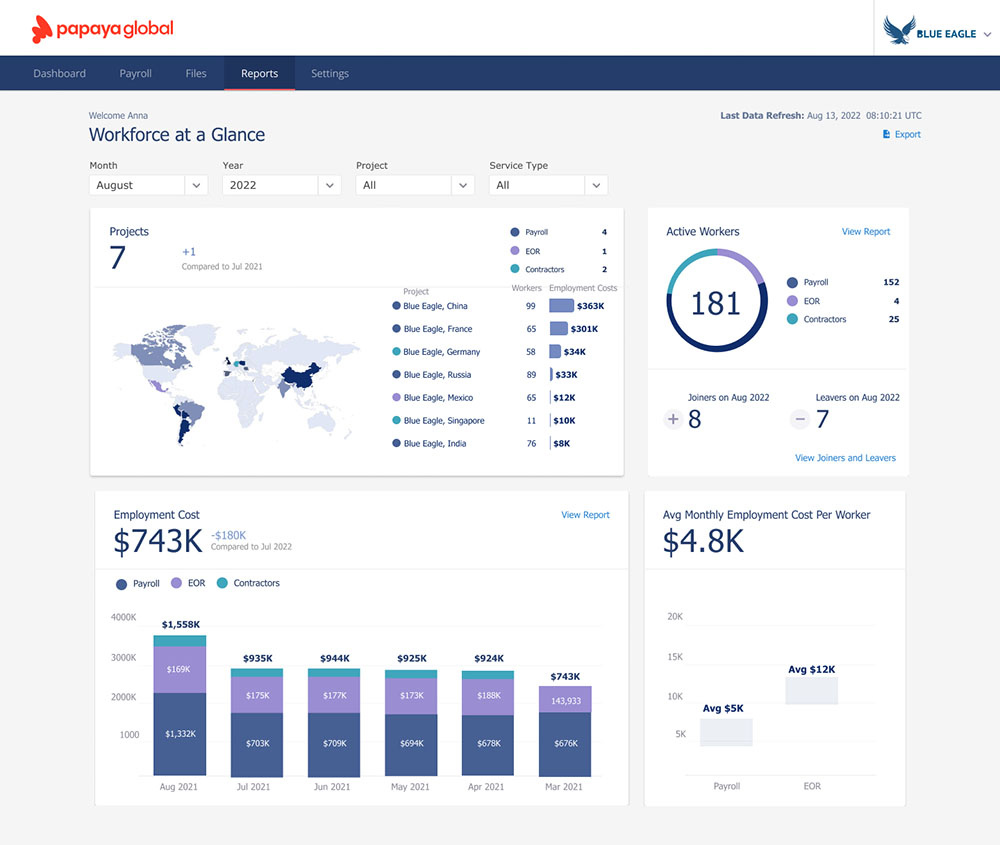
Papaya Global unifies multi‑country payroll, payments, and EOR for enterprises operating across U.S. states and 160+ countries. It orchestrates in‑country providers while embedding fast, compliant payouts to employees, contractors, and authorities. Designed for 100–5,000+ headcounts, it’s a strong fit for mixed employment models (such as EOR, contractors, and in-country payroll) under one governance layer with standardized analytics.
Enterprise capabilities
- Payroll automation with U.S. multi‑state tax filing and benefits support.
- Global payroll orchestration plus EOR/PEO in 160+ countries; contractor/AOR coverage.
- Embedded workforce payments with 95% same‑day delivery across 130+ currencies.
- Time and attendance capture; mobile self‑service; automated sync to payroll.
- Compliance and audits: SOC 1/2, ISO 27001/27701, GDPR; MFA and audit logs.
- Integrations with Workday, SAP SuccessFactors, NetSuite, BambooHR; APIs and SSO.
- Reporting and analytics for headcount, spend, variances, and GL mapping.
- Role‑based permissions, 99.9% uptime, SLAs, and data residency options.
Pricing and deployment
Transparent PEPM and usage‑based pricing: Payroll Plus from $25 PEPM, EOR from $599, Contractors from $30. Typical rollouts are 4 to 8 weeks, with migrations taking 8 to 12 weeks. Setup fees and two‑year terms are common. Dedicated manager, 24/7 support, and training included.
Pros
- Unified global payroll and payments.
- Strong security posture and SLAs.
- Solid integrations and real‑time analytics.
Cons
- Premium EOR/AOR pricing.
- Multi‑system integrations can extend timelines.
- Depends on partner network in‑country.
Conclusion, choose for scale, compliance, and long term fit
The right payroll software for large companies is a durable platform decision. Demand deep compliance, real integrations, strong security, and predictable implementation. If you want an all in one approach that pairs global recruiting with US payroll, EOR, and contractor management, consider Bolto. Book a quick walk through and see how a single system can speed hiring, simplify pay, and reduce risk across your entire workforce.
FAQ
What makes payroll software for large companies different from small business tools
Large enterprises need multi entity support, advanced GL mapping, stronger approvals, deeper integrations, and global compliance coverage. Payroll software for large companies also emphasizes audit trails, security certifications, and data residency options.
Can a payroll platform handle employees, EOR hires, and contractors together
Yes. Mature systems let you onboard each worker type, run payroll and contractor payments in one flow, and track costs in one ledger. Platforms like Bolto are built for that unified model.
How important are SOC 2 and ISO 27001 for payroll providers
Very important. SOC 2 Type II and ISO 27001 show a provider follows tested security and privacy controls. Always request the latest reports and confirm scope.
When are W 2 and 1099 NEC forms due to workers
Both are due to workers by January 31 for the prior tax year. Your payroll system should auto generate and distribute these forms and streamline corrections.
Do we still need an EOR if we only hire contractors abroad
Maybe. Contractors can work well for project based engagements. If you need direction and control like fixed schedules or long term roles, an EOR can reduce misclassification risk and provide local benefits.
How do we measure ROI on payroll software for large companies
Quantify time saved per cycle, reduction in corrections and penalties, and the impact of faster hiring to productivity. Include subscription and payment fees, internal effort, and working capital effects from payment timing.
What should InfoSec review before signoff
Identity and access controls, encryption, SOC 2 and ISO 27001 reports, pen test summaries, vulnerability management, disaster recovery plans, and privacy features for GDPR and other regulations.
Can we start with US payroll and add global EOR later
Yes. Many enterprises phase adoption. Start with US payroll, then add EOR or contractor management as expansion continues. A unified platform like Bolto makes that path smoother.