

Best 1099 Software for Small Business 2026: Top 10

The best 1099 software for small business simplifies tax compliance, with top solutions like Bolto Payroll offering all-in-one payroll and contractor management and Track1099 providing a dedicated, streamlined filing experience. This guide explains who needs to file, how 1099 filing software saves time, what to look for, and how to choose the right tool based on your needs. It also includes a practical step-by-step filing checklist, common mistakes to avoid, and an FAQ. If you want 1099s to live alongside payroll and contractor pay, explore Bolto Payroll for Startups.
How 1099 filing software helps small businesses
Good 1099 software removes busywork and reduces filing risk. The best 1099 software for small business should give owners and finance teams a single workflow from vendor onboarding to year end filing.
What the right platform can do
- Collect W9s digitally and store TINs securely
- Validate recipient names and TINs to cut down on B notices
- Classify payments correctly across NEC and MISC categories
- E file with the IRS and route copies to states when required
- Deliver recipient copies by secure portal or mail
- Track statuses, errors, and corrections in one dashboard
- Sync contractor payments from your accounting or payroll system
Facts small teams care about
- Form 1099 NEC reports nonemployee compensation of 600 dollars or more to each recipient in a year
- 1099 NEC copies must be furnished to recipients and filed with the IRS by January 31 each year
- 1099 MISC is often due to the IRS by March 31 if you e file
- If you file 10 or more total information returns across most forms in a year you must e file
- The IRS IRIS platform allows businesses to e file 1099 forms at no cost
- Paper filers must include Form 1096 as a transmittal
- Backup withholding on certain reportable payments is 24 percent when a correct TIN is not provided
- Many states receive 1099 data through the Combined Federal State Filing program, some still require direct state filing
If you manage US payroll and global contractors together, using a single platform can reduce errors and duplicate data entry. That is why many startups choose an all‑in‑one vendor such as Bolto for payroll, 1099 automation, and contractor payments.
Selection criteria, what to look for in 1099 software
Use these criteria to find the best 1099 software for small business, whether you are filing a handful of forms or hundreds.
Core compliance
- Up to date support for 1099 NEC and 1099 MISC
- E filing through IRS IRIS with automated status tracking
- TIN name matching and W9 collection
- State filing and Combined Federal State Filing support
Data handling
- Secure storage for SSNs and EINs with role based access
- Audit trails for edits, approvals, and submissions
- Bulk import from CSV plus direct integrations to QuickBooks, Xero, or your payroll system
Usability and scale
- Clear mapping from contractors to forms and boxes
- Built in review workflow and two person checks
- Simple corrections flow that amends and resubmits quickly
Service and cost
- Responsive support by chat or email in January
- Transparent per form pricing and caps
- Volume discounts for higher counts
For bundled payroll + contractor pricing, see Bolto pricing.
If your business also pays W2 employees or hires globally, consider whether the vendor also covers payroll and contractor management. A combined system like Bolto keeps payments, taxes, and filings in one place.
Our testing methodology
To identify the best 1099 software for small business, our hands on tests focus on speed, accuracy, and end to end clarity.
How tools were evaluated
- Setup time, adding contractors, and importing payment history
- W9 capture, TIN validation, and error flagging
- Mapping spend categories to 1099 NEC or 1099 MISC boxes
- Filing experience with IRIS, status updates, and error resolution
- Recipient portal ease of use and delivery options
- Corrections workflow, including voids and replacements
- Integrations to accounting and payroll systems
- Security basics, SOC reports, MFA, and data export options
- Support response times during peak filing weeks
Each product received a score across compliance, data handling, usability, and support. We then weighted results for typical small business needs.
Best 1099 Software for Small Business: Top 10 Picks
Building on the essentials covered above, this section highlights the leading 1099 tools that streamline contractor payments, e‑filing, and compliance for small teams. If you’re also comparing payroll options, see our guide to the best payroll software. These platforms are grouped because they combine user-friendly workflows with key safeguards like TIN matching, automated reminders, and secure delivery, helping you stay accurate without extra admin. Whether you handle a few freelancers or a growing roster, these picks cut year-end stress and keep you audit-ready.
1. Bolto Payroll
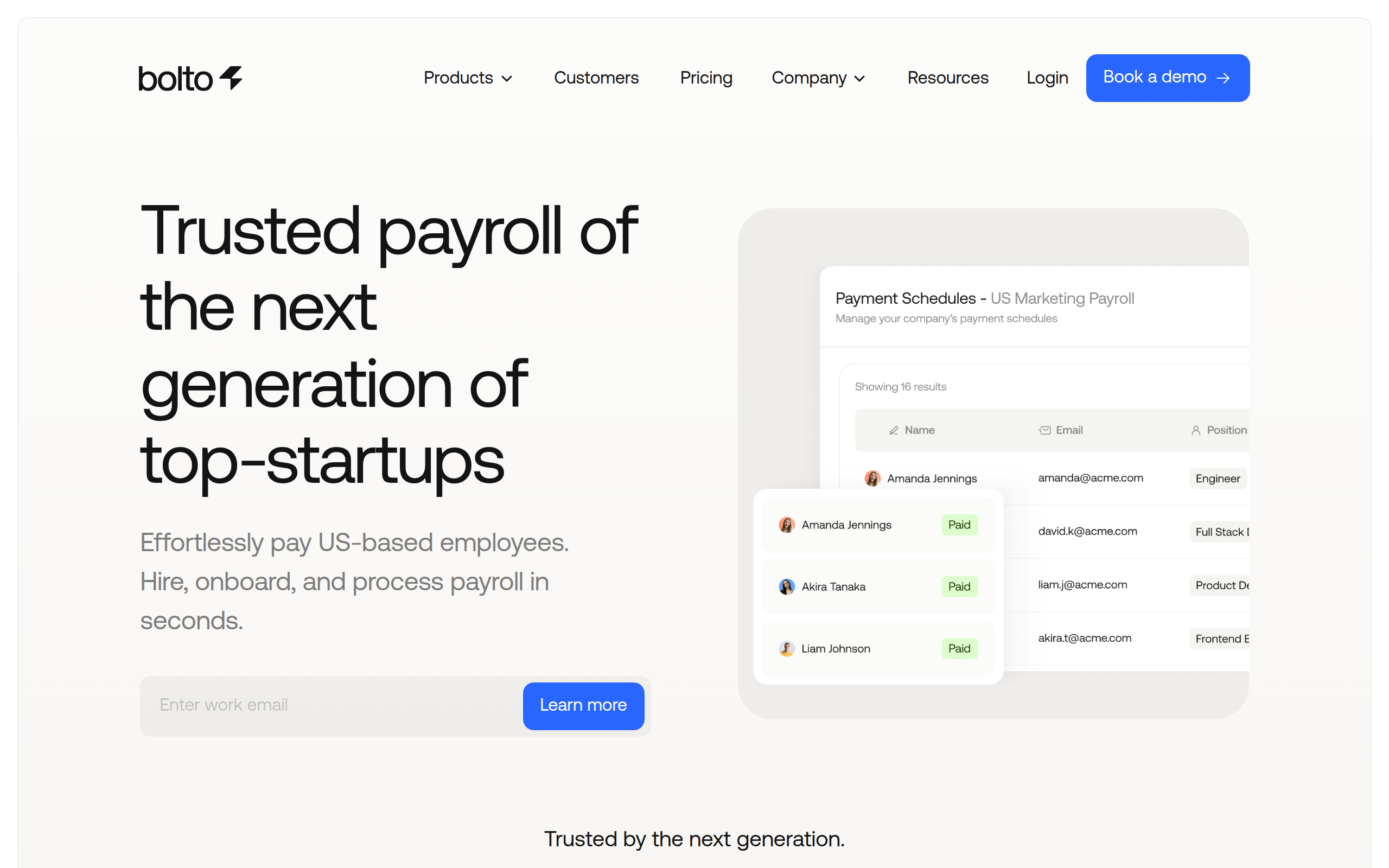
Bolto brings payroll, contractor pay, and HR under one roof so founders aren’t stitching together year‑end compliance. It auto‑generates W‑2s and 1099s while handling federal and multi‑state tax calculations, and it scales globally with Contractor Management, Contractor of Record, and EOR across 150+ countries. For 1099s, confirm built‑in e‑filing and IRS TIN matching or plan to route via IRS IRIS.
Best for: SMBs needing unified payroll, 1099 workflows, multi‑state compliance, and global contractor scalability.
Why founders pick it:
- One workflow for employees and contractors with automated federal/multi‑state compliance.
- Auto‑generated year‑end forms (W‑2s, 1099s) reduce manual work and last‑minute scramble.
- Clear global path: Contractor Management/CoR/EOR and multi‑currency payouts in 150+ countries.
- Hands‑on support and onboarding, which is helpful for lean ops teams.
Keep in mind:
- Per‑person pricing plus platform fees can exceed per‑form 1099 tools for occasional filings.
- 1099 e‑file and TIN matching aren’t explicitly listed; confirm capabilities or plan IRS IRIS.
- Validate accounting/HR integrations (e.g., QuickBooks/Xero) during evaluation.
Pricing: Launch $39/person + $59 platform; Scale $49/person + $99; Contractor Mgmt $49; CoR $299. No per‑form fees; Launch typically fits 1099s.
2. Track1099
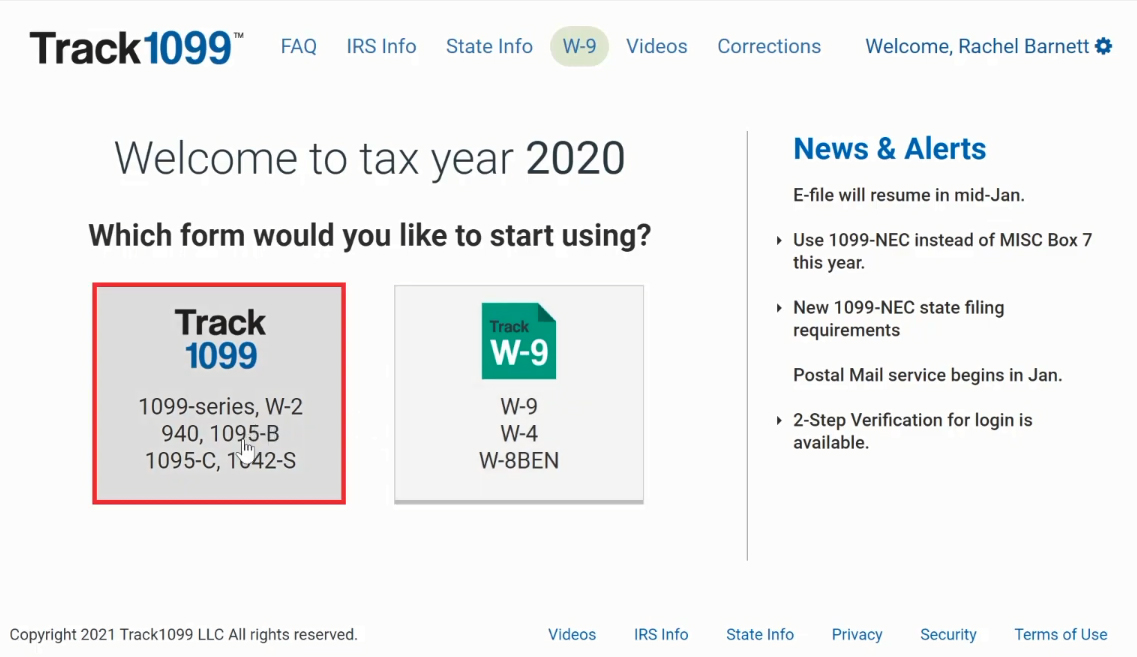
Purpose‑built for information returns, Track1099 (Avalara 1099 and W‑9) centralizes vendor onboarding and filings in one dashboard. It collects W‑9s, runs IRS TIN matching, e‑files 1099/1096 with the IRS and many states, delivers recipient copies electronically, and supports corrections without the spreadsheet shuffle. With native integrations from QuickBooks and Xero to Bill, NetSuite, and Microsoft Dynamics, and with support for W‑8 and 1042‑S, it’s a practical hub for U.S. and international contractor workflows.
Best for: SMBs needing streamlined 1099 compliance, multi‑state contractors, and tight accounting integrations today.
Why founders pick it:
- End‑to‑end flow: W‑9 intake, TIN match, IRS/state e‑file, e‑delivery, and easy e‑corrections.
- Strong integrations plus APIs for embedding onboarding or automating filings.
- Multi‑entity support (All Payers, prior‑year e‑file) fits growing ops.
- Transparent pay‑as‑you‑go tiers for seasonal volumes.
Keep in mind:
- Per‑form and add‑on fees (states, TIN match, mail) can add up at scale.
- Some states still require manual steps; confirm coverage.
Pricing: From $3.10 per IRS form; states $1.49; TIN $0.45; mail extra. Free account; ideal for small/seasonal filers.
3. QuickBooks Contractor Payments
Intuit’s contractor‑only payroll makes it easy to pay vendors by next‑day ACH, invite W‑9 e‑signatures, and e‑file unlimited 1099‑NEC/MISC, all from a clean QuickBooks‑native dashboard or as a standalone tool. Card/PayPal payments are auto‑excluded from 1099 totals, and e‑filing eliminates the need for Form 1096. For lean teams, it’s a fast path to standardized, compliant contractor operations.
Best for: SMBs paying U.S. contractors needing W‑9 collection, next‑day ACH, and QuickBooks‑native 1099s.
Why founders pick it:
- Self‑serve onboarding with encrypted W‑9s and a contractor portal.
- Unlimited 1099 e‑filing; federal plus many combined state programs.
- Next‑day ACH and automatic QBO sync for clean books.
- Works standalone or alongside QuickBooks Online.
Keep in mind:
- U.S.‑only payouts; contractors need U.S. bank accounts.
- No built‑in IRS TIN matching or automated backup withholding.
- Mailed recipient copies cost extra; state coverage varies.
Pricing: $15/month includes 20 contractors, +$2 each additional; unlimited 1099 e‑file; frequent intro discounts; upgradeable to Payroll Core.
4. Gusto

Gusto’s contractor‑only plan trims 1099 admin to the essentials: onboard vendors, capture and store W‑9s, pay by ACH or check, and automatically e‑file 1099‑NECs to the IRS and states while delivering recipient copies. It syncs cleanly with QuickBooks Online and Xero, supports unlimited payments across all 50 states, and offers optional global payouts in 120+ countries for teams planning to expand beyond the U.S.
Best for: SMBs needing contractor‑first payroll, multi‑state filings, clean accounting sync, optional global payouts.
Why founders pick it:
- Automated 1099‑NEC filing plus contractor self‑onboarding and W‑9 capture.
- Pay‑as‑you‑go simplicity: only pay for active contractors in active months.
- Native QBO/Xero sync, job costing, and projects support.
- Optional global payouts and EOR pathway when you scale.
Keep in mind:
- No native IRS TIN matching; manage backup withholding yourself.
- Standard contractor ACH is four‑day; faster funding often requires payroll tiers with employees.
- 1099s file for payments processed in Gusto; 1099‑K rules still apply for cards.
Pricing: Contractor Only: $35/month base + $6 per paid contractor; 1099‑NEC e‑file included; billed only after first payroll.
5. Gigwage
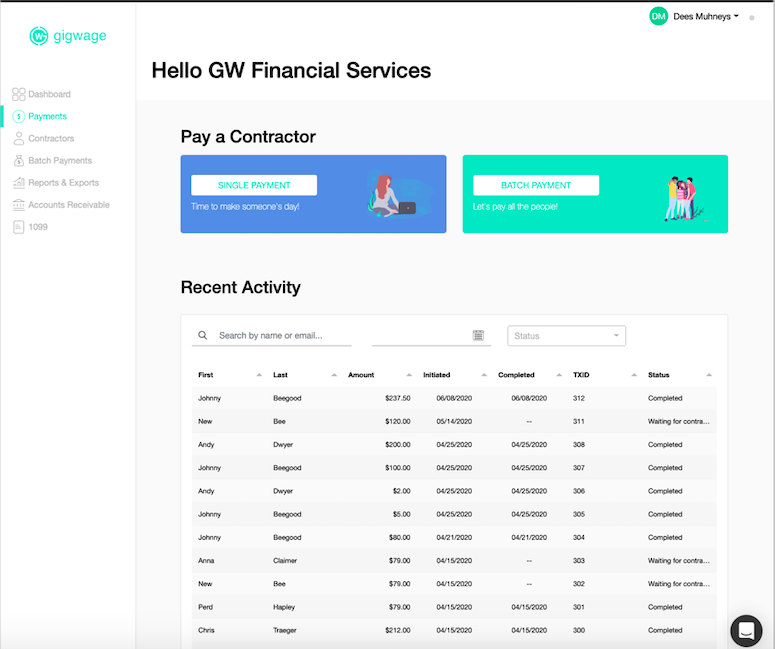
Gigwage is built for the contractor economy, giving SMBs and marketplaces a fast lane for payments and 1099 compliance. Capture e‑signed W‑9s, run instant TIN validation, and e‑file 1099‑NEC/MISC federally and across states, whether you paid through Gigwage or elsewhere. With ACH and optional instant payouts, webhooks, and white‑glove onboarding, it slots cleanly into modern accounting and marketplace stacks.
Best for: SMBs and marketplaces needing fast ACH, instant payouts, multi‑state compliance, and integrations.
Why founders pick it:
- Full 1099 lifecycle: W‑9 intake, instant TIN checks, IRS/state e‑file, and digital/mailed copies.
- Developer‑friendly: API, sandbox, and webhooks to embed or automate.
- Payout flexibility: ACH and instant options with controls and identity checks.
- Operational scale: SLAs, onboarding support, and multi‑state reporting.
Keep in mind:
- Pricing is opaque: confirm monthly, mailing, and instant‑payout fees.
- Some contractors may see a platform fee unless you cover it.
- U.S.‑centric payouts; verify international support.
Pricing: Plans reported from ~$10/month; e‑filing included; per‑recipient mail and instant‑payout fees apply; Basic suits small 1099 teams.
6. Deel

Deel unifies contractor onboarding, payments, and compliance for teams with a mix of U.S. and global freelancers. It auto‑collects W‑9s, supports adding off‑platform payments, and lets you e‑file 1099‑NEC while distributing recipient copies electronically (no Form 1096 needed). Deep accounting integrations and payouts to 150+ countries make it a strong hub for founders consolidating international and domestic 1099 workflows.
Best for: SMBs paying U.S. 1099s and global contractors needing accounting and payroll integrations.
Why founders pick it:
- Built‑in 1099 flow: W‑9 collection, off‑platform payment capture, and IRS e‑file.
- Global scale: 200+ currencies and multiple withdrawal options.
- Integrations with QuickBooks, Xero, NetSuite, and Sage Intacct.
- 24/7 chat and supportive onboarding during filing season.
Keep in mind:
- Per‑contract pricing can outpace per‑form tools if you file infrequently.
- State filings may still be required; confirm your jurisdictions.
- No native IRS TIN matching; use external checks to avoid B‑Notices.
Pricing: Contractor Management from $49 per active contract/month; 1099 e‑filing included; billed only in active months.
7. Rippling

Rippling blends HR, payroll, and IT with a capable contractor stack: onboard, capture W‑9s, pay U.S. and international contractors, and auto‑generate year‑end 1099‑NEC with IRS e‑file. Everything lives in a central record that syncs with your accounting tools, while coverage extends to 185+ countries and 50+ currencies, a useful feature if you’re consolidating systems without sacrificing 1099 compliance.
Best for: SMBs needing integrated HR/payroll, 1099 automation, multi‑state/global contractors, plus accounting stack fit.
Why founders pick it:
- Automates 1099 season with generation, storage, and IRS e‑file.
- W‑9 collection during onboarding limits errors and chasing.
- Global reach with EOR expansion path.
- Large integration ecosystem (QuickBooks, Xero, NetSuite).
Keep in mind:
- Quote‑based, modular pricing can be pricey for simple 1099 use cases.
- TIN matching and some state filings aren’t clearly documented; confirm early.
- More setup/learning than single‑purpose tools.
Pricing: Commonly cited: Unity base ~$35/month + ~$8/user; Payroll add‑on required; no published per‑form fees.
8. Bill.com
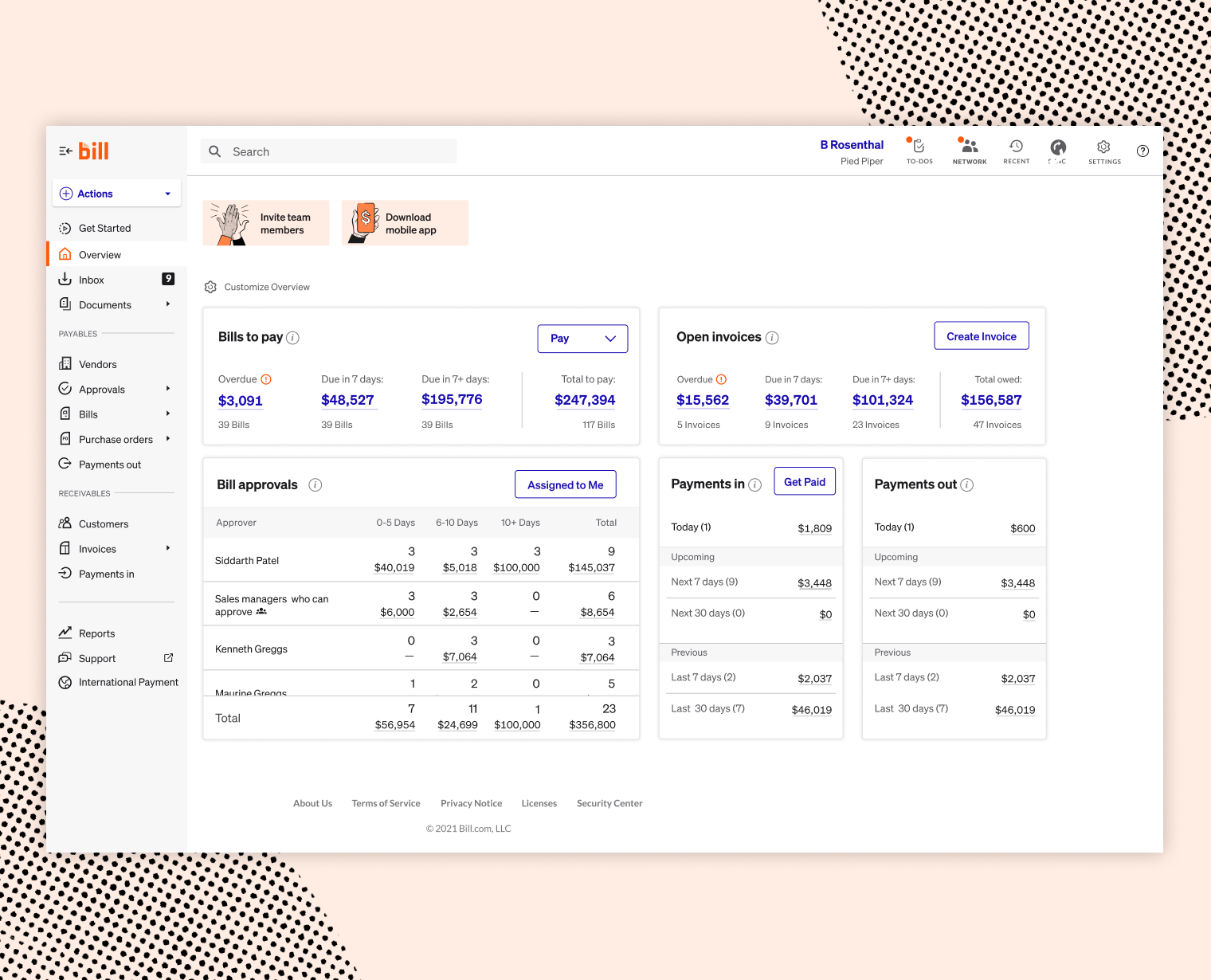
BILL is an AP automation platform that now includes a native 1099 Filing add‑on within Tax Compliance. It streamlines vendor onboarding with W‑9 collection and TIN matching (via the W‑9 Agent), flags 1099‑eligible vendors, generates forms, and e‑files 1099/1096 to the IRS and all 50 states. Two‑way QuickBooks/Xero sync and connectors for NetSuite, Sage Intacct, and Dynamics keep your GL tight while international payments reach 130+ countries.
Best for: SMBs on BILL AP needing streamlined 1099 workflows and multi‑state/global contractor payments.
Why founders pick it:
- Native e‑filing to IRS and states with in‑product recipient delivery and corrections.
- Automated W‑9 intake and TIN matching reduce errors and back‑and‑forth.
- Robust accounting integrations and two‑way sync.
- Global payouts with consistent approval workflows.
Keep in mind:
- Requires paid BILL AP subscription plus per‑form/state/mail fees.
- Some routes historically used partners; confirm you’re on the native e‑file flow.
Pricing: AP plans from $49/user/month; 1099 e‑file from $2.99 per IRS form; states $1.49; mail $1.99. Essentials covers basics.
9. Airbase
Airbase (now part of Paylocity, Oct 1, 2024) is a comprehensive spend platform for AP, expenses, cards, and procurement that also streamlines 1099 prep. Vendors submit W‑9s through a portal, TINs are validated, and you can tag 1099‑eligible vendors and export summarized payments for filing via a partner like Avalara/Track1099. With tight ERP integrations and domestic/international payments, it suits finance teams prioritizing control and audit‑readiness.
Best for: SMBs on Airbase needing streamlined 1099 workflows, multi‑state/global contractors, tight integrations support.
Why founders pick it:
- Vendor portal for W‑9s and tax data with TIN checks.
- Strong 1099 reports and exports, including method‑based totals.
- Deep GL/ERP integrations (QuickBooks, NetSuite, Sage Intacct).
- Flexible ACH, wire, checks, and virtual cards; international pay supported.
Keep in mind:
- No native e‑filing; pair with Track1099 and pay per‑form fees.
- Quote‑based pricing trends mid‑market.
- Implementation/config takes time before 1099 benefits land.
Pricing: Quote‑based via Paylocity. Export to Avalara/Track1099 for filings; pay per form. Best when you already run Airbase.
10. Justworks
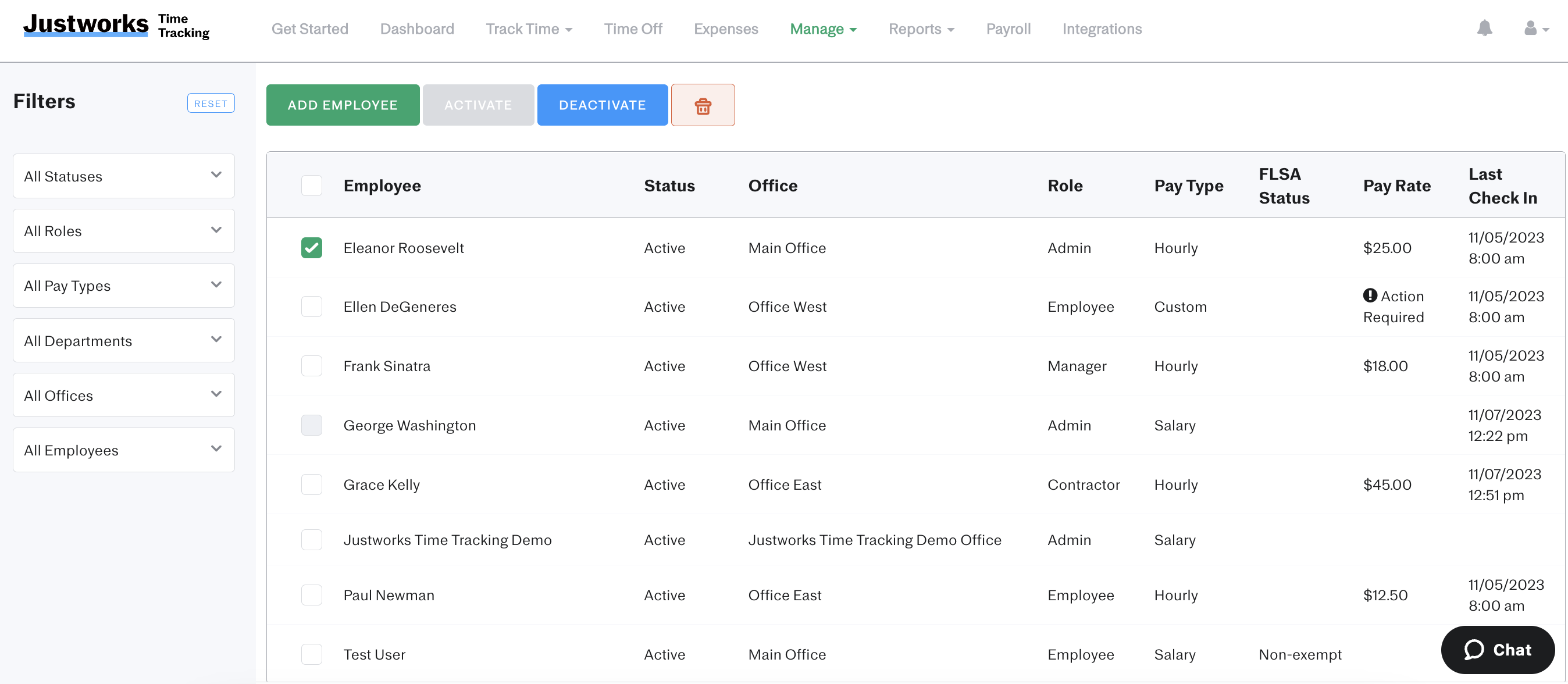
Justworks is a PEO/payroll platform first, but it can handle contractor pay and year‑end filings when you mark vendors for Justworks to file. You’ll preview totals (including external payments you record) and Justworks submits 1099‑NEC/MISC and the 1096 to the IRS and states. While W‑9 collection and TIN matching aren’t native, solid accounting integrations and an international contractors add‑on extend coverage.
Best for: SMBs on Justworks needing 1099 filings, multi‑state/global contractor pay, and QuickBooks/Xero sync.
Why founders pick it:
- E‑files 1099‑NEC/MISC (and 1096) for designated contractors with clear in‑app previews.
- Manages combined federal/state or direct filings, easing multi‑state work.
- Optional international contractor payments in 60+ countries.
- Integrations with QuickBooks, Xero, NetSuite, Sage Intacct.
Keep in mind:
- No native W‑9 collection or IRS TIN matching; handle externally.
- International contractor pay is an add‑on with per‑contractor and FX fees.
- Must record off‑platform payments to include them in 1099 totals.
Pricing: Payroll: $50/month base + $8/person with 1099 filings included. International Contractors add‑on $39/contractor. PEO from $79/employee.
How to choose the right plan for your volume and deadlines
Match the plan to your filing footprint and timing. The best 1099 software for small business should not force you into features or capacity you will not use.
Light volume, five or fewer contractors
- Look for simple import, built in W9 collection, and e filing to IRIS
- Avoid paper filing, since e filing is required once you cross ten total information returns in a year
Growing team, six to fifty contractors
- Prioritize TIN matching, review workflows, and state filing coverage
- Seek integrations with accounting and payroll to avoid manual totals
If your team is expanding across states or borders, review our global payroll solutions guide to understand when to consolidate tools.
Larger footprint, more than fifty contractors or multiple entities
- Require role based access, approvals, audit trails, and bulk corrections
- Consider consolidating payroll, contractor payments, and 1099s in one system such as Bolto to reduce reconciliation work
Key dates and thresholds at a glance
| Item | Typical requirement |
|---|---|
| 1099 NEC furnish to recipient | January 31 |
| 1099 NEC file with IRS | January 31 |
| 1099 MISC furnish to recipient | January 31 |
| 1099 MISC e file to IRS | March 31 |
| E file requirement threshold | 10 or more total information returns |
| Backup withholding rate | 24 percent when a correct TIN is missing |
If you need help deciding between standalone filing tools and a combined payroll plus contractor platform, you can book a Bolto demo for a quick walkthrough.
Step by step, preparing and filing 1099s with any software
Follow this checklist to use any tool effectively, including the best 1099 software for small business.
- Gather vendor data
Collect a W9 for every contractor. Confirm legal name, business type, address, and TIN. - Reconcile payments
Sum reportable amounts for the tax year and exclude reimbursed expenses that are not income. - Classify the form
Map service payments to 1099 NEC. Use 1099 MISC for eligible categories such as rents or prizes. - Validate TINs
Run TIN name checks to reduce B notices and backup withholding. - Review and approve
Use a two person check before filing. Lock forms after approval. - E file to the IRS
Submit through the vendor integration with IRS IRIS. Monitor accept and reject statuses. - Handle state copies
Confirm whether your state is covered by Combined Federal State Filing or needs a direct filing. - Deliver recipient copies
Send secure online access or mail. Keep proof of furnishing. - Manage corrections
If you discover an error, file a corrected form as soon as possible.
Tip
If a contractor refuses to provide a valid TIN, you may be required to withhold at the 24 percent backup rate on reportable payments.
Common mistakes to avoid
These errors slow teams down and can lead to penalties, even when using the best 1099 software for small business.
- Using 1099 MISC for contractor services that belong on 1099 NEC
- Missing the January 31 deadline for 1099 NEC recipient and IRS copies
- Paper filing when your total count requires e filing
- Forgetting to file a state copy when Combined Federal State Filing does not cover your state
- Skipping TIN validation and W9 collection
- Not keeping an audit trail of approvals and changes
- Ignoring corrections after the IRS rejects a submission
If your contractors are outside the United States, consider whether you actually need a 1099 or if they should be paid through a global contractor platform with local tax documentation. A combined solution such as Bolto can support contractor of record, global payments, and US 1099s together.
Conclusion
Filing 1099s does not have to be stressful. The best 1099 software for small business brings W9 collection, data validation, e filing, and recipient delivery into one clear workflow. Match the plan to your volume, verify TINs early, and file on time. If you want 1099s, US payroll, and contractor payments in one place, see how Bolto can help.
FAQ
What is the deadline to send 1099 NEC to contractors and the IRS
January 31 for both the contractor copy and the IRS filing. The best 1099 software for small business will remind you of this date and automate delivery.
Do I have to e file my 1099s
If you file 10 or more total information returns across most forms in a year, you must e file. The best 1099 software for small business connects directly to the IRS IRIS system so you can submit in minutes.
What is the 600 dollar rule
If you paid a contractor 600 dollars or more for services in a calendar year, you generally must issue Form 1099 NEC. The best 1099 software for small business tracks totals and alerts you when a vendor crosses the threshold.
Do I need to send a state copy
Many states participate in the Combined Federal State Filing program, but some require direct filing. Check your state rules or use software that handles both.
What happens if I filed a 1099 with the wrong TIN or amount
File a corrected 1099 as soon as you discover the error. Good software guides you through corrections and resubmits to the IRS.
Can I file 1099s without payroll software
Yes, but using the best 1099 software for small business saves time by collecting W9s, validating TINs, and e filing in one place. If you also need payroll or global contractor payments, consider an all in one platform like Bolto.
Do I need 1099s for foreign contractors
Often no, but you still need proper documentation and local compliance. Platforms that cover contractor management and EOR (see our guide to EOR service providers) help you pay international contractors correctly.
What is backup withholding and when does it apply
If a payee fails to provide a correct TIN, you may be required to withhold 24 percent from certain reportable payments and remit it to the IRS. Using TIN validation in your software helps prevent this situation.