

Best Software for Payroll 2026: Top 10 Tools Compared

Accurate and on time payroll protects cash flow, keeps teams happy, and minimizes compliance risk. This guide explains what payroll software does, how to choose it, what it really costs, and practical steps to buy and roll it out. While the “best” option depends on your specific needs, this guide identifies top choices for startups seeking all-in-one solutions and provides detailed comparisons of leading platforms. If you are comparing vendors today and want the best software for payroll for a startup or a growing company, you are in the right place.
What is payroll software, core functions and system types
Payroll software calculates gross to net pay, withholds and remits taxes, issues W 2 and 1099 forms, and delivers direct deposits. It also tracks benefits, reimbursements, and leave. Modern systems may combine HRIS, time tracking, and contractor payments so payroll teams operate from one source of truth.
Common types
- US payroll platforms focused on W 2 and 1099 workers
- Global payroll providers that coordinate tax and employment in multiple countries
- Employer of Record services that become the legal employer in foreign countries
- Contractor of Record services that handle local compliance for contractors
Fact examples you can verify on vendor sites
- Bolto offers US payroll built for pre seed and seed stage startups and pays contractors alongside employees from one flow
- Bolto Global EOR covers 150 plus countries with local currency payroll and benefits setup
- Bolto includes 24 by 7 dedicated human support on EOR plans
When you compare options, the best software for payroll should centralize employee records and automate filings without forcing a patchwork of tools.
Benefits of using payroll software
- Fewer manual errors, faster closes
- Automated tax filings for states and the IRS in the United States
- Consistent pay cycles that improve employee trust
- Integrated contractor payments that reduce banking fees and reconciliation time
- Better visibility into labor costs across teams and locations
For founders and finance leaders, the best software for payroll reduces coordination cost between HR, recruiting, and finance. Bolto, for example, runs US payroll and global contractor payments in the same workflow and issues a single invoice for 150 plus countries, which simplifies audits and budgeting. See how Bolto combines recruiting and payroll
How to choose the right payroll software, key buying criteria
- Compliance coverage
Check multi state tax filings in the US and the list of foreign countries if you hire globally. The best software for payroll should publish its coverage. Bolto lists 150 plus countries for Global EOR. - Speed to value
Can you run payroll in days, not months. Bolto recruiting averages first candidate shortlists in about 72 hours which accelerates hiring before payroll setup even begins. - Total cost and pricing clarity
Look for transparent per employee pricing and any platform fee. - Contractor support
Paying contractors next to employees reduces tools and error risk. - Support and SLAs
The best software for payroll includes human support with clear response times. Bolto advertises 24 by 7 dedicated human support on EOR. - Integrations and data portability
Exportable reports and ATS or HRIS connections keep data flowing. - Proof and references
Case studies signal reliability. Bolto highlights results with Rebet, Fiber AI, and Assembly.
Case studies, Rebet, Fiber AI, and Assembly are available on the Bolto site.
If you hire across borders or plan to do so soon, the best software for payroll will also offer EOR or Contractor of Record so you avoid setting up entities too early.
Pricing and total cost of ownership
TCO includes monthly fees, time to implement, support, and the cost of parallel tools. Here are verified price points to anchor your model, based on public Bolto information.
US payroll
- Launch plan, 39 per employee per month plus a 59 per month platform fee
- Scale plan, 49 per employee per month plus a 99 per month platform fee
- Enterprise plan, custom and billed annually, includes global payroll in 150 plus countries, a dedicated manager, and enhanced legal and tax coverage
Global employment
- Employer of Record, 599 per employee per month
- Contractor of Record, 299 per contractor per month
- Contractor Management, 49 per month
Recruiting
- Free if you already use Bolto HR, otherwise a flat rate to post a job for a year plus a percent of first year base salary after a successful hire, with a 90 day replacement guarantee
Market context
- Independent discussions in late 2025 show EOR pricing commonly around 500 to 600 per employee per month, which aligns with the numbers above
When a payroll vendor can also source and vet talent, you eliminate agency roulette and get to a productive team sooner. That can lower your true cost per hire and shorten time to ship.
Practical buying steps, from shortlist to contract
- Define scope
Employees only, contractors only, or both. US only or global. Decide on must have states and countries. For example, see this country-specific guide on hiring employees vs contractors in Brazil. - Build a two tier shortlist
Pick three primary options and two alternates. Include at least one all in one platform that pairs recruiting with payroll in case speed matters. - Run a data and compliance check
Confirm tax filing automation for every state you operate in. For global, validate each target country and benefit setup. - Price out three realistic scenarios
Calculate TCO for current headcount, six month growth, and a global expansion test. Use the published tiers above for a quick model. - Ask for proof
Request customer references and case studies similar to your stage and geography. Rebet, Fiber AI, and Assembly are examples of speed and retention outcomes. - Pilot with a controlled payroll
Run one or two cycles with a small group. Measure cycle time, error rate, and support responsiveness. - Negotiate terms
Look for a 90 day recruiting replacement guarantee if you plan to hire through the same platform. Secure SLAs for payroll support.
Following these steps keeps you focused on the best software for payroll for your specific stage.
Implementation and adoption best practices
- Start with clean data
Validate legal names, tax IDs, bank accounts, and pay schedules before import. - Sequence rollout
US payroll first, then contractors, then foreign employees. That sequence fits most startups. - Automate early
Turn on automatic filings, direct deposit, and recurring reimbursements on day one. - Train managers
Show how to approve time off, expenses, and contractor invoices inside the system. - Measure the first 90 days
Track cycle time, number of support tickets, and error corrections. The best software for payroll should trend down on all three within two cycles. - Use unified payments
Paying employees and contractors together reduces reconciliation time. Bolto supports bulk pay and a single invoice across 150 plus countries. Get a walkthrough
Best Software for Payroll: Top 10 Picks
Now that the key payroll criteria are clear, this section narrows the field to ten platforms that reliably cover core runs, tax filing, and compliance. They’re grouped together because they combine ease of use with depth, including automation, integrations, and scalable pricing that suit startups through midsize teams. Use these quick snapshots to pinpoint the best fit for accuracy, time savings, and support.
1. Bolto Payroll

For founders who want one streamlined system from day one, Bolto brings U.S. payroll, benefits, and global hiring under a single roof. It automates W-2/1099s and multi-state taxes for employees and contractors while offering optional PEO and EOR in 100+ countries, ideal from pre-seed through early scale. The tradeoff: it’s a newer vendor (YC S23), so third-party reviews and published integration lists are still limited.
Startup-ready highlights
- Automated W-2/1099 generation and year-end e-delivery.
- Multi-state registrations, tax calculations, filings, and remittances, plus notice handling.
- Unified U.S. payroll for employees and contractors; easy off-cycle runs.
- Direct deposit with flexible schedules and one-time payments.
- Benefits and 401(k) setup/administration via partners.
- Optional U.S. PEO; EOR/global payroll in 100+ countries.
- Core HR (onboarding, PTO) and accounting/HRIS integrations.
Pricing snapshot
- Payroll: Launch $39 + $59 platform; Scale $49 + $99.
- Enterprise: custom; PEPM not published.
- Global: EOR $599; CoR $299; Contractors $49; Payroll from $29.
From user reviews
- Pros: Combines recruiting→payroll→contractor pay to reduce tool sprawl.
- Pros: Early momentum (YC backing, fresh funding) suggests rapid product iteration.
- Cons: Sparse third-party reviews; real-world reliability and support benchmarks still forming.
- Cons: Per-employee pricing and integrations not fully public, often requires sales confirmation.
2. APS Payroll
APS Payroll focuses on dependable, U.S.-based payroll and HR for lean teams that need multi-state compliance without enterprise complexity. Founders get full-service tax filings, paperless pay, time and attendance, and recruiting/onboarding in one place, which is strong for founder-led to mid-market teams. Limitation: U.S.-only coverage and a $250/month minimum, balanced by responsive support SLAs.
Startup-ready highlights
- Full-service payroll: tax calculations, filings, payments, and paperless W-2/1099 self-service.
- 50-state coverage with local compliance where needed.
- Direct deposit and pay cards; off-cycle and contractor pay with self-service.
- HRIS essentials, onboarding with e-sign, I-9/W-4, plus APS Hire ATS.
- Time and attendance with mobile clocking and overtime visibility.
- Integrations with QuickBooks, Sage Intacct, Employee Navigator; Earned Wage Access.
Pricing snapshot
- Starting price: $50 base + $6/employee/month; $250 minimum monthly billing.
- Billing: monthly; add-ons for attendance, HR, scheduling; extra states/locals may add cost.
From user reviews
- Pros: Knowledgeable, responsive support; smooth implementation and ongoing guidance.
- Pros: Streamlined payroll with integrated time and onboarding simplifies admin.
- Cons: Reporting customization and certain changes can be limited or require tickets.
- Cons: Benefits integrations can be uneven; some want clearer pricing details.
3. Gusto

Gusto is the familiar, friendly face of small-business payroll, built for tiny teams that want compliant W-2/1099 payroll, benefits, and basic HR in one intuitive app. It scales nicely from pre-seed to Series A, supports multi-state on higher tiers, and offers global contractor pay plus limited EOR. Expect business-hours support and paid add-ons for some features.
Startup-ready highlights
- Full-service U.S. payroll with automatic tax filings; unlimited runs; electronic W-2s/1099s.
- Multi-state payroll (Plus/Premium); next-day deposit with optional instant/same-day pay.
- Benefits: health, dental, vision, HSA/FSA/commuter; integrated 401(k) via Guideline/Vestwell.
- Contractor pay: U.S. 1099 automation; global contractors across 120+ countries.
- EOR: hire in 11 countries via Gusto Global (powered by Remote).
- HRIS basics, onboarding, PTO/time tracking, and QuickBooks/Xero integrations.
Pricing snapshot
- Starting: Simple $49 + $6/employee; Plus $80 + $12; Premium $180 + $22.
- Billing: monthly; add-ons for time tracking, HR; benefits as premiums.
- Trial/demo: contractor-only $0 base; EOR $599/employee through 2025.
From user reviews
- Pros: Clean UI and automation make first payrolls straightforward.
- Pros: Reliable W-2/1099 processing with helpful self-service for employees.
- Cons: Support can lag during peak times; resolutions sometimes slow.
- Cons: Reporting depth and customization are limited for advanced needs.
4. Heartland Payroll+
Rebranded as Auris Payroll, Heartland Payroll+ delivers straightforward, full-service U.S. payroll for small teams that want taxes handled and year-end forms done without fuss. It’s a practical fit for early-stage startups, including multi-state, who can add HR and time tools as needed. No global/EOR; benefits and time are typically paid add-ons.
Startup-ready highlights
- Automated payroll tax filings and year-end W-2/1099 delivery.
- Multi-state support with new-hire reporting and agency notice handling.
- Pay options: direct deposit, paper checks, and pay cards.
- Add-on time & attendance with mobile punches, scheduling, PTO.
- HR advisory resources, compliance templates, and SHRM-certified guidance.
- Integrations for GL (QuickBooks), benefits/401(k), pay-as-you-go workers’ comp.
Pricing snapshot
- Starting price: Pricing available upon request.
- Billing: monthly; add-ons for time, HR advisory, benefits/401(k), workers’ comp.
- Trial/demo: book a demo; confirm packaging details.
From user reviews
- Pros: U.S.-based support and smooth switching frequently praised on G2.
- Pros: Simple payroll flows with time and benefits integrations reduce manual work.
- Cons: Some report inconsistent support, occasional tax filing issues, or slowdowns.
- Cons: Limited reporting; GL mapping may require extra care.
5. OnPay

OnPay keeps it crisp: full-service U.S. payroll plus essential HR for small, founder-led teams that want dependable compliance in all 50 states. It handles filings and year-end forms, supports multi-state setups, and syncs benefits and 401(k), great for teams up to ~150. It’s U.S.-only; ACH can take up to four business days; time tracking relies on integrations.
Startup-ready highlights
- Automated federal, state, and local tax payments/filings with W-2/1099 included.
- Multi-state payroll and automated new-hire reporting.
- Direct deposit, debit cards, or paper checks; off-cycle, bonus, contractor runs.
- HRIS basics: self-onboarding, e-sign I-9/W-4, document storage, PTO, org chart.
- Benefits/401(k) sync to payroll; pay-as-you-go workers’ comp.
- Integrations: QuickBooks, Xero, popular time tools; no integration fees; weekday support.
Pricing snapshot
- Starting price: $49/month base + $6/worker; unlimited filings.
- Billing: month-to-month; first month free.
- Add-ons: benefits, 401(k), workers’ comp; time via integrations; sales tax applies.
From user reviews
- Pros: Responsive onboarding and support help first payrolls succeed.
- Pros: Clean interface and strong value for small, multi-state teams.
- Cons: Some encounter slower account activation or setup delays.
- Cons: QuickBooks sync can need manual journal tweaks.
6. Patriot Payroll
Patriot is the budget-friendly choice for scrappy U.S. startups that want reliable payroll without the extras. Run payroll yourself on Basic, or let Full Service handle filings and year-end forms with an accuracy guarantee. It’s best for lean teams paying W-2s and contractors; global/EOR is out of scope and HR is intentionally light.
Startup-ready highlights
- W-2/1099 generation and year-end forms (e-filing included on Full Service).
- Multi-state support with federal, state, and most local filings handled.
- Direct deposit ACH (standard 4-day; 2-day available for qualified) and checks.
- Auto Payroll, unlimited runs, employee self-service and My Patriot app.
- Optional HR add-on for files, documents, reports; self-onboarding.
- Integrations: Vestwell 401(k), SimplyInsured, NEXT workers’ comp, QuickBooks.
- U.S.-based weekday support; free trial; no contracts.
Pricing snapshot
- Basic $17/month + $4/worker; Full Service $37/month + $5/worker.
- Month-to-month; additional states $12/month; unlimited payrolls.
- Add-ons: HR and Time $6/month + $2/employee.
From user reviews
- Pros: Very easy to use; fast, helpful U.S.-based support.
- Pros: Full Service lifts the burden of filings and year-end forms.
- Cons: Integration depth is limited; HR features are minimal.
- Cons: Standard 4-day ACH can feel slow unless approved for 2-day.
7. Paychex Flex
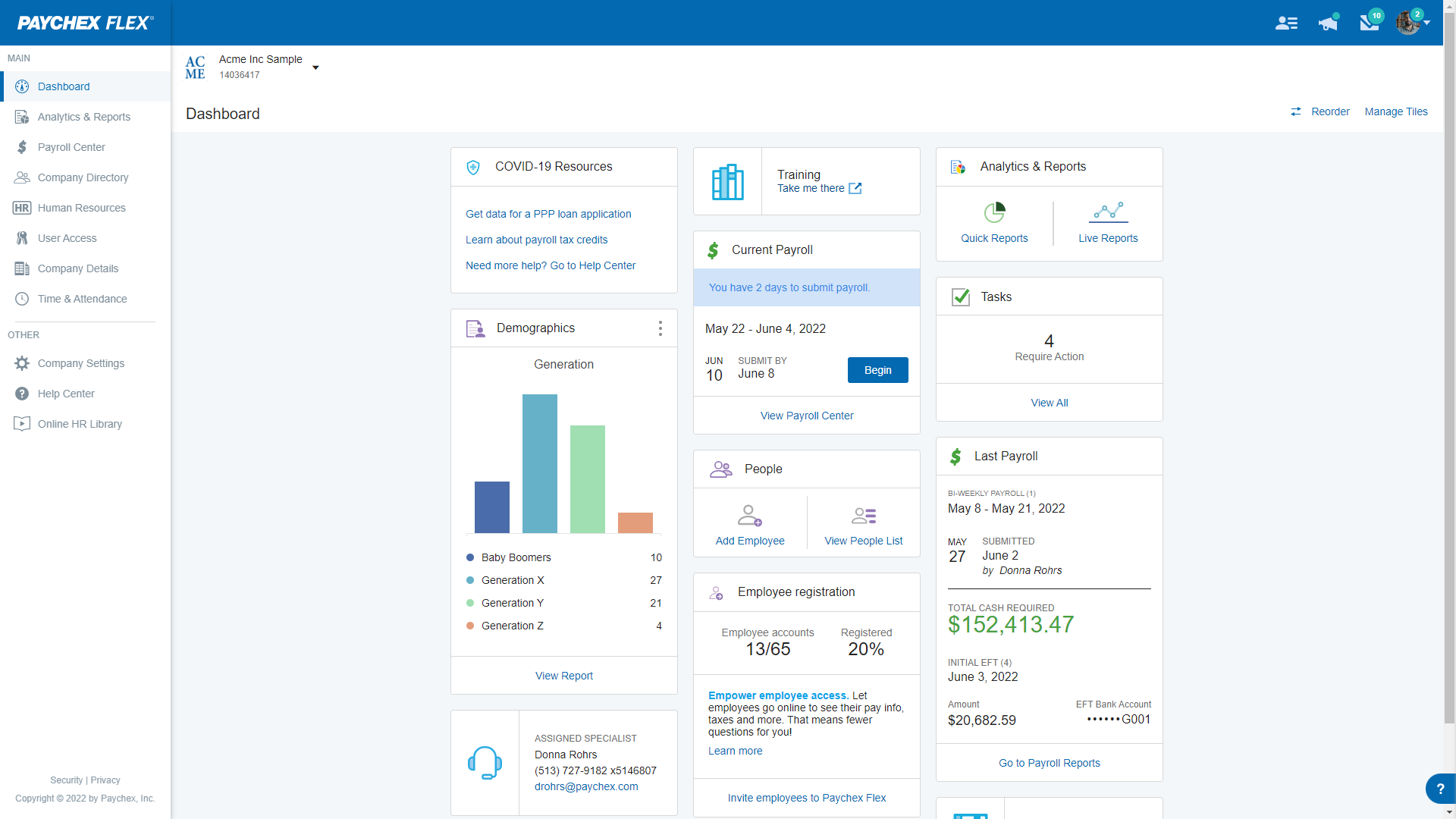
Paychex Flex brings full-service payroll plus a menu of HR, time, benefits, and retirement add-ons, useful for multi-state teams that want reliable filings, employee self-service, and live support. It’s a solid fit for pre-seed to growth-stage startups. Expect sales-quoted pricing, optional PEO, and separate modules; there’s no built-in global/EOR.
Startup-ready highlights
- Automated federal, state, and local taxes; year-end W-2/1099; portals for employees/contractors.
- Multi-state compliance support, including registrations and filings for remote teams.
- Flexible pay options: direct deposit, pay cards, early wage access.
- Digital onboarding with I-9/E-Verify, e-signatures, document management.
- Time & attendance add-on with scheduling, geofencing, automatic payroll feeds.
- Accounting integrations: QuickBooks Online, Xero, Sage Intacct; benefits, 401(k), workers’ comp.
Pricing snapshot
- Pricing available upon request; base fee + per-employee; add-ons extra.
- Billing: monthly; some per-pay-run models, confirm contract details.
- Trial/demo: no free trial; book a demo.
From user reviews
- Pros: Reliable payroll and taxes; straightforward admin workflows.
- Pros: Helpful accounting integrations streamline reconciliation.
- Cons: Support quality can vary; escalations sometimes take time.
- Cons: Navigation can feel clunky; fees (esp. per-pay-period) can add up.
8. PrimePay
PrimePay is a payroll-first platform aimed at U.S. startups that want compliant multi-state payroll now, with the option to layer in HR as they grow. It files federal, state, and local taxes; supports direct deposit and pay cards; and offers on-demand pay via Clair. Best for teams of 5–250. Expect paid add-ons and global/EOR via partners.
Startup-ready highlights
- Full-service U.S. payroll with automatic federal, state, and local filings.
- Year-end W-2/1099 forms and employee self-service for tax docs.
- Direct deposit, pay cards, and optional next-day deposit (extra cost).
- Basic HRIS and onboarding; time & attendance that syncs payroll.
- Benefits via SimplyInsured; ACA/COBRA/ERISA compliance bundles.
- 401(k) connections; 300+ integrations; EOR via G-P; optional PEO path (CoAdvantage).
Pricing snapshot
- Pricing available upon request; tiers include Payroll Essentials, HCM Essentials.
- Billing: per-employee pricing; unlimited runs; add-ons for multi-state, next-day deposit, ACA/COBRA/ERISA.
- Demo available.
From user reviews
- Pros: Intuitive workflows with smooth setup and helpful onboarding.
- Pros: Accurate tax filings and automation reduce manual year-end work.
- Cons: Some cite inconsistent support responsiveness and long hold times.
- Cons: Reporting flexibility and certain HR modules feel limited.
9. QuickBooks Payroll
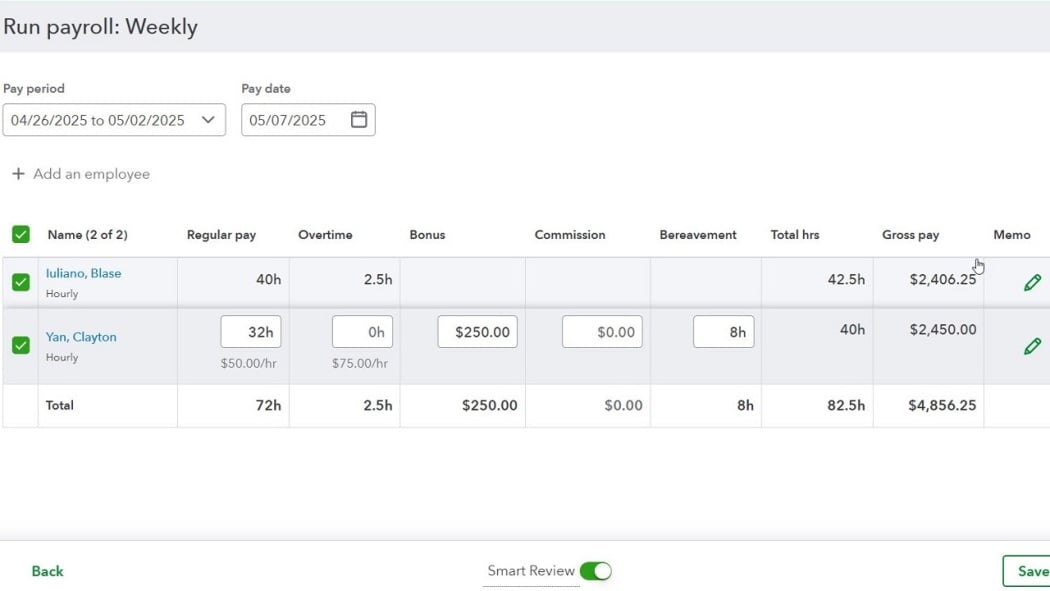
If your books already live in QuickBooks Online, this add-on makes payroll feel native. QuickBooks Payroll syncs every run to your GL, automates taxes and year-end forms, and handles both W-2 employees and 1099 contractors. Best for U.S. startups up to ~50 staff; multi-state is supported, but there’s no global/EOR and Core lacks built-in time tracking.
Startup-ready highlights
- Full-service payroll with automated federal/state tax calculation, payment, and filing; electronic W-2 and 1099 e-file.
- Multi-state payroll; one state included (extra states $12/month on Core/Premium; included on Elite).
- Fast direct deposit: 2-day/5-day (Core); next-day/same-day on Premium/Elite.
- Contractor payments with 1099-NEC/MISC e-filing.
- Time tracking via QuickBooks Time (included on Premium/Elite; add-on for Core).
- Integrated benefits, 401(k), workers’ comp; HR Support Center on Premium/Elite.
Pricing snapshot
- Core: $50/month + $6.50/employee; Premium: $88 + $10/E; Elite: $134 + $12/E.
- Billing: monthly; extra states $12/month on Core/Premium; trial available; benefits/time add-ons.
From user reviews
- Pros: Easy to learn and run; intuitive for small teams.
- Pros: Deep GL sync reduces duplicate entry and speeds monthly close.
- Cons: Support responsiveness can be inconsistent.
- Cons: Occasional filing or sync hiccups require rework.
10. RUN by ADP
ADP’s small-business workhorse is built for U.S. teams from 1–49 employees who want guardrails and 24/7 support. RUN automates federal, state, and local taxes, handles multi-state complexity, and plugs into popular accounting and HR tools. It’s a safe bet for founding teams through early scale; global payroll and PEO live in separate ADP offerings.
Startup-ready highlights
- Full-service payroll with automatic taxes, filings, deposits, and year-end W-2/1099.
- Compliance guardrails and agency notice handling.
- Multi-state payroll and automated new-hire reporting.
- Pay options: direct deposit, paper checks, Wisely pay card.
- Basic HRIS and e-onboarding; employee self-service for forms.
- One-click GL mapping to QuickBooks, Xero, Wave; ADP Marketplace add-ons.
- 24/7 support; optional live HR helpdesk on higher tiers.
Pricing snapshot
- Pricing available upon request; plans: Essential, Enhanced, Complete, HR Pro.
- Billing: monthly; add-ons for year-end forms, time, benefits, retirement.
- Trial/demo: no free trial; demo available.
From user reviews
- Pros: Guided payroll with helpful checks; reliably handles multi-state taxes.
- Pros: Strong compliance and GL mapping save admin time.
- Cons: Higher pricing than some SMB alternatives; extras add up.
- Cons: Setup/navigation friction for some; support speed varies on complex issues.
Related software categories to consider
- HRIS for onboarding, documents, and time off
- Applicant tracking systems for structured recruiting
- Contractor management for invoices and expenses
- Global EOR and Contractor of Record for entity free hiring
- Benefits administration and 401k providers
- Time tracking and scheduling tools
If you prefer a single platform, an all in one option that bundles recruiting, payroll, global EOR, and HRIS can reduce switching costs. That is the path many teams take when speed and simplicity matter. Explore Bolto
Conclusion, how to make the best choice for your business
Focus on compliance coverage, pricing clarity, and the workflows your team will actually use. Favor platforms that lower time to hire and time to pay, not just feature lists. Verify results with customer proof and run a short pilot. If you want a modern platform that unifies recruiting, US payroll, global EOR, contractor payments, and core HRIS, Bolto is worth a look. It offers transparent pricing, 24 by 7 support on EOR, rapid shortlists in about 72 hours, and documented wins like Rebet, Fiber AI, and Assembly. The best software for payroll is the one that gets your team productive fast and keeps every pay day smooth. Ready to explore options, visit Bolto
FAQ
What is the best software for payroll for a pre seed startup
Look for simple pricing, fast setup, and strong support. Bolto Launch starts at 39 per employee per month plus a 59 platform fee and includes core compliance and W 2 and 1099 support. That mix fits very early teams. The best software for payroll at this stage should not force a heavy HR suite.
When do I need Employer of Record instead of just payroll
Use EOR if you want to hire in a foreign country without opening a legal entity. A provider like Bolto covers 150 plus countries and charges 599 per employee per month. This is often faster and cheaper than setting up a subsidiary for a small team.
Can I pay contractors and employees in one place
Yes. The best software for payroll should support unified payments. Bolto pays US employees and global contractors in one flow with bulk pay and a single invoice in 150 plus countries.
How fast can I go from job post to a payroll ready hire
Speed varies. Bolto recruiting reports first candidate shortlists in about 72 hours and case studies show teams built in under 5 weeks and even 10 days for a full team. Faster recruiting plus integrated onboarding reduces time to first payroll.
Is EOR pricing of 500 to 600 per month normal
Market conversations in 2025 indicate that range is common. Bolto lists 599 per employee per month for EOR which aligns with those benchmarks. The best software for payroll will publish clear pricing to avoid surprises.
Does the vendor have proof beyond marketing
Look for public case studies and dates. Bolto announced a 5.1 million seed round on March 5, 2025 and publishes customer outcomes including Rebet with 4 engineering hires and 5.6 days average time to hire with 100 percent retention, Fiber AI with 5 hires in 10 days and 100 percent retention, and Assembly with a first ever hire in 15 days and onboarding in under 2 days.