

15 Best Payroll for One Employee in 2026 (Expert Picks)

The best payroll for one employee is a service that combines affordability, automated tax filings, and scalability. For startups planning to grow, a comprehensive platform like Bolto is often the top choice because it integrates payroll with recruiting and global HR. Hiring your first team member is a milestone. It also means it is time to choose payroll that is simple, compliant, and affordable. This guide cuts through noise so you can find the best payroll for one employee without wasting hours comparing sales pages. If you plan to grow beyond a single W 2 or to mix in contractors now or later, you will also see where a broader platform can save time and money. Curious how an all in one option feels in practice, take a look at Bolto Payroll.
Real world results matter. Companies using Bolto have documented fast hiring and smooth onboarding, such as 4 engineering hires in under 5 weeks with a 5.6 day average time to hire and 100 percent retention for Rebet, an entire team built in 10 days for Fiber AI with 100 percent retention, and a first ever hire in 15 days for Assembly with under 2 days to onboard. Explore more customer results. First shortlists often arrive in about 72 hours, which pairs well with payroll that is ready on day one. If you want both recruiting and payroll in a single place, you can explore Bolto.
What is payroll software for one employee
Payroll software for one employee is a streamlined system that calculates gross to net pay, withholds and files taxes, and issues pay stubs and year end forms for a single team member. The best payroll for one employee also handles new hire reporting, state registration support, and basic HR records so you spend minutes per pay period, not hours.
Key outcomes to expect
- Automated direct deposit and tax calculations
- Federal, state, and local filings handled on schedule
- W 2 generation for employees and 1099 preparation for contractors if needed
- Simple onboarding checklist and document storage
When a platform supports global hiring, the best payroll for one employee can also cover an employee or contractor located outside the United States through EOR or contractor management.
Why use payroll software for just one employee, benefits versus DIY
Even with one person on staff, compliance work stacks up fast. The best payroll for one employee removes manual math, prevents missed deadlines, and keeps records organized.
Benefits versus DIY
- Fewer errors, automated tax rates and filings reduce risk
- Time savings, set once and run each pay cycle in minutes
- Professional pay experience, consistent stubs and on time deposit
- Scale readiness, add more states or countries without switching tools
Facts to know
- Bolto automates US payroll with W 2 and 1099 workflows and handles state and federal payroll tax filings
- Bolto offers 24 7 dedicated human support on EOR, which is valuable when you need quick answers for a cross border hire
- Recruiting through Bolto carries a 90 day replacement guarantee for hires, useful if your very first hire does not work out
- Payments reach 150 plus countries, which means you can pay a contractor abroad and your US employee in the same run. See our global payroll and payments guide for founders.
If your plan involves hiring fast, the best payroll for one employee that also includes recruiting and onboarding can shorten time to ship new features and cut tool switching.
How to choose, selection criteria and must have features
Aim for a platform that fits today and tomorrow. Use this checklist to evaluate the best payroll for one employee.
Must have features
- Full tax automation for federal and multi state filings
- Easy onboarding, I 9 and W 4 workflows, basic HR records, time off tracking
- Direct deposit, off cycle runs, year end W 2 and 1099
- Clear pricing for one employee, no hidden per run fees
- Helpful support that answers in minutes, not days
Nice to have if you plan to grow
- Contractor payments in the same pay run
- Global coverage through EOR or contractor management
- Integrations with your ATS and accounting stack
- Single invoice for employees and contractors
If you want all of this in one place, Bolto combines recruiting, EOR, contractor management, and US payroll in a single platform. That makes it a practical pick when comparing the best payroll for one employee and a future global team.
Our selection methodology, and why you can trust this review
This review balances ease of use, compliance coverage, and total cost for a single worker. The scoring focuses on
- Transparent pricing for one employee
- Automated filings and forms, including W 2 and 1099
- Multi state readiness and support quality
- Contractor payments in the same system
- Options for global hiring, such as EOR or contractor management
Verifiable facts used in this guide come from product materials and published case studies from Bolto. Examples include 72 hour average time to first candidate shortlist, 5.6 day average time to hire in one documented case, 100 percent retention across several case studies, and coverage for payments in 150 plus countries. Bolto lists US payroll pricing at 39 dollars per employee per month for the Launch plan with a 59 dollar platform fee, and 49 dollars per employee per month for the Scale plan with a 99 dollar platform fee. Global EOR is listed at 599 dollars per employee per month, Contractor of Record at 299 dollars per contractor per month, and Contractor Management at 49 dollars per month. If your needs match these facts, the best payroll for one employee may be one that consolidates more than payroll alone. For deeper dives, browse our resources library.
Costs and pricing for one employee payroll
Plan for two types of cost, a per employee fee and a monthly platform fee. The best payroll for one employee should not punish small headcount.
Concrete examples from Bolto pricing
- US Payroll Launch, 39 dollars per employee per month plus a 59 dollar platform fee, totals 98 dollars per month for one employee
- US Payroll Scale, 49 dollars per employee per month plus a 99 dollar platform fee, totals 148 dollars per month for one employee
- Contractor Management add on, 49 dollars per month, lets you manage invoices, time, and reimbursements from the same dashboard
- Contractor of Record, 299 dollars per contractor per month, adds local compliance and fast onboarding abroad
- Global EOR, 599 dollars per employee per month, covers full employment in 150 plus countries when you do not want to open a foreign entity
Market context to frame expectations
- Late 2025 buyer threads often cite EOR fees around 500 to 600 dollars per employee per month as a common range
- Many US payroll tools for startups price in the 30 to 50 dollars per employee per month range plus a small platform fee
If you expect to add contractors or a foreign hire soon, the best payroll for one employee is often the one that can flip on EOR or Contractor of Record without moving data. You can view current pricing or book a demo at Bolto.
15 Best Payroll Services for One Employee
This section highlights payroll services that work especially well when you’re running payroll for just one person, whether that’s you as the owner or your very first employee. We’ve grouped these options for their low total cost, quick setup, automated tax filing, and straightforward compliance that won’t overwhelm a microbusiness. Scan the list to find the right mix of essentials like direct deposit, year-end forms, contractor support, and the ability to scale as you grow.
1. Bolto Payroll
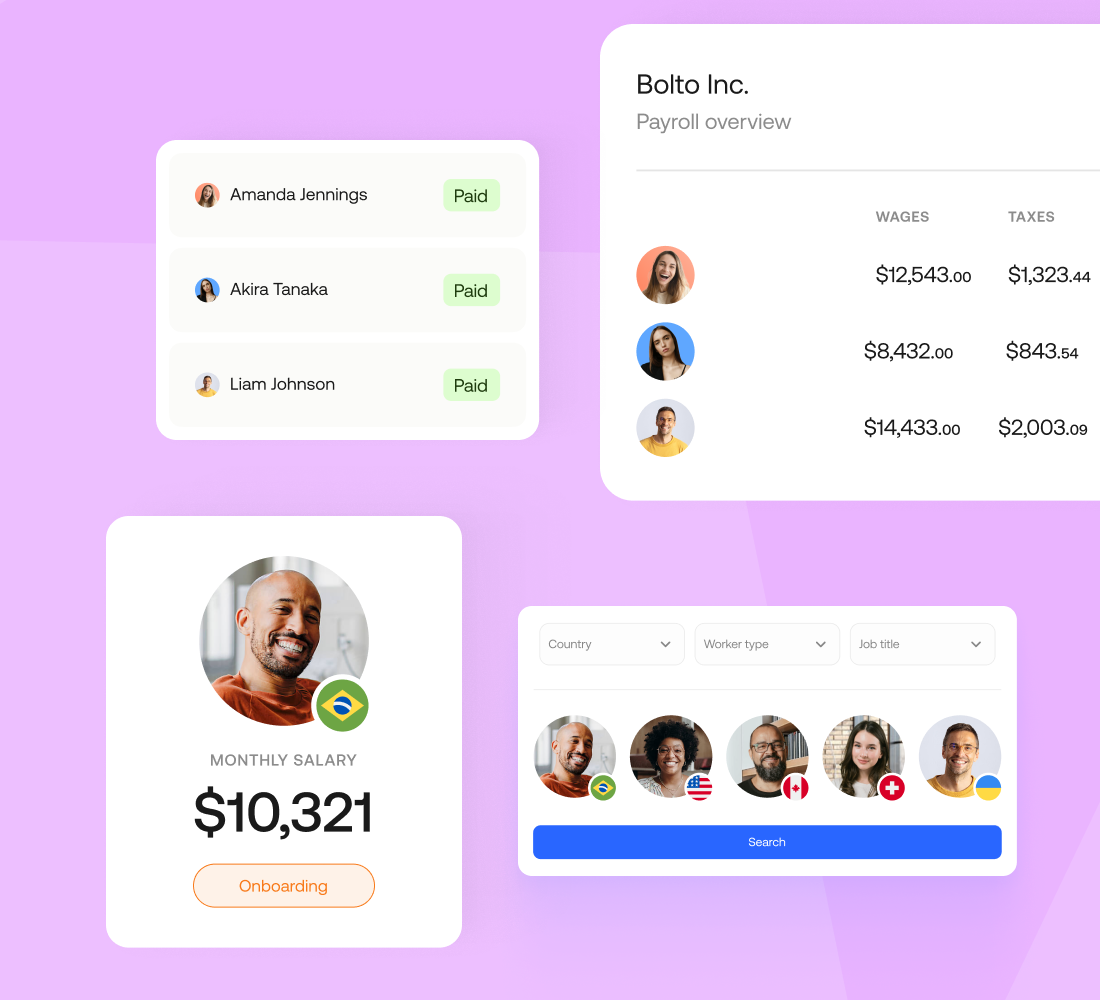
If you’re a founder racing to your first payday, Bolto meets you where you are with hands-on onboarding, automatic filings, and a growth path that won’t force a platform switch later. Best for: founder-led startups needing fast, compliant solo payroll with built-in scalability.
Pricing and trial at a glance
- Base: $59/mo platform fee + $39 per person; includes automated tax filings and W‑2/1099s.
- Scale: $99 base + $49/person; EOR from $599; contractors from $49 or $299; PEO/Enterprise quote-based.
- Trial/demo: No free trial; demo and sales-led onboarding.
Why it works for one-employee payroll
Bolto’s guided setup shrinks time to first payroll from weeks to days, while automating federal and state calculations, filings, and remittances. You can pay a W‑2 employee and 1099 contractors in the same workflow and expand smoothly into benefits, PEO, or global/EOR as you scale. Founder-friendly support (including live chat, email, phone, and a dedicated rep) keeps help close when you’re learning the ropes.
Pros
- Automates federal and state payroll taxes, including calculation, filings, and remittances.
- One workflow for W‑2s and 1099s reduces year‑end busywork.
- Add health and 401(k) benefits inside the payroll platform.
- Dedicated, multi-channel support aimed at busy founders.
Cons
- Platform fee can raise total cost for a single employee.
- No publicly advertised free trial; sales-led onboarding only.
- The integration catalog is not fully public, so you should confirm your systems with sales.
2. Square Payroll
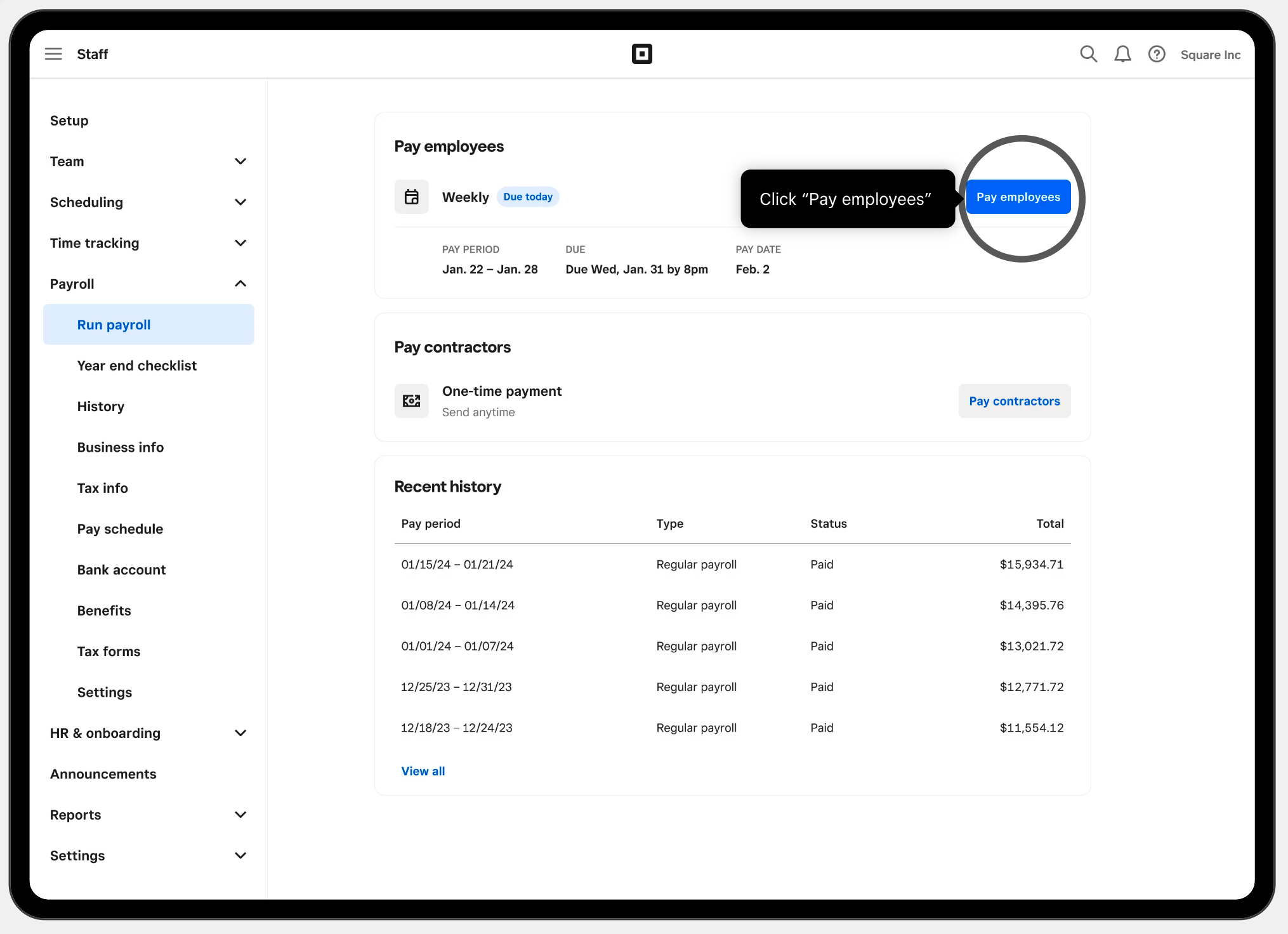
Square strips solo payroll down to the essentials: quick setup, automatic taxes, and fast payouts, plus contractor-only pricing if that’s all you need. Best for: ultra‑simple solo payroll with automatic taxes and rapid funding options.
Pricing and trial at a glance
- $35/mo + $6/person (W‑2 + 1099); includes unlimited runs, automated federal/state filings, W‑2/1099‑NEC, multi‑state support, check/direct deposit/Cash App pay.
- Contractor‑only: $6 per contractor; $0 base.
- Fast pay: next‑day ACH or Instant Payments to Cash App; Two‑Day Payroll upon approval.
- Trial: No free trial.
Why it works for one-employee payroll
From sign-up to first paycheck, Square is built for speed. Automatic tax withholding/filing, year‑end forms, and tax‑penalty protection simplify compliance, while next‑day ACH or instant payouts to Cash App keep cash flowing. It covers all 50 states and integrates with Square POS and QuickBooks Online, so time and tips flow straight into payroll.
Pros
- Low cost, unlimited runs, no long-term contract.
- Automatic filings/payments; 50 states + DC coverage.
- Faster payouts: next‑day ACH or instant to Cash App.
- Strong Square ecosystem and QuickBooks Online sync.
Cons
- It is U.S. only, with no global/EOR upgrade.
- Health insurance via SimplyInsured not available in some states/DC.
- Limited support for one employee in multiple simultaneous jurisdictions.
3. SurePayroll
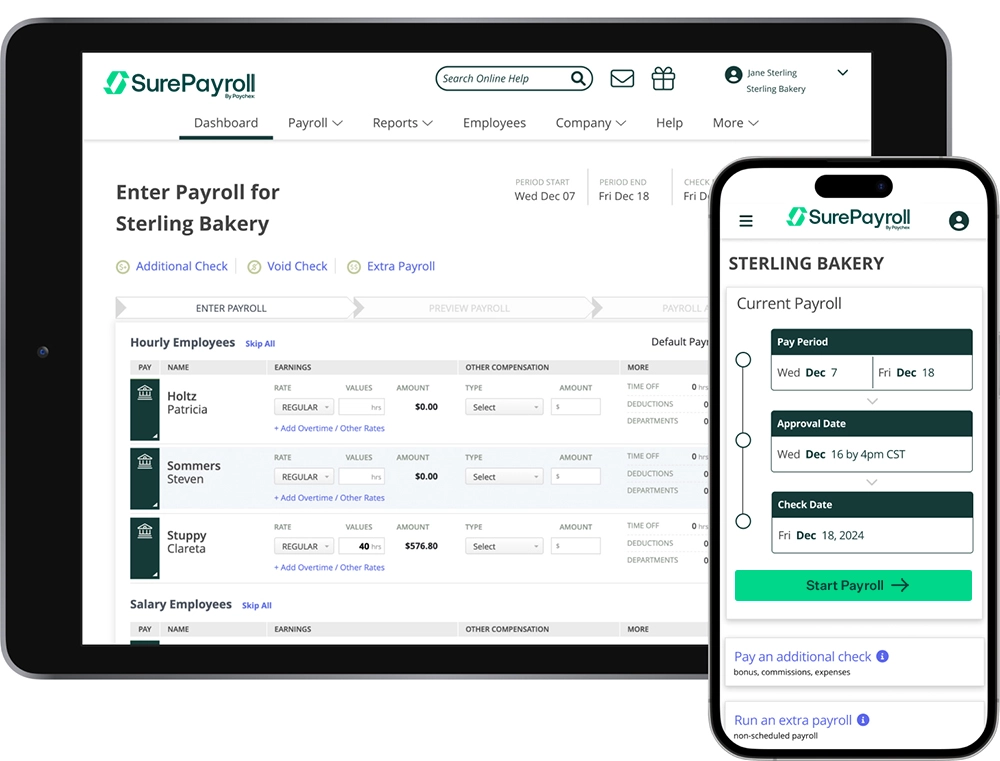
For first‑time payroll, SurePayroll feels like it was designed specifically for you: lean setup, low cost, and filings handled so you don’t miss a deadline. Best for: ultra‑simple, low‑cost first payroll with automatic tax filings.
Pricing and trial at a glance
- Full Service: $29/mo + $7 per employee; includes automatic tax filings, W‑2/1099 support, free 2‑day ACH.
- Trial: Promotions vary (often several months free); cancel anytime online.
Why it works for one-employee payroll
A three‑step workflow and mobile app make your first run painless, then Auto‑Payroll keeps everything on schedule. Full Service calculates, files, and deposits federal and state taxes, covers W‑2 and 1099 workers, and offers multi‑state capability if you move or hire remotely. Accounting integrations and U.S.-based support help new owners avoid compliance mistakes.
Pros
- Very low monthly cost, especially on Full Service.
- Automatic federal and state tax filings and deposits included.
- Supports W‑2 and 1099 in one system.
- Mobile app, Auto‑Payroll, free 2‑day direct deposit.
Cons
- Extra states and year‑end W‑2/1099 forms may add fees.
- Some integrations and HR tools are paid add‑ons.
4. Patriot Payroll
Patriot’s value proposition is simple: get compliant payroll for one person at one of the lowest prices around, and upgrade filings when you’re ready. Best for: ultra‑low‑cost, compliant first payroll with speedy solo setup.
Pricing and trial at a glance
- Basic: $17 base + $4/worker (no filings). Full Service: $37 base + $5/worker (filings included), unlimited payrolls, direct deposit.
- Trial/notes: 30‑day trial; frequent 50% off promos; extra state $12/mo (FS); 1099 e‑file free on FS or $20 for five forms.
Why it works for one-employee payroll
Start on Basic for the cheapest way to pay a single W‑2 or 1099, then switch to Full Service to offload all federal, state, and local filings and year‑end forms when you’re ready. Auto Payroll and a guided wizard speed onboarding, and U.S.-based support plus free setup help keep you moving. Accounting integrations, workers’ comp, and benefits options are there when you need them.
Pros
- Among the lowest total costs for one worker; 30‑day trial.
- Full Service handles all tax filings and year‑end W‑2/W‑3.
- Flexible pay timing: free 4‑day ACH; faster options with qualification.
Cons
- Extra states cost $12/mo on Full Service; Basic has no filings.
- It is U.S.-only, with no international payroll or EOR.
5. Roll by ADP
Roll squeezes ADP’s payroll engine into a chat-first mobile app that gets a solo founder from download to done in minutes. Best for: mobile, chat‑based solo payroll with 24/7 compliant support.
Pricing and trial at a glance
- $39/month + $5 per active worker (W‑2/1099); unlimited runs, same‑day/next‑day deposit, automatic tax filings and payments.
- Trial: Three months free; no contracts (promotions vary).
Why it works for one-employee payroll
The chat interface drives a near‑instant first run, while automatic federal, state, and local filings minimize risk. Roll supports both employees and contractors, offers same‑day or next‑day deposit, and connects to QuickBooks Online for clean books. When you outgrow it, ADP’s broader suite, which includes PEO and global, offers a clear upgrade path.
Pros
- Chat‑first speed: run payroll in under a minute.
- Automatic federal, state, local filings and payments.
- Multi‑state capable; same‑day/next‑day deposit.
- Unlimited runs, no contracts, promos often available.
Cons
- Limited integrations beyond QuickBooks; lean HR features.
- No native global/EOR; migration later if you scale internationally.
- Promotional pricing can vary, so confirm the current rate.
6. OnPay
Transparent pricing and full-service filings in all 50 states make OnPay a straightforward pick for your first and future payrolls. Best for: solo founders needing low-cost, full-service U.S. payroll today.

Pricing and trial at a glance
- $49/mo + $6 per worker; unlimited runs.
- Taxes: federal, state, local filings and payments included automatically.
- Trial: First month free; 2–4‑day ACH; W‑2/1099 e‑delivery.
Why it works for one-employee payroll
OnPay brings you from signup to first paycheck quickly, then keeps compliance on autopilot in every state, which is ideal if you or your future hires are remote. Free setup/migration, immediate checks while ACH approves, built‑in PTO, and deep accounting integrations keep admin light for a team of one.
Pros
- Low, transparent price; unlimited runs.
- Automatic federal, state, local filings nationwide.
- Quick start with free setup; fast direct deposit.
- Integrations with QuickBooks Online/Desktop, Xero; PTO and self‑service.
Cons
- No native time clock and relies on partners.
- U.S.-only; no EOR/global path.
- No contractor‑only plan, so the base fee still applies.
7. Gusto
Gusto’s friendly onboarding and “pay when you run” model help you launch payroll without upfront friction, then scale as your needs evolve. Best for: solo payroll with automated filings, fast pay, and easy scalability.

Pricing and trial at a glance
- Simple: $49 base + $6/person; unlimited runs, filings, W‑2/1099, 2–4‑day ACH.
- Plus: $80 + $12/person; adds multi‑state and next‑day ACH.
- Trial/notes: Free setup; pay only when you run. Global/EOR and contractors available.
Why it works for one-employee payroll
Gusto handles EIN/tax setup, automates federal/state/local taxes, and includes year‑end W‑2/1099 forms. Next‑day ACH on Plus helps with cash flow, and integrations with QuickBooks and Xero keep books clean. When you grow, multi‑state support and a global contractor/EOR path mean fewer platform changes.
Pros
- Automatic filings/payments with year‑end forms included.
- Unlimited runs; next‑day ACH on Plus.
- Free setup; charges begin at first payroll.
- Easy integrations and built‑in benefits.
Cons
- Multi‑state support requires the Plus plan, which comes at a higher monthly cost.
- Some helpful extras (e.g., time tracking) are add‑ons on Simple.
- EOR covers limited countries and can be pricey.
8. QuickBooks Payroll
If your books already live in QuickBooks, its native payroll eliminates integration headaches and speeds your first run. Best for: solo founders on QuickBooks needing compliant, scalable payroll.
Pricing and trial at a glance
- Core: $50/mo + $6.50/employee; automated taxes, next‑day deposit, unlimited 1099 e‑file.
- Trial: 30‑day trial or 50% off for 3 months.
- Notes: Extra states $12/mo on Core/Premium; Elite includes.
Why it works for one-employee payroll
Automated filings cover federal/state taxes and year‑end W‑2/1099s, while next‑day ACH on Core is plenty fast for a team of one. Premium/Elite add same‑day funding, expert setup, and tax‑penalty protection. If you expand across states, Elite folds in extra-state fees, while the Core and Premium plans charge per state.
Pros
- Automated taxes and filings across plans; unlimited 1099 e‑file.
- Fast payouts: next‑day on Core, same‑day on higher tiers.
- Expert help: guided setup and penalty protection on Elite.
Cons
- $12/mo per extra state on Core/Premium (Elite includes).
- Auto Payroll limited to salaried W‑2s on direct deposit.
- It works best within QuickBooks, has fewer options for other ledgers, and has no native global/EOR.
9. Wagepoint
Wagepoint takes the guesswork out of Canadian payroll for a company of one with clear pricing, automatic remittances, and year‑end slips baked in. Best for: founder‑operators in Canada needing low‑friction, all‑inclusive compliance.
Pricing and trial at a glance
- Solo: $20/mo + $4/worker; Unlimited: $40/mo + $6/worker; includes direct deposit, CRA/RQ remittances, ROE, T4/T4A.
- Trial: 14‑day free trial; no extra fees for filings or money movement.
Why it works for one-employee payroll
For single‑employee Canadian companies, Wagepoint automates CPP/EI calculations, CRA/RQ remittances, ROEs, and T4/T4A, which keeps first and future runs smooth. Setup is quick, contractors cost the same per run as employees, and QuickBooks/Xero integrations keep books tidy. Scale into Unlimited or add Time/People without switching platforms.
Pros
- Very low total cost for a one‑person company.
- Inclusive pricing: remittances and year‑end forms included.
- Supports employees and contractors with self‑onboarding and portals.
- QuickBooks/Xero integrations; optional Time and People add‑ons.
Cons
- Canada‑only; U.S. operations paused for new customers.
- Solo plan limits you to one payroll per month.
- No built‑in benefits admin or EOR/global payroll.
10. RUN Powered by ADP
RUN blends ADP’s compliance pedigree with small‑business usability, giving founders strong guardrails from day one. Best for: compliance‑first payroll, 24/7 help, and seamless HR/PEO upgrades as you grow.

Pricing and trial at a glance
- Quote‑based; commonly reported entry: ~$59–$79 base + ~$4/employee; includes tax calculation/filing, deposits, direct deposit, paycards.
- Trial/demo: No free trial; interactive demo and promos (months free) appear periodically.
Why it works for one-employee payroll
Automatic calculation, payment, and filing of federal, state, and local taxes reduce risk for first‑time pay runs. AI‑assisted error checks and 24/7 support help you avoid mistakes, while W‑2/1099 e‑filing, QuickBooks sync, and GL exports keep the back office tidy. When you expand, ADP’s HR add‑ons, PEO, and global payroll are ready.
Pros
- Full‑service tax calculation, payment, and filing nationwide.
- Supports W‑2s and 1099s with year‑end e‑filing/delivery.
- QuickBooks Online sync; GL exports for Xero and Wave.
- 24/7 support plus AI setup checks.
Cons
- No public pricing and you must get a quote.
- Some features and year‑end forms may incur fees.
- More configuration than ultra‑light, mobile‑first apps.
11. Paychex
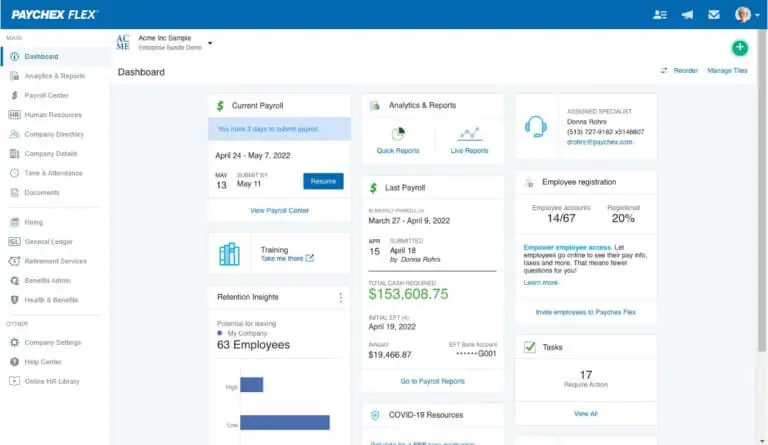
When you want a white‑glove start and a clear PEO upgrade path, Paychex pairs guided setup with nationwide compliance. Best for: compliance‑first payroll with hands‑on onboarding and multi‑state coverage.
Pricing and trial at a glance
- Quote‑based (Paychex Flex Select/Pro); includes automated federal/state/local filings, deposits, multiple pay options, W‑2/1099 self‑service.
- Trial/demo: No free trial; sales‑led demo and quote; frequent promotions.
Why it works for one-employee payroll
An implementation specialist sets up taxes, audits year‑to‑date data, and can run your first payroll, with 24/7 support after. Filings happen automatically at all levels for W‑2s and 1099s, while QuickBooks and Xero integrations keep accounting clean. As you scale, domestic PEO and partner‑led global options minimize re‑implementation.
Pros
- Automatic federal, state, local deposits/filings; W‑2/1099 self‑service.
- Guided onboarding and 24/7 support allows you to run payroll by phone.
- Flexible pay options and strong integrations (QuickBooks, Xero, Marketplace).
Cons
- Quote‑based pricing; must talk to sales.
- Many essentials (time, HR/benefits) are paid add‑ons.
- Global/EOR relies on partners.
12. Wave Payroll
For founders already on Wave Accounting, Wave Payroll is the shortest distance to a compliant first paycheck. Best for: Wave users needing low‑cost payroll with automated filings.
Pricing and trial at a glance
- $40/mo + $6/employee or contractor; includes automatic federal/state tax payments and filings, unlimited direct deposit, W‑2/W‑3, 1099‑NEC/MISC generation.
- Trial: 30‑day free trial begins when you approve your first payroll.
- Notes: U.S. funding window is four business days; 1099 e‑filing not included.
Why it works for one-employee payroll
Post‑migration to “powered by Check,” Wave now automates payments and filings in all 50 states, eliminating prior DIY gaps. You’ll get W‑2/1099 support, an employee portal, and native Wave Accounting sync, with summary exports for QuickBooks if needed. Mind the four‑business‑day ACH window and lack of off‑cycle runs.
Pros
- Low total cost for one employee.
- Automatic federal/state payments and filings included.
- Supports W‑2 and 1099, with self‑service portal and Wave integration.
- Workers’ comp available via Next Insurance.
Cons
- U.S. and Canada only (no Quebec); no global/EOR path.
- 1099 forms are generated, but e‑filing isn’t handled by Wave.
13. Rippling
Rippling is overkill for many solo setups but is perfect if you’re starting with one worker and expect multi‑state or global complexity soon. Best for: starting solo with seamless multi‑state and global scalability.
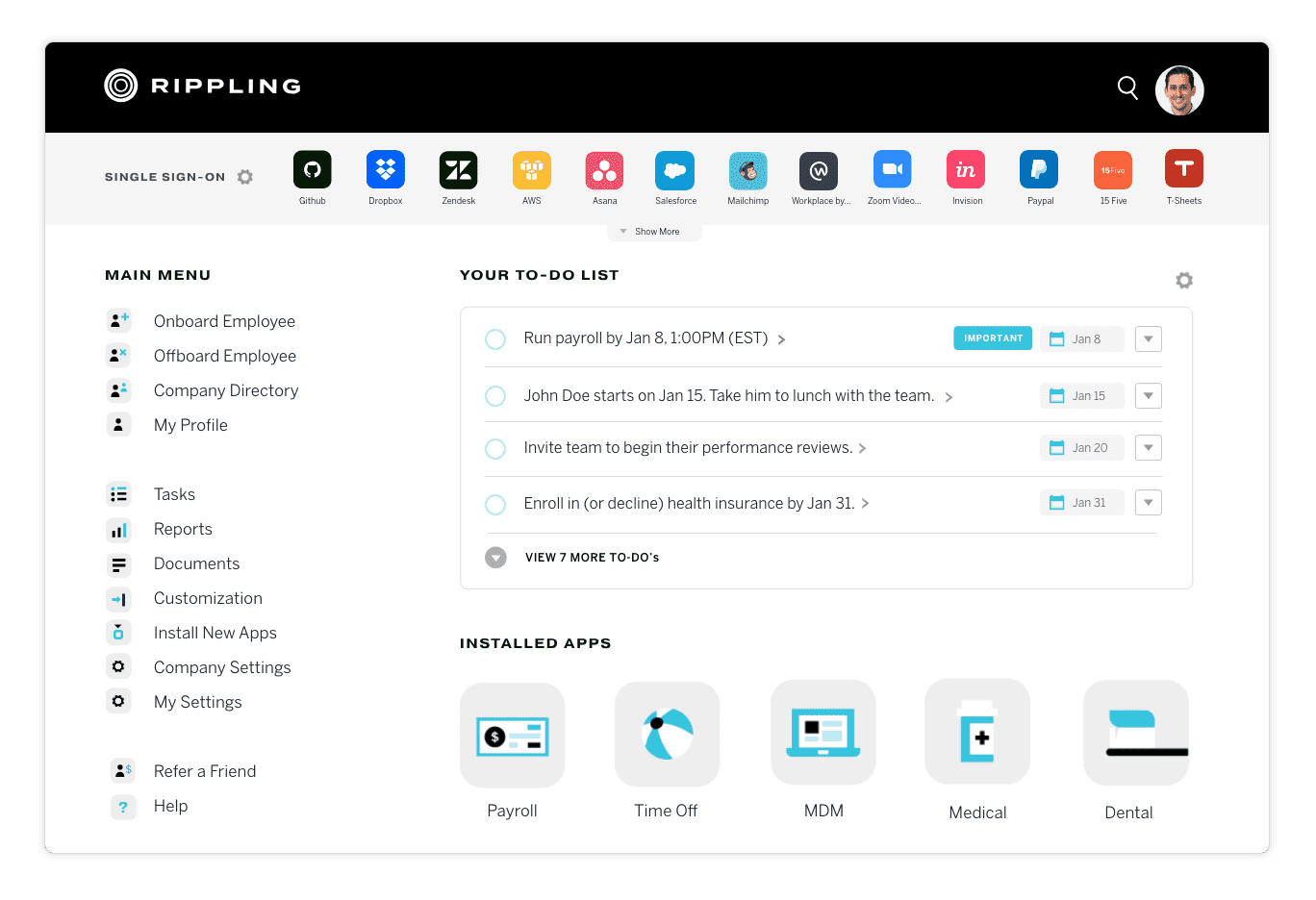
Pricing and trial at a glance
- Quote‑based via Unity + Payroll; includes full‑service U.S. filings, direct deposit, W‑2/1099s.
- Trial/demo: No free trial; demo available.
- Notes: Per‑employee fees and add‑ons; occasional startup promos.
Why it works for one-employee payroll
Rippling gets you to a first run in minutes and then scales with you across states, contractors, and even countries. It automates federal/state/local taxes with year‑end forms included, unifies employees and contractors in one workflow, and integrates with QuickBooks, Xero, and NetSuite. When you expand abroad, add multi‑country payroll or move to its native EOR without re‑implementing.
Pros
- Full‑service U.S. payroll with automatic filings and W‑2/1099s.
- Fast self‑serve setup for your first payroll.
- Scales to multi‑state, contractors, global payroll, and native EOR.
- Strong accounting and app ecosystem integrations.
Cons
- Quote‑based pricing; platform and per‑employee fees add up.
- Feature depth can be complex for simple, single‑state needs.
- Discounts are limited; many pay standard rates.
14. Deel
When your first or only worker is abroad, Deel’s contractor‑to‑EOR bridge makes global hiring feel straightforward. Best for: paying an international contractor now with an easy EOR upgrade later.
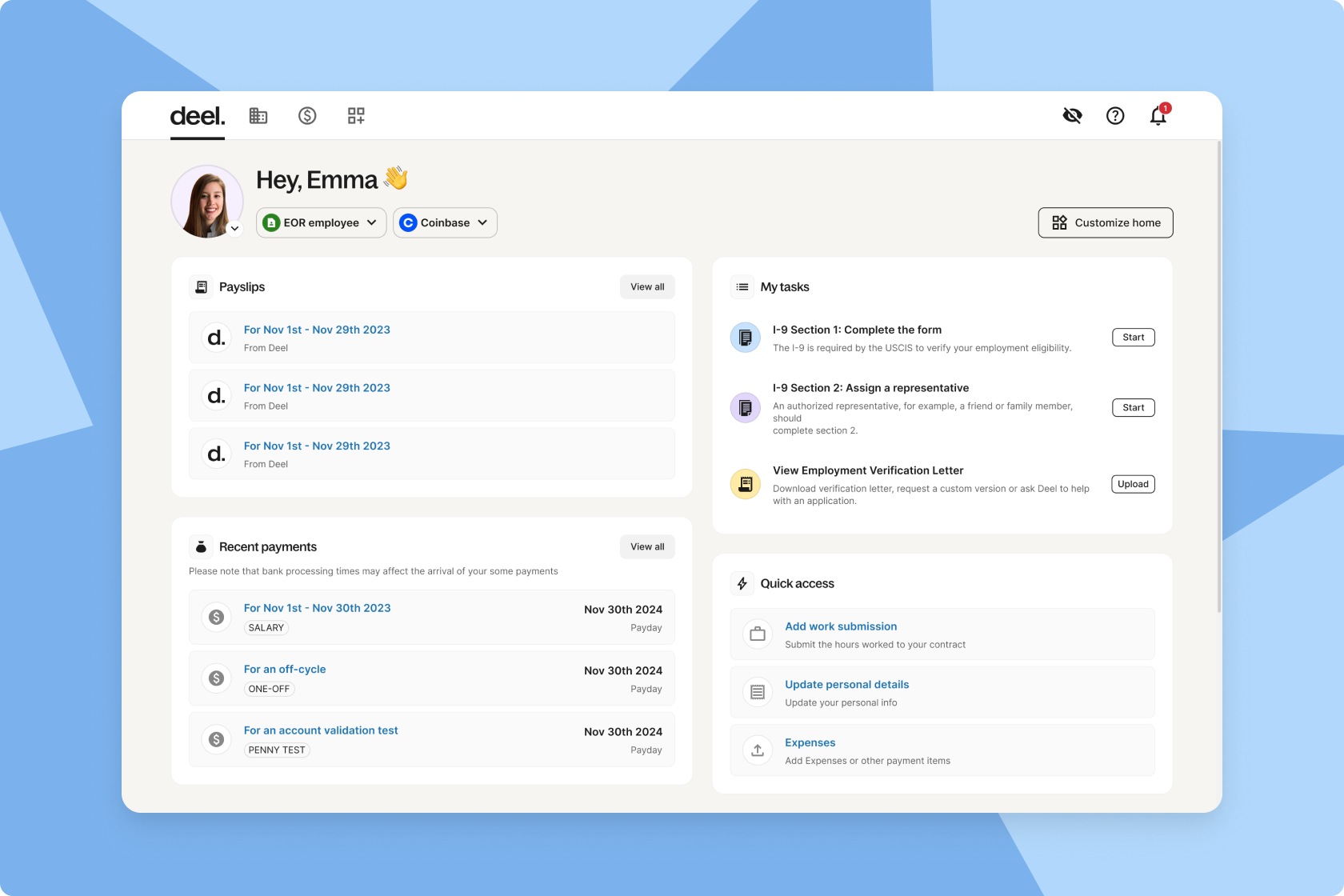
Pricing and trial at a glance
- Contractors $49; EOR $599; Global $29/employee + $1,000 setup; U.S. payroll quote‑based; multi‑currency pay; W‑2/1099.
- Trial/demo: Free demo; month‑to‑month.
- Notes: HR suite free under 200; ACH funding.
Why it works for one-employee payroll
Deel shines if your first hire is international: spin up a compliant contract, pay locally, then convert to full‑time via EOR without a platform switch. For U.S. payroll, it automates registrations, filings, new‑hire reports, and year‑end forms. 24/7 support and deep accounting integrations reduce admin from day one.
Pros
- Global‑first platform spanning contractors, EOR, and multi‑country payroll.
- U.S. payroll automates registrations, filings, and W‑2/1099s.
- Fast first run; ACH funding; 24/7 support.
- Integrations with QuickBooks, Xero, NetSuite, Sage Intacct.
Cons
- U.S. pricing is quote‑based and often higher than SMB‑first tools.
- The $1,000 Global Payroll setup is overkill for a single paycheck.
- Strict compliance/KYC may slow onboarding for some.
15. Payworks
If your single employee is in Canada (especially Québec), Payworks delivers bilingual compliance and specialist‑led onboarding. Best for: Canada‑only payroll with automated remittances and dedicated support.
Pricing and trial at a glance
- Quote‑based; includes direct deposit, CRA/RQ remittances, WCB/WSIB, ROE e‑filing, and year‑end T4/T4A/RL‑1.
- Trial/demo: No trial; demo with instant quote. Notes: per‑item fees; setup‑fee waivers typically Jan 1–Feb 28.
Why it works for one-employee payroll
A National Payroll Institute–trained specialist guides setup, then a dedicated rep supports you ongoing. CRA/RQ remittances, WCB/WSIB premiums, ROE submissions, and year‑end T4/T4A/RL‑1 filings are automated, with bilingual support for Québec. Journal integrations into QuickBooks Online and Xero streamline bookkeeping.
Pros
- Automatic CRA/RQ remittances, WCB/WSIB premiums, ROE e‑filing.
- Year‑end T4/T4A and RL‑1 filing; employee self‑service.
- Dedicated implementation and ongoing support; 24/7 Help Centre.
- QuickBooks Online and Xero journal integrations.
Cons
- Canada‑only; no U.S. payroll or global/EOR path.
- Quote‑based pricing with per‑item fees can increase total cost.
- HR, time, and absence tools are paid add‑ons.
Conclusion, choose with confidence
The best payroll for one employee should make your life easier from the very first run. Look for automatic filings, clean onboarding, responsive support, and clear pricing. If growth or global hiring is on the roadmap, pick a platform that combines payroll with contractor payments and EOR so you never migrate in a rush. Bolto pairs recruiting, payroll, and global HR in one system with documented speed to shortlist and transparent pricing, which makes it a strong candidate when you evaluate the best payroll for one employee. Ready to see it in action, start at Bolto.
FAQs
What counts as the best payroll for one employee if I have a mix of W 2 and 1099
Choose a system that runs W 2 and 1099 in one flow. The best payroll for one employee should let you add a contractor without switching tools, and should generate both W 2 and 1099 at year end.
Can I start with the best payroll for one employee and upgrade when I hire abroad
Yes. If you pick a platform with EOR or Contractor of Record, you can move a new foreign hire to full employment without migrating systems. See how to compare EOR service providers. Bolto supports EOR in 150 plus countries and Contractor of Record for faster contractor onboarding, which keeps payroll and compliance in one place.
How much does the best payroll for one employee usually cost
Expect around 30 to 50 dollars per employee per month plus a modest platform fee for US payroll. For global employment through EOR, a common range is about 500 to 600 dollars per employee per month. Bolto lists 39 dollars per employee per month for Launch and 49 dollars per employee per month for Scale, plus platform fees, and 599 dollars per employee per month for EOR.
Do I need payroll software if I only pay quarterly
Yes. Even with infrequent payments, filings and deadlines still apply. The best payroll for one employee keeps taxes correct and on time, and it generates forms automatically so you avoid penalties.
Can the best payroll for one employee also help me hire quickly
If the platform includes recruiting or integrates with an ATS, yes. Bolto shows average time to first shortlist around 72 hours in practice, which means you can go from open role to paid employee much faster.
Is support quality a big deal for a single employee
It matters. When something breaks on payday, you want live human help. The best payroll for one employee should offer responsive chat or phone and clear status updates. Bolto highlights 24 7 dedicated human support on EOR.
Can I switch providers mid year
You can. The best payroll for one employee should import year to date data and continue filings without interruption. Ask for a migration checklist and a test run before your first live payroll. For help, you can contact Bolto.