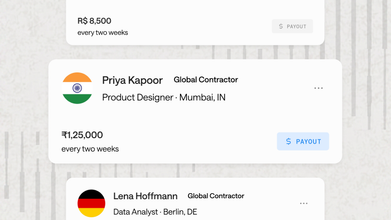



Choosing the right tools matters a great deal for modern accounting professionals, and nowhere is this more true than with payroll. The best payroll programs for accountants, including leading solutions like Bolto Payroll, RUN Powered by ADP, and Gusto, turn a time consuming, compliance heavy task into a smooth, profitable service. With countless options available, finding the right fit requires a clear understanding of core functions, client needs, and the key features that separate the good from the great. This guide breaks down what you need to know to pick the right solution for your firm and your clients.
TLDR:
Pick payroll software based on your client mix: startups need simplicity, global clients need EOR support, mature SMBs need unified HR.
Put weight on a multi-client dashboard, GL sync with QuickBooks or Xero, and automated federal and state tax filings when weighing any tool.
Most providers charge a monthly base fee plus a per-employee fee; watch for hidden costs on year-end forms and off-cycle pay runs.
Starting in 2026, employers must report qualified overtime compensation separately on Form W-2 (box 12, code TT), so verify your clients' systems are ready.
Bolto Payroll handles U.S. payroll and global contractor payments in one system, with EOR coverage in 100+ countries for firms managing startup clients expanding abroad.
What is Payroll Software? Core Functions Accountants Rely On
At its core, payroll software automates the complex process of paying employees. For accountants, these tools are more than calculators, they are command centers for managing client payroll accurately and reliably. The most valuable payroll programs for accountants offer a set of indispensable functions.
Automated Tax Calculations and Filings: The software automatically calculates federal, state, and local payroll taxes. It also generates and files necessary forms like W 2s and 1099s, cutting down on manual errors and costly penalties.
Direct Deposit and Payment Processing: Reliable systems help employees and contractors get paid on time, every time, through direct deposit or other payment methods. This removes the administrative burden of issuing paper checks.
Compliance Management: Top tier payroll programs for accountants stay updated on changing labor laws and tax regulations across multiple states and even countries. This is a key feature for lowering client risk.
Reporting and Analytics: Accountants need access to detailed reports, including payroll registers, tax liability summaries, and job costing data. This helps in giving strategic advice to clients.
Employee Self Service: Portals that let employees access their own pay stubs, tax documents, and personal information can drastically cut down on administrative questions directed at you and your clients.
Who Runs Payroll and What Are the Tool Categories?
Payroll can be managed by different parties, and the tools they use often reflect that.
In House Teams: A company’s own HR or finance department handles payroll directly. They typically need a full featured, user friendly system.
Accountants and Bookkeepers: Firms like yours offer payroll as a client accounting service. You require multi client dashboards and strong reporting features to manage everyone smoothly.
PEOs and ASOs: Professional Employer Organizations (PEOs) and Administrative Service Organizations (ASOs) handle HR and payroll for other companies. They use enterprise grade systems built for scale.
The software itself generally falls into two camps: standalone payroll systems focused exclusively on payroll processing, and unified systems that integrate payroll with human resource information systems (HRIS), benefits administration, and even recruiting. Solutions like Bolto offer an all in one approach, bringing these functions together to reduce the fragmented toolchain many businesses struggle with.
A Buying Guide for Accountants: Key Evaluation Criteria
When comparing different payroll programs for accountants, it’s worth looking beyond the basic features. A strategic choice can improve firm output and client satisfaction.
Key Factors to Consider
Integration Capabilities: Does the software sync cleanly with accounting software like QuickBooks, Xero, or NetSuite? Smooth integration prevents manual data entry and keeps the general ledger up to date.
Accountant Specific Features: Look for a dedicated accountant dashboard that allows you to manage all your clients from a single login. Features like wholesale billing and customizable permissions are also huge time savers.
Client Needs and Scalability: The ideal software should serve a diverse client base. For early stage startups, a system built for their specific payroll and compliance needs can be a perfect fit. For clients hiring globally, a solution with built in Employer of Record (EOR) and multi country payroll matters a great deal.
Pricing Structure: Understand the costs involved. Most providers charge a monthly base fee plus a per employee fee. Be wary of hidden costs for services like year end tax form filings or off cycle pay runs.
Support and Compliance: When a payroll issue arises, you need fast, expert support. Check the provider’s customer service reputation. Ask what penalty protection or error coverage the provider offers, and get the terms in writing, since no provider can promise a penalty free outcome.
Global and Remote Workforce Support: With the rise of remote work, your clients may hire employees across state lines or internationally. A system that handles multi state tax registration and global contractor payments or EOR services matters more each year. Managing payroll across borders brings concrete challenges: 13th-month pay is generally required by law in countries such as Brazil, currency swings between funding and payout dates can change what employees actually receive, and payroll files carry sensitive bank and tax data that purpose built software can help protect.
Top 15 Payroll Programs for Accountants
Now that you have a solid understanding of what to look for in a payroll program, it’s time to review the top options available for accountants today. The following programs have been selected for their accountant specific features, strong functionality, and positive user feedback. This curated list will help you identify a solution that can simplify your firm’s payroll services and support client satisfaction. For a founder facing overview, see our Best Global Payroll Services guide.
| Program | Best for | Pricing at a glance |
|---|---|---|
| Bolto Payroll | Startup heavy firms that need US payroll plus global EOR in one system | Tiered pricing based on plan and team size, partner pricing on request |
| RUN Powered by ADP | Firms that want a free, full-featured accountant console | Quote based |
| Paychex Flex | Bureaus and firms that want partner/wholesale options | Quote based |
| QuickBooks Payroll | Firms standardized on QuickBooks Online Accountant | From $50/month + $6.50 per employee |
| Gusto | Modern firms that want great UX and deep QBO/Xero sync | From $49/month + $6 per person |
| SurePayroll | Firms reselling payroll under their own brand | Full Service from $29/month + $7 per employee |
| OnPay | Predictable, no gotcha pricing and clean GL posting | $49/month base + $6 per person |
| Unified HR Suites | Tech forward firms unifying HRIS, payroll, and IT | Quote based |
| Patriot Payroll | Very small clients that need simple, affordable payroll | Full Service from $37/month + $5 per employee |
| Xero Payroll | Firms deeply integrated with the Xero ecosystem | Pricing is based on the Gusto plan selected |
| Homebase Payroll | Clients with hourly teams in hospitality or retail | $39/month base fee + $6 per active employee monthly |
| Paylocity | Firms with mid market clients needing a unified HCM suite | Quote based |
| Sage Payroll | Firms with clients using Sage accounting products | Varies by product |
| Workday Payroll | Firms advising large enterprise clients | Enterprise level, quote based subscription |
| BrightPay | UK/IE bureaus that need fast batch processing | UK bureau licences from £369 + VAT per tax year (desktop) |
1. Bolto Payroll: Best for startup heavy firms that need US payroll plus global EOR in one system
Bolto is an AI-powered, end-to-end HR system to recruit, pay, and manage global teams, and its payroll product is built for fast growing startups, exactly the clients many accountants shepherd through multi state expansion and first international hires. It automates U.S. tax filings and year end forms while giving firms a single place to extend into global contractors and full Employer of Record (EOR). We picked it for that end to end runway: accountants can keep young companies on one stack from their first W 2 to their first hire overseas, without juggling disconnected tools. See the Rebet case study for a multi hire example in under five weeks.
Key features for accountants
Multi client dashboard with role based permissions for staff and clients
Automated federal/state tax calculations and filing, plus W 2/1099 generation
Run U.S. employee payroll and global contractor payments in the same system
Integrated EOR coverage in 100+ countries to support compliant hiring abroad
U.S. benefits administration with optional PEO access
Connects to major accounting systems for clean GL reporting
Pricing at a glance: Bolto uses tiered pricing based on plan and team size, and partner pricing is available on request. See the pricing page for current details.
Pros for accountants: Automates multi state compliance; single hub for U.S. and global teams; practical multi client controls.
Cons for accountants: Limited public detail on QuickBooks/Xero mapping; newer product; pricing specifics may require a sales call.
2. RUN Powered by ADP: Best for firms that want a free, full-featured accountant console
RUN is a staple for U.S. SMB payroll, and its free Accountant Connect console is the reason many firms standardize on ADP. From a single dashboard, accountants monitor filings, pull reports, and hop between clients, while ADP automates federal, state, and local payroll tax calculations and filings at scale. We picked RUN for its dependable automation and strong GL mapping, making it a safe, practical pick when a firm manages dozens of small employers.
Accountant highlights
Accountant Connect multi client dashboard with alerts, reports, and permissions
Automated W 2/1099 prep and full federal, state, and local e filing
Native QuickBooks, Xero, and Sage integrations with GL mapping
Multi state payroll and new hire compliance
“RUN & DONE” auto payroll and AI error checks
Global contractor/EOR via ADP Marketplace partners
Pricing at a glance: Quote based. Accountant Connect is free for firms; RUN for Partners offers preferred terms.
Pros for accountants: Excellent multi client console; deep compliance coverage; direct GL integrations.
Cons for accountants: Opaque pricing; global EOR requires add on partners.
3. Paychex Flex: Best for bureaus and firms that want partner/wholesale options
Paychex Flex gives accountants scale: a purpose built Partner Pro portal for oversight, reliable multi state filings, and tight general ledger integrations. Whether you refer, resell, or white label via the SurePayroll brand, Flex adapts to your service model while automating the recurring filing work behind compliance. We picked it for its accountant first tooling and breadth of partner pathways that help firms grow payroll revenue without adding risk.
Accountant highlights
Partner Pro multi client console with proactive compliance alerts
Automated W 2/1099 and federal/state/local filings
Real time GL sync for QuickBooks Online, Xero, and Sage Intacct
Paperless multi state onboarding with compliance checks
Configurable reports and approval workflows for auditability
Referral and wholesale/reseller programs (including SurePayroll)
Pricing at a glance: Quote based. Confirm current pricing directly with Paychex. Accountant partner program available.
Pros for accountants: Dedicated console; strong U.S. compliance; mature GL integrations.
Cons for accountants: Pricing clarity drops at higher tiers; global EOR needs third party partners.
4. QuickBooks Payroll: Best for firms standardized on QuickBooks Online Accountant
If your practice lives in QuickBooks Online Accountant (QBOA), QuickBooks Payroll keeps everything in one workflow: bookkeeping, payroll, permissions, and support. Automated filings and native GL posts reduce hand offs and journal errors, while ProAdvisor pricing sweetens margins. We picked it for the simplicity of a single Intuit stack and the practical protections on higher tiers.
Accountant highlights
Manage clients and team access directly from the QBOA console
Automated federal and state filings; year end W 2/1099 e filing
Native, automatic GL sync into QuickBooks Online
Multi state calculations and form submissions
Integrated time tracking on Premium/Elite plans
Tax Penalty Protection up to $25,000 on Elite
Pricing at a glance: From $50/month + $6.50 per employee; ProAdvisor Preferred Pricing and a 30 day free trial are available.
Pros for accountants: Frictionless QBOA workflow; reliable GL posting; strong partner pricing.
Cons for accountants: U.S. only; multi state often requires higher tiers; no Xero integration.
5. Gusto: Best for modern firms that want great UX and deep QBO/Xero sync
Gusto pairs a polished experience with a firm friendly partner program, making it a favorite for accountants who value client satisfaction and accurate books. The Gusto Pro dashboard centralizes alerts and access, while strong GL mapping keeps reconciliation tidy. We picked it for its balance of compliance automation, integrations, and perks (including free payroll for your own firm) that make scaling services easier.
Accountant highlights
Multi client Gusto Pro dashboard with live alerts
Automated federal/state/local filings and payments
Two way integrations with QuickBooks Online and Xero
Multi state payroll (included on Plus) with compliance guardrails
Global contractor pay in 120+ countries and EOR in 11 countries, as of publication (coverage changes, so confirm current availability)
Custom roles and payroll approval workflows
Pricing at a glance: The Simple plan starts at $49/month + $6 per person, per Gusto’s published pricing. Gusto Pro partners receive a free Plus plan for their firm.
Pros for accountants: Accountant console; excellent GL connectivity; strong automation.
Cons for accountants: Multi state on higher tiers; limited EOR country coverage.
6. SurePayroll: Best for firms reselling payroll under their own brand
SurePayroll is built for accountants who run payroll as a product and a process. Its reseller program supplies wholesale pricing, white label branding, and a clean multi client hub, so you can package payroll profitably while SurePayroll automates tax calculations and filings on your behalf. We picked it for its combination of simplicity for small employers and bureau grade controls for firms.
Key features for accountants
Multi client dashboard with white label options and flexible billing
Wholesale partner pricing and free payroll for your firm
Automated federal/state/local filings with a no penalty guarantee
Simple W 2 and 1099 NEC e filing
QuickBooks, Xero, and Zoho Books integrations for GL sync
Pricing at a glance: Full Service from $29/month + $7 per employee. Wholesale partner pricing is quote based with volume discounts.
Pros for accountants: Strong reseller/branding model; penalty guarantee reduces risk.
Cons for accountants: Year end form fees can add up; U.S. only coverage.
7. OnPay: Best for predictable, no gotcha pricing and clean GL posting
OnPay keeps things simple for firms serving U.S. SMBs: unlimited pay runs, multi state payroll without surprise fees, and a tidy accountant console. Add flexible firm billing and reliable QuickBooks/Xero mappings, and you get an easy system to standardize across many small employers. We picked it for its straightforward model and the partner program perks that make onboarding new clients painless.
Accountant highlights
Multi client hub with granular permissions
Automated W 2/1099 and 50 state tax filings
Detailed or summary journal sync to QuickBooks Online and Xero
Automatic new hire reporting and multi state onboarding
Integrations for time, 401(k), and workers’ comp
Employee self service for forms and documents
Pricing at a glance: $49/month base + $6 per person; first month free. Partner program includes free payroll for your firm.
Pros for accountants: Strong GL sync; no extra fees for multi state; partner friendly.
Cons for accountants: U.S. only; no dedicated employer mobile app; advanced HR via add ons.
8. Unified HR Suites: Best for tech forward firms unifying HRIS, payroll, and IT
Unified HR suites give accountants a modern multi client command center while clients gain a cohesive HR stack that can extend into device and app management. Automated state registrations, rich GL mapping, and global capabilities make it attractive when payroll is only part of the engagement. We picked it for the breadth of automation and the ability to scale beyond a payroll only relationship.
Accountant highlights
Unified multi client dashboard to run and review payroll across accounts
Automated W 2/1099 and full service federal/state/local filings
Real time GL sync for QuickBooks, Xero, and NetSuite with class/location mapping
Multi state onboarding with automated tax registrations
Global contractor pay and optional EOR services
Pricing at a glance: Quote based; pricing varies by vendor and headcount. Many suites offer accountant program terms.
Pros for accountants: True multi client control; deep GL mapping; scales to broader HR/IT.
Cons for accountants: Pricing transparency is limited; can be overkill for payroll only needs.
9. Patriot Payroll: Best for very small clients that need simple, affordable payroll
Patriot focuses on the basics: quick setup, compliant filings, and low overhead, making it ideal for firms with lots of micro businesses. The partner program adds a multi client console, wholesale discounts, and a free firm license, so you can deliver payroll profitably without complexity. We picked it for its budget friendly footprint and dependable GL flows for QuickBooks users.
Key features for accountants
Multi client console with umbrella login and consolidated billing
W 2/W 3 and 1099 e filing included on Full Service
Direct journal sync to QuickBooks Online; IIF export for Desktop
Automated federal/state/local tax filings nationwide
Role based permissions for firm and client users
Pricing at a glance: Full Service from $37/month + $5 per employee; 30 day free trial. Partner program offers tiered wholesale discounts.
Pros for accountants: Very affordable; practical multi client tools; partner discounts.
Cons for accountants: U.S. only; per state fees can add up for multi state clients.
10. Xero Payroll: Best for firms deeply integrated with the Xero ecosystem
For accounting practices that use Xero as their general ledger, Xero Payroll offers a native, all in one experience. It simplifies workflows by keeping accounting and payroll in the same system, reducing manual data entry and reconciliation time. While its payroll features are primarily designed for small businesses, the tight integration is a real time saver for Xero based firms.
Key features for accountants
Full integration within the Xero accounting software
Automated federal and state tax filings
Employee self service portal via the mobile app.
Direct sync with Xero’s general ledger
Connects directly with Gusto for more advanced payroll and HR needs.
Pricing at a glance: Payroll with Gusto is an add on to a standard Xero subscription. Pricing is based on the Gusto plan selected.
Pros for accountants: Unbeatable workflow for Xero practices; simplifies client bookkeeping.
Cons for accountants: U.S. payroll is powered through a Gusto integration; may lack advanced features of standalone payroll giants.
11. Homebase Payroll: Best for clients with hourly teams in hospitality or retail
Homebase is designed for businesses that manage hourly workers, offering integrated time tracking, scheduling, and payroll. For accountants with clients in restaurants, cafes, or retail, it solves major pain points around timesheet accuracy and labor cost management. Its partner program offers revenue sharing, making it a profitable option for firms serving this niche.
Key features for accountants
All in one scheduling, time tracking, and payroll for hourly workforces.
Automated calculation of wages, breaks, and overtime.
Accountant partner program with revenue share opportunities.
Integration with QuickBooks Online for easy GL posting.
Automated payroll tax payments and filings.
Pricing at a glance: $39/month base fee + $6 per active employee monthly.
Pros for accountants: Excellent niche solution for hourly teams; solves scheduling and time tracking challenges.
Cons for accountants: Less suited for salaried, office based clients; limited integrations beyond QuickBooks.
12. Paylocity: Best for firms with mid market clients needing a unified HCM suite
Paylocity provides a full HR and payroll system that scales well for mid sized businesses. For accountants, its Accountant Advantage Program offers dedicated support, a partner portal for client data access, and flexible partnership models like reselling or revenue sharing. Its ability to handle payroll, benefits, talent, and time tracking in one system makes it a strong choice for clients outgrowing basic payroll tools.
Key features for accountants
Accountant Advantage Program with reseller and revenue share options.
Dedicated partner portal for accessing client dashboards and reports.
Automated payroll processing, tax compliance, and year end reporting.
Strong integrations with major accounting software like QuickBooks, Xero, and NetSuite.
Unified Human Capital Management (HCM) suite for HR, benefits, and time tracking.
Pricing at a glance: Quote based; requires contacting sales.
Pros for accountants: Strong partner program; scales well for growing clients; unified HR suite.
Cons for accountants: Pricing is not transparent; may be too complex for very small businesses.
13. Sage Payroll: Best for firms with clients using Sage accounting products
Similar to QuickBooks and Xero, Sage offers payroll solutions that integrate directly into its accounting software ecosystem, like Sage 50 and Sage Intacct. The Sage Accountants Network provides firms with training, support, and discounts. This makes it a logical choice for accountants whose clients are already invested in Sage for their bookkeeping and financial management.
Key features for accountants
Sage Accountants Network offers resources, support, and software access.
Direct integration with Sage accounting software for simpler workflows.
Cloud based products with automated tax calculations and compliance updates.
Partner programs are available to help accountants grow their practice.
Offers solutions for different client sizes, from small business to mid market.
Pricing at a glance: Varies by product (e.g., Sage 50, Sage HR). Partner pricing is available.
Pros for accountants: Perfect for clients already in the Sage ecosystem; strong partner support.
Cons for accountants: Can be complex to work through the different Sage product offerings.
14. Workday Payroll: Best for firms advising large enterprise clients
Workday is a leading enterprise resource planning (ERP) system for finance, HR, and payroll, targeted at large corporations. While not a tool most accounting firms would use for their SMB clients, it’s worth knowing for those who consult with enterprise level businesses. Workday unifies payroll with a global HR and finance system, providing powerful analytics and control for complex organizations.
Key features for accountants
A single, unified system for HR, finance, and payroll.
Continuous, real time payroll calculations, not batch processing.
Workday's own global payroll framework, with payroll integrations spanning over 180 countries (a separate metric from Bolto's EOR country coverage).
Strong, configurable reporting and analytics for deep financial insight.
Automated audit and internal controls features.
Pricing at a glance: Enterprise level, quote based subscription.
Pros for accountants: Offers a complete view of global workforce costs for large clients; powerful auditing tools.
Cons for accountants: A heavier and costlier investment than most small and mid sized firms need.
15. BrightPay: Best for UK/IE bureaus that need fast batch processing
For accountants in the UK and Ireland, BrightPay is purpose built to move high volumes with precision. Batch finalisation, direct HMRC/Revenue filing, and client approval flows create a smooth, auditable operation. This process is now enhanced by a growing cloud product and real time payments via Modulr. We picked it for its laser focus on bureau workflows and the depth of local compliance it delivers.
Key features for accountants
Batch processing for payslips and HMRC RTI submissions
Client portals with approval requests and a locked audit trail
API journal posting to Xero, QuickBooks, Sage, and more
Full UK (RTI, P60/P45) and Ireland (PAYE Modernisation) support
Integrated fast payments to employees and HMRC via Modulr
Automated pensions and direct auto enrolment integrations
Pricing at a glance: UK bureau licences from £369 + VAT per tax year (desktop). Cloud pricing via calculator; 60 day free trials available.
Pros for accountants: Exceptional speed at scale; strong approvals; deep UK/IE compliance.
Cons for accountants: Limited to UK/Ireland; desktop licences are retired from the 2026/27 UK tax year, so existing desktop users must move to BrightPay cloud.
Spreadsheets vs. Payroll Software: Why Excel Isn’t Enough
While spreadsheets are powerful tools, they are not suited for payroll. Relying on Excel or Google Sheets for payroll is a serious business risk for both your firm and your clients. The potential for a single formula error is immense, and such mistakes can lead to incorrect paychecks and tax filings.
Manual payroll processing is also incredibly inefficient and lacks the security of dedicated software. Sensitive employee data like Social Security numbers and bank details are far more vulnerable in a spreadsheet. Modern payroll programs for accountants encrypt this data and provide secure portals, offering peace of mind. Dedicated software automates the complex, repetitive tasks, freeing up your time to focus on higher value advisory services.
How to Choose: Aligning Payroll Tools to Your Client Base
The best payroll software for your firm depends entirely on the clients you serve. There is no one size fits all solution.
For Pre Seed and Seed Stage Startups: These clients want simplicity, affordability, and founder friendly support. They don’t need all the bells and whistles of an enterprise system. A simple US payroll system built for startups is often the best choice, helping them manage W 2 employees and 1099 contractors efficiently. For these clients, consider a modern option like Bolto Payroll.
For Companies Scaling Globally: Clients hiring engineers or other staff in countries like India, Latin America, or Eastern Europe need a global payroll and EOR provider. Look for payroll programs for accountants that handle international compliance, local labor laws, and multi currency payments without requiring your client to set up foreign legal entities. The challenges of global payroll, from regulatory compliance to data consolidation, require specialized solutions. For regional nuances, see our guide on hiring employees vs. contractors in India.
For Mature SMBs: These clients may need deeper HR features, such as benefits administration, 401k, and time tracking. A unified HR and payroll system is often the most efficient option for them.
By matching the software’s strengths to your client’s business stage and goals, you can provide a much more valuable service.
This is general information, not legal advice. Bolto is not authorized to provide legal advice. Rules on international payroll, tax, and labor law vary by situation and change over time, so consult a qualified employment lawyer or tax professional for your specific circumstances.
What’s New for Payroll Compliance in 2026
Starting with the 2026 tax year, employers must separately report qualified overtime compensation on Form W-2 (box 12, code TT), according to the IRS qualified overtime FAQs. Only the Fair Labor Standards Act (FLSA) overtime premium (the “half” in time and a half) belongs in that box, and overtime pay is still withheld and reported as regular wages. Employers generally cannot lower withholding for the deduction unless the employee submits an updated Form W-4.
For accountants, a year-end check is worthwhile: confirm each client’s payroll system isolates the overtime premium at the pay-period level and test the W-2 output before filing season. Separately, note that BrightPay’s UK desktop version is retired starting with the 2026/27 tax year, so UK/IE bureaus relying on it will need a cloud transition plan.
This is general information, not legal advice. Rules vary by situation and change over time, so consult a qualified employment lawyer or tax professional for your specific circumstances.
Conclusion
Selecting from the many available payroll programs for accountants is a big decision that affects your firm’s time and your clients’ success. By focusing on core functions, integration, scalability, and dedicated accountant features, you can move beyond simple data entry and become a strategic payroll advisor. The right platform automates compliance and calculations, giving you the time and data needed to help your clients grow.
Ready to see how a modern, all in one system can simplify your client services? See how Bolto combines recruiting, payroll, and global HR to help startups and growing companies hire and pay their teams faster.
FAQs
1. What features are most important in payroll software for an accounting firm?
Accountants should look first for a multi client dashboard, clean integration with general ledger software, automated tax filings for federal and all necessary states, and strong reporting capabilities. Wholesale pricing and dedicated accountant support are also key selling points.
2. How much do payroll programs for accountants typically cost?
Pricing usually consists of a monthly base fee and a per employee, per month fee, and rates vary by provider and plan. For Employer of Record (EOR) services, $300 to $1,000 per employee per month is general industry reference data, not Bolto’s pricing, and actual rates vary by provider and country. For specifics and tiers, visit our pricing page.
3. Can I use one payroll program for clients in different states?
Yes, the best payroll programs for accountants are designed to handle multi state compliance. They automatically calculate the correct taxes based on where each employee lives and works and manage the required state tax filings.
4. What is the benefit of a payroll provider with an accountant partner program?
Accountant partner programs often provide benefits like discounted pricing for your clients (or wholesale pricing for your firm), a dedicated support line for accountants, co marketing resources, and a listing in their professional directory. These programs are designed to help you grow your payroll service line.
5. How does payroll software help with global or remote teams?
Advanced payroll systems offer international contractor payments and Employer of Record (EOR) services. The EOR generally handles tasks such as enrolling employees in statutory benefits, withholding local payroll taxes, and issuing locally compliant employment contracts, so your clients can hire full time employees abroad without opening a foreign entity. This is a key feature for any business scaling globally.
6. What is the best payroll software for startups with under 50 employees?
The right pick depends on where the startup is headed. Gusto’s Simple plan suits US-only teams, while startups that expect to hire abroad, or want recruiting, payroll, HR, and EOR in one system, can look at Bolto Payroll. Accountants should check GL sync, multi state support, and contractor payments before standardizing on one tool.
7. Is there an all-in-one system that handles hiring, payroll, and HR for startups?
Yes. Bolto is an AI-powered, end-to-end HR system to recruit, pay, and manage global teams. It brings recruiting, payroll, HR, and EOR into one system, so you are not stitching together separate tools as the team grows.
8. What is the best AI payroll software for a small startup?
Look for AI that flags payroll errors and variances before you submit a run, plus automated tax filings. RUN Powered by ADP offers AI error checks, and Bolto pairs AI with 99.8% payroll accuracy and 48-hour setup.