

Top 5 Payroll Software for Hospitality (2026 Guide)
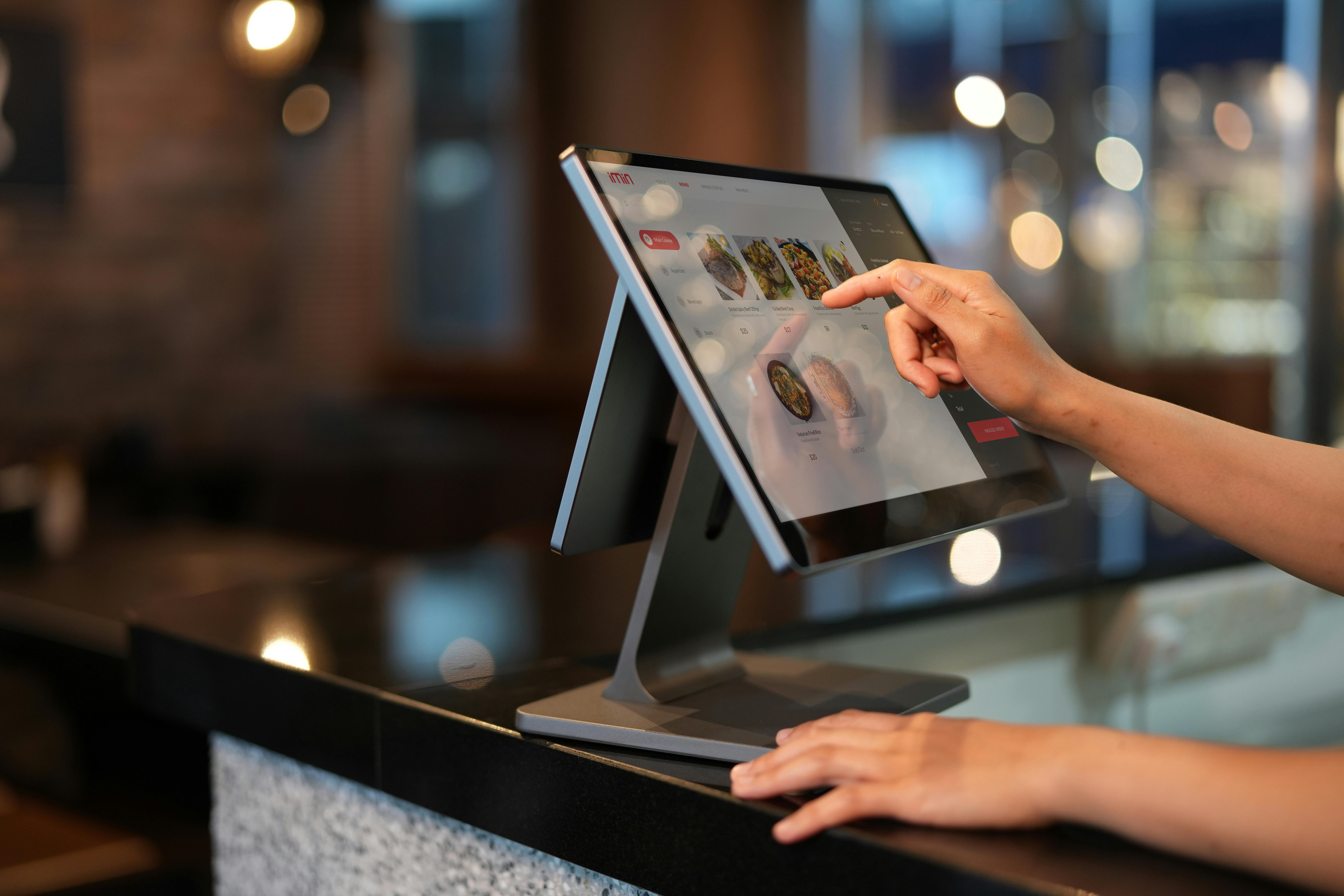
Running a hotel, restaurant, bar, cafe, or venue means juggling front of house, back of house, and everything between. Payroll is where it all comes together. Tipped and non tipped staff, split shifts, multiple pay rates, service charges, and seasonal swings can bury teams in spreadsheets. The right payroll software for hospitality automates the messy parts and keeps you compliant so managers can focus on guests instead of paperwork.
What is hospitality payroll software? Definition and scope
Hospitality payroll software is a specialized system that calculates pay, taxes, tips, and benefits for restaurants, hotels, resorts, bars, catering, and entertainment venues. It connects to your point of sale, scheduling, and time tracking tools to pull hours and tips automatically, then runs payroll, files taxes, and produces year end forms.
Unlike generic tools, payroll software for hospitality must handle tip credits, pooled tips, service charge treatment, multiple pay rates in one pay period, shift differentials, and frequent new hire and seasonal onboarding. Modern platforms also centralize contractor payments and basic HR tasks like new hire forms, I 9 collection, and document storage.
Benefits of hospitality payroll software
Hospitality operators adopt payroll software for hospitality to get three wins at once.
- Fewer manual errors and rework because hours, tips, and rates import directly from POS and scheduling systems
- Faster close because payroll can run the same day with automatic tax filings and direct deposit
- Lower compliance risk because the system enforces rules for overtime, tip credits, and recordkeeping
Added benefits many teams see in month one
- Self service pay stubs and tax forms that cut down on back office interruptions
- Clearer labor reporting by location, department, role, and shift
- A single workflow for W2 employees and 1099 contractors if your platform supports both
Core capabilities and key integrations to look for
Focus on capabilities that reflect how hospitality actually runs. The best payroll software for hospitality will include
- Tip management and distribution, supports declared tips, pooled tips, auto gratuities treated as wages, and an audit trail
- Multiple pay rates and premiums, handles shift differentials, split shifts, and blended overtime rates
- Overtime enforcement, calculates at one and one half the regular rate after 40 hours in a workweek for non exempt employees
- POS and time tools integrations, native connectors to systems like Toast, Square, Clover, Lightspeed, 7shifts, When I Work, Homebase, and Deputy
- Multi location and multi state payroll, one company record with location specific taxes and unemployment insurance rates
- Automated tax filing, federal, state, and local filings with electronic deposits and year end forms
- New hire and rehire flows, I 9 and W 4 capture, onboarding packets, policies, and document e signature
- Contractor payments, schedule and approve invoices alongside payroll when you work with chefs, musicians, or temporary staff
- Role based access and mobile, managers approve time on a phone, staff update direct deposit and view pay stubs
- Analytics, labor to sales ratios, overtime alerts, and exception reports
If you are a hospitality startup that also hires across borders, look for a platform that combines recruiting, contractor payments, US payroll, and global EOR. Bolto is one example of an all in one approach. See how it works and book a demo at Bolto.
How to choose hospitality payroll software
Use this quick framework to evaluate payroll software for hospitality.
- Fit for your footprint, number of locations, states, and entities, and whether you run seasonal pop ups
- Tip model, cash tips, pooled tips, and service charges with clear mapping and reporting
- Systems you already use, POS, scheduling, time, and accounting integrations that are native not custom builds
- Compliance coverage, automated filings, amended returns support, year end forms, and audit logs
- Total cost of ownership, platform fees, per employee fees, add on charges for filings or integrations, and onboarding services
- Support model, live chat and email response times, a named account manager for multi site brands, weekend coverage
- Roadmap and reliability, release cadence, security posture, and transparent status pages
If you need to hire quickly then pay globally while you scale, consider a combined platform that also offers recruiting and employer of record. Bolto pairs a curated recruiter network with payroll and EOR, which can be useful for hospitality concepts opening new markets. Learn more at Bolto.
Implementation considerations for hospitality teams
A smooth rollout of payroll software for hospitality usually follows these steps
- Data audit, confirm legal names, SSNs, work locations, and pay rates, gather prior quarter payroll reports
- Tip configuration, map declared tips, tip pools, and service charges to the correct earning codes
- POS and schedule mapping, connect each location, job, and pay code to the corresponding payroll earning
- Parallel run, process one to two payrolls in the new system while still running in the old, compare totals and taxes
- Manager training, teach supervisors to approve time and exceptions on mobile by a set cutoff
- Staff onboarding, invite employees to self service for direct deposit, tax forms, and pay stub access
- Go live support, plan for first cycle office hours and a clear escalation path
Bolto’s team often helps early stage operators stand up payroll and contractor payments fast. See Assembly’s 2‑day onboarding story. If you want a guided approach, reach out to Bolto.
Top 5 Payroll Software for Hospitality
With the fundamentals of hospitality payroll in mind, this section spotlights five platforms that consistently serve restaurants, bars, cafés, and hotels. They’re grouped together because each handles industry-specific challenges like tip pooling and reporting, multiple wage rates across roles, shift-based scheduling, and multi-location compliance better than generic payroll tools. Use the overviews ahead to quickly gauge which option best fits your team size, tech stack, and labor model.
1. Toast
Toast Payroll & Team Management pulls hours, breaks, and tips straight from Toast POS time clocks, so pay runs reflect the floor in real time. It’s purpose-built for shifting, multi-location restaurant teams and checks Bolto’s boxes with US multi-state W‑2/1099 support, startup-friendly bundles, and a roughly 10‑minute setup.
Why it stands out: A restaurant-native workflow that ties labor, tips, and taxes together without spreadsheets or exports.
Quick facts
- Starting price: $110/month + $4/employee; add-ons by quote
- Free trial/demo: Demo only
- Pay types: W‑2, 1099; no 1099 filing
- Coverage: US‑only, nationwide
Built for hospitality
- Automated tip pooling and service‑charge allocation to the penny
- Overtime rules, multi‑role rates, and compliant time tracking
- Multi‑location tax handling and automated filings
Key integrations
- POS/timeclock: Toast, Square
Pros & cautions
- Pro: Fast to launch with startup‑friendly packaging
- Pro: Tip‑savvy and restaurant‑native across workflows
- Con: Requires Toast POS to get full value
2. Restaurant365
Restaurant365 blends accounting, POS data, HR, and payroll into one back‑office hub, cutting manual work across locations and concepts. It’s built for tip‑heavy, shift‑based restaurants and fits Bolto’s ICP with US multi‑state W‑2/1099 coverage, POS‑driven onboarding, startup‑friendly pricing tiers, and quick deployment.
Why it stands out: A single source of truth for labor, payroll, and books designed specifically for restaurants.
Quick facts
- Starting price: By quote; per‑location modules
- Free trial/demo: Demo only
- Pay types: W‑2, 1099
- Coverage: Multi‑state US with automated filings; no global/EOR
Built for hospitality
- Tip pooling and service‑charge allocation with compliance controls
- Overtime rules plus scheduling/time tracking visibility
- Multi‑location tax and filings automation
Key integrations
- POS/timeclock: Toast, Square, Clover
Pros & cautions
- Pro: Fast setup with restaurant‑specific workflows
- Pro: Deep POS/tip automations reduce admin
- Con: Suite can feel pricier as modules scale
3. Push Payroll
Push Payroll brings payroll, scheduling, time tracking, HR, and native tip automation under one roof, then connects it to your POS. It’s tailored to restaurants with rotating shifts and multiple locations, and fits Bolto’s ICP with US multi‑state W‑2/1099 support, budget‑friendly plans, and guided onboarding.
Why it stands out: End‑to‑end labor and tip workflows that move cleanly from clock‑in to pay stub.
Quick facts
- Starting price: From $25/month (5‑employee minimum)
- Free trial/demo: Demo only
- Pay types: W‑2, 1099
- Coverage: US multi‑state; Canada available
Built for hospitality
- Automated tip pooling; native tip tools plus TipHaus support
- Overtime rules with scheduling and time tracking included
- Multi‑location tax handling for growing groups
Key integrations
- POS: Toast, Square, Clover, Lightspeed
Pros & cautions
- Pro: Quick setup and easy onboarding
- Pro: Strong POS and tip‑handling features
- Con: Advanced automations may require higher tiers
4. 7shifts
7shifts started with restaurant scheduling and time clocks, then layered in tip pooling and full‑service US payroll, so labor flows from shift to paycheck seamlessly. It suits Bolto’s ICP with 50‑state W‑2/1099 support, quick setup, approachable pricing, and deep POS connections.
Why it stands out: Scheduling‑first DNA gives operators powerful control over overtime, tips, and labor costs before payroll runs.
Quick facts
- Starting price: $39.99/location + $6/employee paid
- Free trial/demo: 14‑day Pro; payroll demo
- Pay types: W‑2, 1099
- Coverage: 50‑state US; multi‑location; no global/EOR
Built for hospitality
- Tip pooling, tip credit, and service‑charge handling
- OT rules with scheduling and accurate time tracking
- Multi‑location tax support for growing groups
Key integrations
- POS: Toast, Square, Clover
Pros & cautions
- Pro: Startup‑friendly pricing and fast rollout
- Pro: Restaurant‑specific payroll with strong tip tools
- Con: Multi‑EIN support can be limited
5. Homebase
Homebase combines scheduling, time clocks, and full‑service payroll so hourly hospitality teams can move from shifts to pay effortlessly. It matches Bolto’s ICP with W‑2/1099 support across the US, startup‑friendly pricing, 5-7‑day setup, and POS integrations that sync sales, hours, and tips.
Why it stands out: Familiar scheduling tools paired with simple payroll, ideal for first‑time or fast‑moving operators.
Quick facts
- Starting price: Add‑on $39 + $6/employee
- Free trial/demo: Free Basic; up to 6 months
- Pay types: W‑2, 1099
- Coverage: 50 states + D.C.; US‑only
Built for hospitality
- Automatic tip pooling and service‑charge allocation
- Overtime rules with scheduling/time tracking built in
- Multi‑state tax filing for distributed teams
Key integrations
- POS: Toast, Square, Clover
Pros & cautions
- Pro: Fast, startup‑friendly implementation
- Pro: POS‑centric features tuned for hospitality
- Con: Add‑ons can raise total cost
Costs and pricing for hospitality payroll software
Pricing models vary, but most vendors charge a monthly platform fee plus a per employee fee. Some also price per run for very small teams. Costs rise with add ons like benefits administration, garnishments, and multi state filings.
If you want a concrete anchor, here is how Bolto prices its stack as of 2025, which can help you benchmark
- US Payroll Launch plan at 39 per employee per month plus a 59 monthly platform fee
- US Payroll Scale plan at 49 per employee per month plus a 99 monthly platform fee
- Global EOR at 599 per employee per month across 100 plus countries
- Contractor of Record at 299 per contractor per month
- Contractor Management software at 49 per month
For hospitality startups that mix W2 staff and independent contractors, unified payroll and contractor pay can lower complexity and vendor costs. You can compare plans and speak with payroll specialists at Bolto.
Trends in hospitality payroll software for 2025
The next wave of payroll software for hospitality is shaped by five clear trends
- AI assisted anomaly detection, flags pay outliers, missing tips, and misapplied rates before you run payroll
- Integrated contractor and employee pay, one approval and one payment file for W2 and 1099
- Instant and earned wage access options, more staff now expect same day or next day access to earnings
- Global readiness for growth, operators that expand into near shore markets want contractor payments and EOR in one platform
- Deeper POS and scheduling sync, per shift labor to sales analytics and predictive overtime alerts at the manager level
Related HR software for hospitality
Payroll does not live alone. Most operators pair payroll software for hospitality with
- Time and attendance, capture clock ins and breaks that comply with local rules
- Scheduling, forecast demand and build schedules with labor cost targets
- HRIS core, employee records, docs, policies, and time off tracking
- Benefits and pay cards, unlock direct deposit alternatives for unbanked staff
- Applicant tracking, streamline seasonal hiring and background checks
- Accounting, push journal entries to QuickBooks or NetSuite
If you prefer one platform for recruiting, payroll, global EOR, and contractor management, explore Bolto.
Conclusion: Match your choice to your operation
The best payroll software for hospitality matches your exact operation, tip model, and tech stack. Start with non negotiables, correct tip handling, blended overtime, rock solid tax filings, and manager friendly mobile tools. Add the right integrations so hours and tips flow without spreadsheets. If you plan to expand across states or borders, pick a system that scales to multi location and global hiring without adding more vendors.
Bolto brings recruiting, US payroll, global EOR, and contractor payments into one workflow that early stage hospitality teams can run in days. If that sounds useful, start a conversation at Bolto. See how Rebet built a full engineering team in under five weeks with Bolto’s recruiting + EOR as a proof point.
FAQs
What makes payroll software for hospitality different from generic payroll tools
Hospitality platforms handle declared tips and tip pools, treat service charges as wages when imposed by the employer, support multiple rates for one employee in one pay period, and calculate blended overtime. They also integrate tightly with POS and scheduling so hours and tips import automatically.
How does payroll software for hospitality handle tips and service charges
Employees must report cash tips of 20 dollars or more in a month to the employer by the tenth day of the next month. Employers must withhold FICA and income taxes on reported tips and show them on Form W2. When a mandatory service charge is added by the business it is treated as wages rather than tips. Good software automates these rules and produces an audit trail.
What compliance facts should hospitality operators keep in mind
Here are key facts many teams rely on
- Federal minimum wage is 7.25 per hour and the federal cash wage for tipped employees is 2.13
- Non exempt employees earn overtime at one and one half times the regular rate after 40 hours in a workweek
- Employers that are applicable large employers with 50 or more full time equivalent employees have Affordable Care Act reporting duties on Forms 1094 C and 1095 C
- Form I 9 must be completed no later than three business days after the employee starts work
- Payroll records must be retained for at least three years under federal recordkeeping rules and many payroll tax records for four years
- Some states and cities prohibit the federal tip credit or set higher cash wage floors for tipped workers
Does payroll software for hospitality support both employees and contractors
Many modern platforms pay W2 employees and 1099 contractors in one flow. This is helpful for venues that bring in independent contractors like DJs, photographers, or event staff. Bolto supports unified employee and contractor pay, details at Bolto.
Which integrations are most important for restaurants and hotels
Prioritize POS, scheduling, and time tracking integrations so hours, sales, and tips sync automatically. Accounting integrations reduce manual journal entries. If you hire seasonally, look for background checks and applicant tracking integrations.
How quickly can a small restaurant run first payroll after switching
With organized data, most small teams can run a first live payroll in one to two weeks. A short parallel run helps validate taxes, tips, and rates before go live.
What does year end look like with payroll software for hospitality
The system produces Forms W2 for employees and Forms 1099 NEC for contractors, files annual reconciliations, and keeps history for audits. Staff can pull their own forms in self service to reduce back office work.
Can I expand into new states or countries without adding vendors
Yes. Look for multi state payroll with automated registrations and a global layer for contractor payments and employer of record if you hire abroad. Bolto covers US payroll plus EOR in 100 plus countries, learn more at Bolto.